
Ultimate Guide to LEGO MOC Building for Beginners
Supporting Free Content
When you purchase through our links, we earn a small commission at no extra cost to you. As an Amazon Associate and eBay Partner, this helps us keep bringing you expert LEGO® reviews and guides. Thank you for your support!
Embarking on the journey of LEGO MOC building is an incredibly rewarding experience that allows builders to unleash their creativity beyond official sets. For beginners, getting started means understanding what MOCs are, gathering essential tools and parts, and learning fundamental building techniques. This comprehensive guide will walk you through everything you need to know to create your very own custom LEGO designs, transforming your brick collection into a canvas for your imagination.
What Exactly is a LEGO MOC?
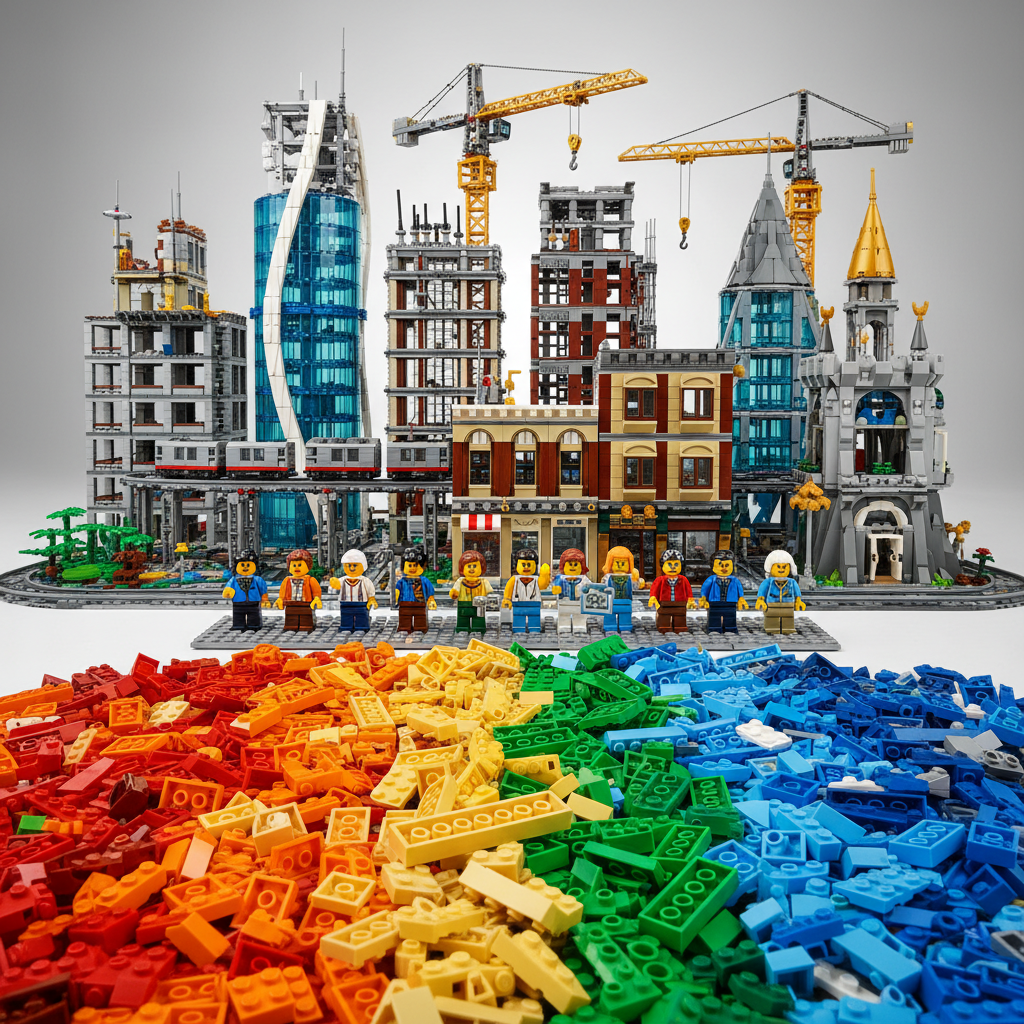
A LEGO MOC, pronounced "mock," stands for My Own Creation. It's any LEGO model that you design and build yourself, without following official LEGO instructions. This could be anything from a tiny minifigure accessory to an enormous, intricate city display. MOCs represent the ultimate expression of LEGO's core philosophy: building whatever you can imagine with bricks.
The beauty of MOC building lies in its limitless possibilities. You're not constrained by themes, piece counts, or existing intellectual properties. You are the designer, the engineer, and the artist. This freedom is what draws countless LEGO enthusiasts into the world of MOCs, allowing them to bring their unique visions to life in brick form.
Why Dive into LEGO MOC Building?
The allure of MOC building is multifaceted, offering a rich experience that goes beyond simply following instructions. Here are some compelling reasons why beginners should consider stepping into this creative realm:
- Unleash Creativity: MOCs are the purest form of creative expression with LEGO. You're not just assembling; you're inventing. This process can be incredibly satisfying and a fantastic outlet for imaginative ideas.
- Develop Problem-Solving Skills: Designing a MOC often involves overcoming structural challenges, finding ways to achieve specific shapes or textures, and managing limited parts. It's a fantastic exercise in spatial reasoning and practical problem-solving.
- Learn New Techniques: As you build MOCs, you'll naturally discover and adopt advanced building techniques like SNOT (Studs Not On Top), advanced bracing, and intricate detailing methods that aren't always present in official sets.
- Build Unique Displays: Want a specific building for your LEGO city that doesn't exist? Or a starship from a niche sci-fi universe? MOCs allow you to create exactly what you want for your personal collection or display.
- Join a Thriving Community: The LEGO MOC community is vast, supportive, and inspiring. Sharing your creations, getting feedback, and seeing what others are building can be a huge motivator and a source of new ideas. Platforms like Rebrickable, Flickr, and Instagram are buzzing with MOC builders.
- Re-purpose Your Collection: MOC building gives new life to sets you've already built or parts you have lying around. Every brick becomes a potential component for your next masterpiece.
Getting Started: Essential Tools and Resources for MOC Builders
You don't need a massive, specialized workshop to start building MOCs, but a few key tools and resources will significantly enhance your experience.
1. Your LEGO Brick Collection
The most fundamental "tool" is, of course, a collection of LEGO bricks! For beginners, it's not about quantity, but variety. Having a good mix of basic bricks, plates, tiles, slopes, and specialized elements will give you more options. If you're starting from scratch or looking to boost your MOC-building potential, consider these:
-
: LEGO Architecture Studio
This set is an absolute goldmine for aspiring MOC builders, especially those interested in structural and architectural designs. With 1211 white and transparent bricks, along with a few grey, black, and tan elements, it's designed to inspire creative building rather than instructing a specific model. It comes with a 272-page guidebook full of architectural concepts and exercises, making it perfect for understanding fundamental design principles. It's a fantastic starting point for developing your own unique architectural MOCs and learning about scale, proportion, and texture.
-
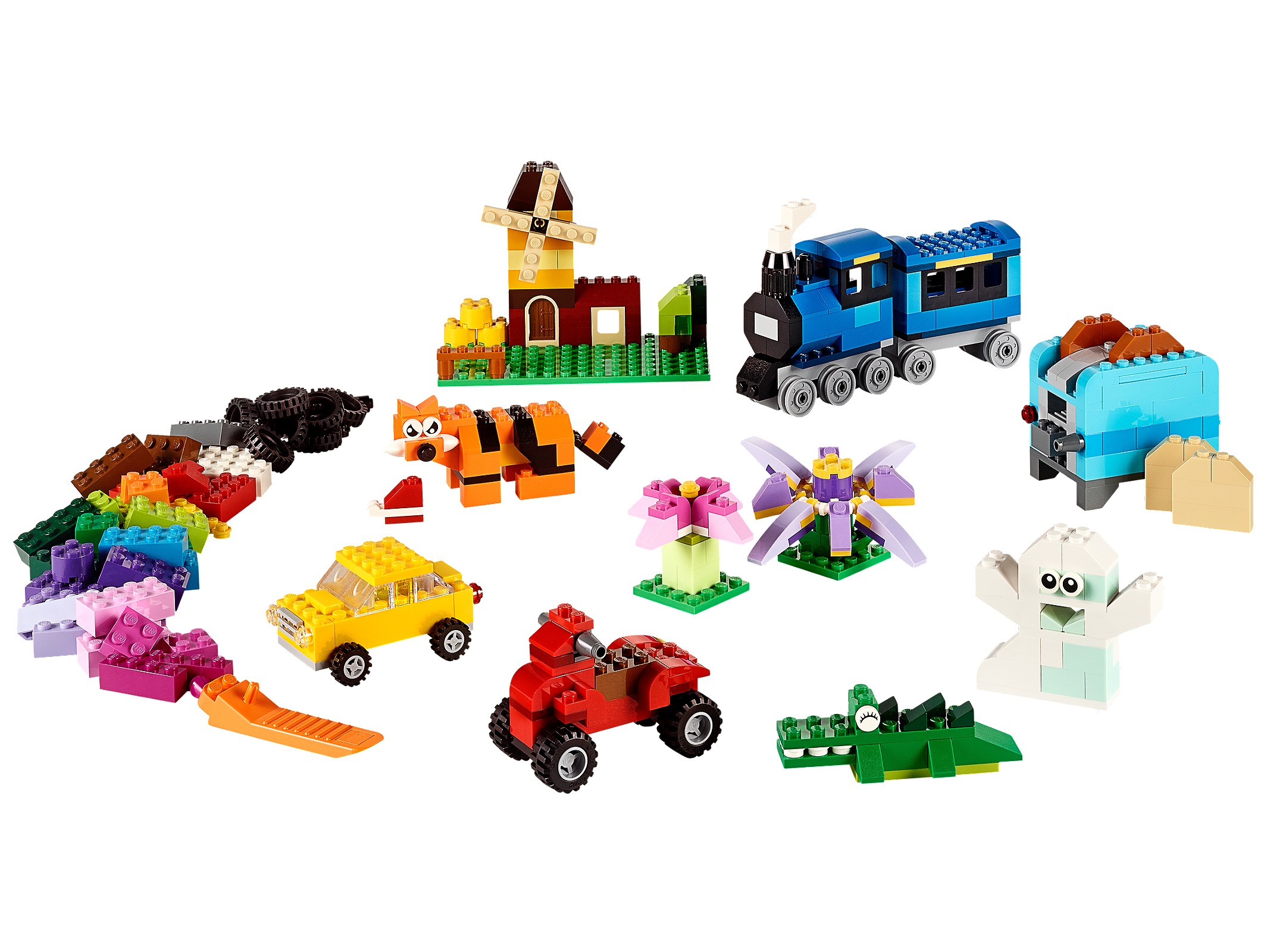
LEGO Classic Creative Brick Boxes
These sets offer a wide assortment of basic bricks in various colors and shapes. They are designed to encourage free building and are excellent for expanding your general parts library without focusing on a specific theme.
-
Breaking Down Existing Sets:
Don't be afraid to deconstruct official sets you already own! They are excellent sources of diverse parts. For instance, the intricate pieces from sets like Notre-Dame de Paris (4382 pieces) or Neuschwanstein Castle (3455 pieces) can be repurposed for your own grand architectural visions. Even smaller sets like Statue of Liberty (1685 pieces) or The White House (1483 pieces) offer unique elements that can spark inspiration for your custom builds.
2. Storage and Sorting Solutions
As your collection grows, efficient storage becomes crucial. Being able to quickly find the right brick can make or break your building flow. Consider:
- Plastic Drawers/Containers: Sort by color, type (e.g., plates, bricks, tiles), or size.
- Tackle Boxes: Excellent for small, specialized parts.
- Clear Bins: Allow you to see contents at a glance.
3. Brick Separators
While often overlooked, the humble LEGO brick separator is an invaluable tool. It saves your fingers, prevents damage to bricks, and speeds up disassembly. Always have a few on hand!
4. Digital Design Software
For more complex MOCs, or to plan before committing to physical bricks, digital design software is a game-changer.
- BrickLink Studio (Recommended): This free software is incredibly powerful. It includes a vast library of LEGO parts, allows you to build digitally, generate step-by-step instructions, and even create a parts list for easy ordering through BrickLink. It's an essential tool for serious MOC builders.
- LEGO Digital Designer (LDD): While no longer updated by LEGO, LDD is still a viable option for simple designs and has a familiar interface for many LEGO fans.
5. Online Marketplaces for Parts
Once you have a design in mind, you'll often find you don't have all the necessary bricks. That's where online marketplaces come in:
- BrickLink: The largest online marketplace for buying and selling individual LEGO bricks, sets, and minifigures. It's run by LEGO itself and is the go-to for MOC builders sourcing specific parts. You can upload your BrickLink Studio parts list directly to find sellers.
- LEGO Pick-A-Brick: LEGO's official service for buying individual bricks. While sometimes more expensive than BrickLink for certain elements, it offers a direct source and often has exclusive or newer parts.
6. Inspiration & Community Resources
Don't build in a vacuum! The MOC community is a treasure trove of ideas and support.
- Rebrickable: A fantastic database for MOCs. You can browse thousands of user-submitted designs, get instructions, and even see what MOCs you can build with the sets you already own.
- Flickr & Instagram: Search for #LEGOMOC or specific themes to find stunning creations from builders worldwide.
- LEGO Fan Forums & Groups: Online forums and local LEGO User Groups (LUGs) are great places to connect with other builders, share your work, and get advice.
Choosing Your First MOC Project: Ideas for Beginners
Starting with a manageable project is key to avoiding frustration and building confidence. Here are some ideas:
1. Rebuild an Existing Set with a Twist
Take an official set you already own and try to rebuild it into something completely different, using only its parts. This forces you to be creative within constraints and understand how different elements can be repurposed. For instance, transform a vehicle into a building, or a building into a spaceship.
2. Small Vignettes or Dioramas
Start with a small baseplate (e.g., 8x8 or 16x16 studs) and create a scene. This could be a small section of a city, a natural landscape, or a scene from a movie. These projects are great for practicing detail, composition, and storytelling without needing a huge number of parts.
3. Minifigure Scale Props or Furniture
Design custom furniture for a LEGO house, a unique vehicle for a minifigure, or a small accessory. These are quick builds that allow you to experiment with different scales and techniques.
4. Architectural Facades or Microbuilds
The LEGO Architecture series is a fantastic source of inspiration for MOCs. You could try to build a micro-scale version of a famous landmark not yet covered by LEGO, or design a unique facade for a modular building. Sets like Himeji Castle (2125 pieces) or Great Pyramid of Giza (1476 pieces) provide excellent examples of how to capture complex structures with relatively few, but cleverly used, pieces.
Recommended Sets for MOC Inspiration & Parts
While Architecture Studio is ideal for pure MOC building, many official Architecture sets offer fantastic parts and design inspiration for your custom creations:
- Notre-Dame de Paris: With 4382 pieces, this set is a masterclass in intricate detailing and structural integrity. Its vast array of light grey, dark grey, and tan elements are invaluable for large-scale architectural MOCs, offering both quantity and specialized parts for gothic detailing.
- Neuschwanstein Castle: This 3455-piece set at $279.99 is a stunning example of complex organic shapes and micro-scale landscaping. Its numerous white and sand green elements, along with unique roof pieces, are perfect for creating fairytale-inspired builds or intricate natural environments in your MOCs.
- Himeji Castle: Featuring 2125 pieces, this model offers exquisite roof techniques and a beautiful combination of white, grey, and tan bricks. Its parts are excellent for Asian-inspired architecture or creating unique textures on any MOC.
- Taj Mahal: A truly iconic build with 2024 pieces, providing a wealth of white and transparent elements. Its dome and minaret construction techniques are highly inspiring for any grand, ornate architectural MOC.
- Trevi Fountain: At $159.99 with 1880 pieces, this set beautifully captures flowing water and ornate sculpture. Its clear blue elements, detailed relief bricks, and various curved pieces are perfect for MOCs involving water features or classical architectural embellishments.
- Empire State Building: This 1767-piece model is a towering example of skyscraper construction. Its sheer volume of tan and grey elements, along with repetitive structural design, is ideal for MOC builders looking to create their own urban landscapes or massive structures.
- Statue of Liberty: With 1685 pieces, this set showcases an excellent use of sand green for intricate shaping and texture. The parts are fantastic for organic forms, detailed statues, or unique color palettes in your MOCs.
- The White House: This 1483-piece set is a masterclass in classical architecture, offering many white bricks, columns, and windows. It's a great source for parts and inspiration if you're building stately homes, government buildings, or historical MOCs.
- Great Pyramid of Giza: Comprising 1476 pieces, this set demonstrates ancient construction techniques and excellent use of tan and dark tan bricks for desert landscapes or historical settings in MOCs.
- Trafalgar Square: A detailed city scene with 1197 pieces, offering a mix of architectural elements, statues, and road detailing. It's a versatile source for creating urban MOCs, parks, or monuments.
- United States Capitol Building: With 1032 pieces, this set provides many unique elements for domes, columns, and intricate facades, perfect for historical or governmental MOCs.
- Robie House: An older, highly detailed set with 2276 pieces, known for its iconic Prairie Style architecture. It's a fantastic source for unique window elements, dark red and dark green bricks, and flat, expansive roof designs, inspiring modern or Frank Lloyd Wright-esque MOCs.
- Imperial Hotel: With 1188 pieces, this set is another Frank Lloyd Wright masterpiece, offering distinct angles and textures. Its use of olive green and brown bricks provides a unique palette for MOCs inspired by organic architecture or historical buildings.
- Fallingwater: This 811-piece set is renowned for its innovative cantilevered design and integration with nature. Its parts are excellent for creating MOCs with complex structural designs, water features, and natural landscaping, particularly its light grey and dark green elements.
The MOC Building Process: A Step-by-Step Guide
While MOC building is highly individual, most successful projects follow a general workflow:
-
Idea Generation & Research:
- What do you want to build? A castle, a spaceship, a house, a creature?
- Gather reference images. Look at real-world examples, concept art, or other LEGO MOCs for inspiration.
- Consider the scale, color scheme, and key features you want to include.
-
Planning & Design (Digital or Physical):
- Sketch it out: Draw your ideas on paper to get a rough layout and proportions.
- Digital Design: Use BrickLink Studio to build a virtual model. This allows for easy experimentation, part inventory management, and instruction generation. It's highly recommended for beginners.
- Physical Prototyping: If you prefer a hands-on approach, start building directly with bricks, focusing on the core structure first.
-
Part Sourcing (If Needed):
- If you built digitally, generate a parts list from BrickLink Studio.
- Check your existing collection first.
- Order missing parts from BrickLink or LEGO Pick-A-Brick. Be patient; this can take time.
-
Building:
- Start with the foundation and structural elements. Ensure your MOC is stable.
- Work in sections, focusing on one area or detail at a time.
- Don't be afraid to experiment and rebuild sections if they don't look right. Iteration is a core part of MOC building.
-
Refinement & Detailing:
- Once the main structure is complete, add details, textures, and finishing touches.
- Pay attention to color consistency and part usage.
- Step back and view your MOC from different angles. What could be improved?
-
Photography & Sharing:
- Take good quality photos of your finished MOC. Good lighting and a clean background make a huge difference.
- Share your creation with the LEGO community on platforms like Rebrickable, Flickr, Instagram, or fan forums. Get feedback and inspire others!
Key Building Techniques for Beginner MOC Builders
Mastering a few fundamental techniques will significantly elevate your MOCs:
- SNOT (Studs Not On Top): This technique involves orienting bricks so their studs face in directions other than upwards. It's crucial for creating smooth surfaces, unique angles, and intricate details. For example, using a bracket piece to attach a tile sideways to a wall.
- Structural Integrity: Always build with stability in mind. Ensure your MOC can be handled without falling apart. Use interlocking bricks, plates, and Technic pins for strong connections. Overlap plates and bricks to create strong bonds.
- Color Blocking & Palette: While a chaotic mix of colors can be fun, a thoughtful color palette can make your MOC look more polished. Consider using a primary color, a secondary color, and an accent color. Or, embrace monochrome for a sleek, architectural look, much like the Architecture Studio encourages.
- Texturing: Use different types of bricks (smooth tiles, studded plates, grille bricks, modified bricks) to create varied textures on your MOC. This adds visual interest and realism. For instance, using 1x1 round plates for cobblestones or masonry bricks for a weathered wall effect.
- Greebling: This technique involves adding small, intricate details (often using small plates, tiles, or clips) to a surface to create a sense of mechanical complexity, especially common in sci-fi MOCs.
Quick Comparison: Top LEGO Sets for MOC Parts & Inspiration
When considering which sets might best kickstart your MOC journey beyond the dedicated Architecture Studio, here's a quick look at some top contenders from the Architecture line:
| Set Name | Item Number | Piece Count | Best For MOCs |
|---|---|---|---|
| Architecture Studio | 21050-1 | 1211 | Essential Starter: Pure creative parts, design guide. |
| Notre-Dame de Paris | 21061-1 | 4382 | Grand Architecture: Massive part count, intricate details, gothic elements. |
| Neuschwanstein Castle | 21063-1 | 3455 | Castle/Organic Shapes: Unique parts for turrets, spires, and landscape. |
| Taj Mahal | 21056-1 | 2024 | Ornate/Domes: Abundance of white, transparent, and specialized dome pieces. |
| Statue of Liberty | 21042-1 | 1685 | Organic/Unique Color: Excellent sand green parts for statues and organic forms. |
What to Consider When Buying for MOC Building
When you're looking to expand your collection specifically for MOCs, keep these factors in mind:
- Part Variety vs. Quantity: While a high piece count is great, look for a good variety of different types of bricks (plates, tiles, slopes, modified bricks, Technic elements). A set with 500 unique parts is often more valuable for MOCs than a set with 5000 identical bricks.
- Color Palette: Consider the color scheme of your intended MOCs. If you plan to build realistic architecture, sets with many grey, tan, white, and black bricks (like many Architecture sets) will be more useful. If you want fantastical creatures, bright and varied colors are better.
- Price per Piece: While not the only metric, a low price per piece (e.g., $0.10 or less) can indicate good value for expanding your raw brick count. However, sometimes specialized parts are worth a higher price.
- Reusability of Parts: Look for versatile parts that can be used in many different contexts. Basic bricks, plates, and tiles are always valuable. Unique, highly specialized elements from licensed sets might be harder to repurpose for general MOCs.
- Inspiration Potential: Sometimes, buying a set isn't just for its parts, but for the building techniques it demonstrates. Sets like Notre-Dame de Paris or Neuschwanstein Castle offer masterclasses in micro-scale detailing and complex construction that can directly inspire your own MOCs.
Frequently Asked Questions About LEGO MOC Building
What does MOC stand for?
MOC stands for "My Own Creation." It refers to any LEGO model that has been designed and built by an individual without following official LEGO instructions from a set.
Do I need a lot of LEGO bricks to start building MOCs?
Not necessarily! While a larger collection offers more possibilities, you can start with a relatively small collection. The key is creativity and understanding how to make the most of the bricks you have. Starting with a set like Architecture Studio is an excellent way to get a versatile collection of MOC-friendly parts.
What is the best software for designing LEGO MOCs digitally?
BrickLink Studio (often referred to simply as "Studio") is widely considered the best free software for designing LEGO MOCs. It has a comprehensive parts library, allows for virtual building, generates instructions, and integrates directly with the BrickLink marketplace for ordering parts.
Where can I find instructions for MOCs?
Many MOC builders share their instructions (either free or paid) on platforms like Rebrickable.com. You can also find them on personal websites, Flickr, or through various LEGO fan communities and forums. BrickLink Studio can also generate instructions from digital models.
Is it expensive to build MOCs?
The cost varies greatly. If you're building with parts you already own, it's free! If you need to source specific parts, the cost depends on the size and complexity of your MOC, the rarity of the parts, and where you buy them. BrickLink often provides the most cost-effective way to buy individual bricks.
What is "SNOT" in LEGO building?
SNOT stands for "Studs Not On Top." It's a fundamental advanced building technique where LEGO elements are oriented so their studs face sideways, downwards, or in any direction other than straight up. This allows for smooth surfaces, intricate details, and unconventional angles.
Can I sell my LEGO MOCs?
Yes, many MOC builders sell their custom creations, either as complete models, or more commonly, as instruction sets for others to build. Platforms like Rebrickable and independent websites are used for selling instructions. Selling physical models can be done through personal channels, conventions, or online marketplaces, though it's important to be mindful of intellectual property rights if your MOC uses licensed themes.
Conclusion: Your MOC Journey Awaits!
The world of LEGO MOC building is an incredible frontier for creativity, challenge, and endless fun. From understanding the basics of design to mastering new building techniques and sourcing the perfect parts, this guide has equipped you with the knowledge to take your first confident steps. Remember, every master builder started somewhere, and the most important tool you possess is your imagination. Whether you're inspired by the grand scale of Notre-Dame de Paris or the elegant simplicity of Architecture Studio, the bricks are waiting for your unique vision. So, gather your bricks, fire up your imagination, and start creating your very own LEGO masterpieces today!
Unleash your creativity with our ultimate guide to LEGO MOC building for beginners! Learn essential tips, tools, techniques, and find the best LEGO sets to kickstart your custom brick creations.
LEGO MOC, beginner guide, custom builds, LEGO custom creations, MOC building tips, LEGO architecture MOCs, LEGO MOC parts, BrickLink Studio, LEGO design, My Own Creation
Ready to build beyond the instructions? Our comprehensive guide helps LEGO MOC beginners master custom creations. Discover essential tools, techniques, and top sets to inspire your unique brick designs!
Q: What does MOC stand for?
A: MOC stands for "My Own Creation." It refers to any LEGO model that has been designed and built by an individual without following official LEGO instructions from a set.
Q: Do I need a lot of LEGO bricks to start building MOCs?
A: Not necessarily! While a larger collection offers more possibilities, you can start with a relatively small collection. The key is creativity and understanding how to make the most of the bricks you have. Starting with a set like Architecture Studio is an excellent way to get a versatile collection of MOC-friendly parts.
Q: What is the best software for designing LEGO MOCs digitally?
A: BrickLink Studio (often referred to simply as "Studio") is widely considered the best free software for designing LEGO MOCs. It has a comprehensive parts library, allows for virtual building, generates instructions, and integrates directly with the BrickLink marketplace for ordering parts.
Q: Where can I find instructions for MOCs?
A: Many MOC builders share their instructions (either free or paid) on platforms like Rebrickable.com. You can also find them on personal websites, Flickr, or through various LEGO fan communities and forums. BrickLink Studio can also generate instructions from digital models.
Q: Is it expensive to build MOCs?
A: The cost varies greatly. If you're building with parts you already own, it's free! If you need to source specific parts, the cost depends on the size and complexity of your MOC, the rarity of the parts, and where you buy them. BrickLink often provides the most cost-effective way to buy individual bricks.
Q: What is "SNOT" in LEGO building?
A: SNOT stands for "Studs Not On Top." It's a fundamental advanced building technique where LEGO elements are oriented so their studs face sideways, downwards, or in any direction other than straight up. This allows for smooth surfaces, intricate details, and unconventional angles.
Q: Can I sell my LEGO MOCs?
A: Yes, many MOC builders sell their custom creations, either as complete models, or more commonly, as instruction sets for others to build. Platforms like Rebrickable and independent websites are used for selling instructions. Selling physical models can be done through personal channels, conventions, or online marketplaces, though it's important to be mindful of intellectual property rights if your MOC uses licensed themes.
Use Our Tools to Go Further
Get more insights about the sets mentioned in this article with our free LEGO tools