

LEGO Forced Perspective: Creating Depth and Scale Illusions
Supporting Free Content
When you purchase through our links, we earn a small commission at no extra cost to you. As an eBay Partner, this helps us keep bringing you expert LEGO® reviews and guides. Thank you for your support!
How to make a LEGO scene look deeper than it is, by stepping down scale, detail and colour from front to back, overlapping layers and building for a single viewpoint.
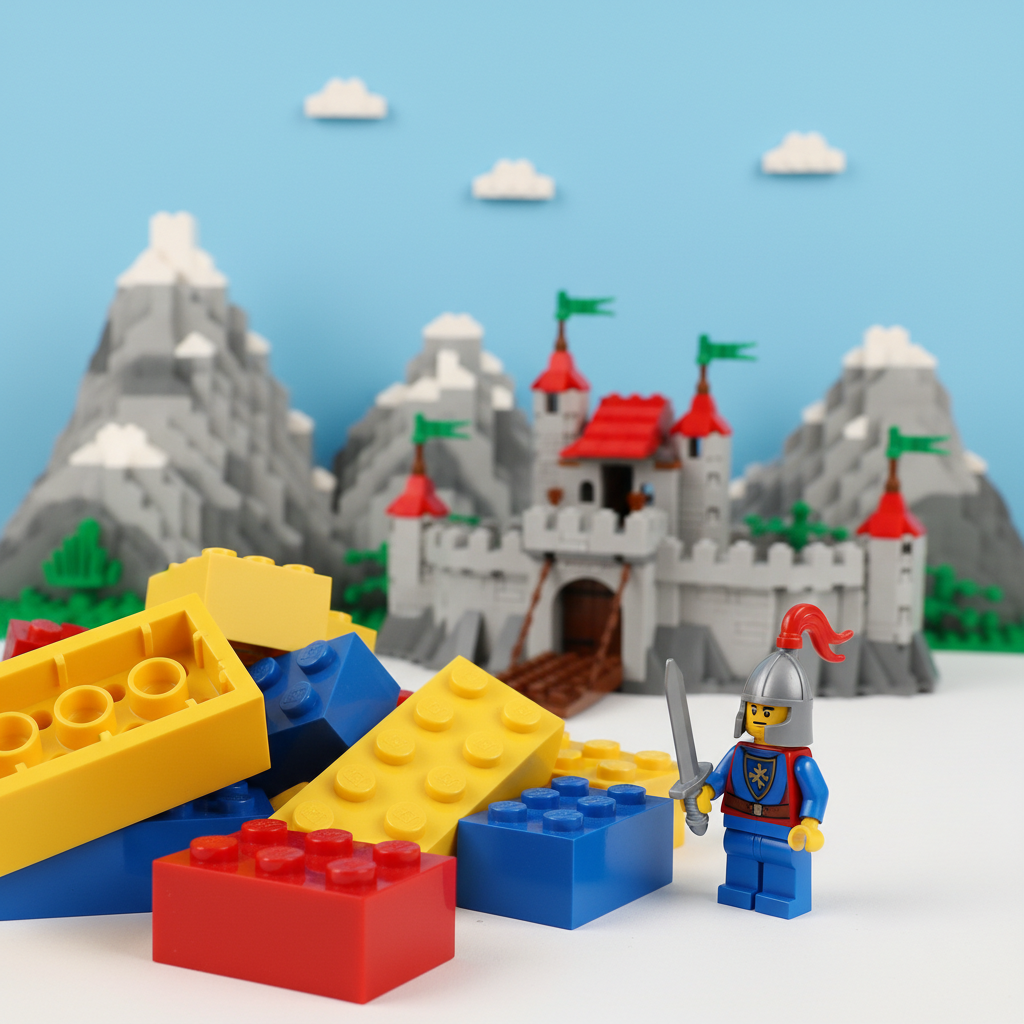
Forced perspective makes a LEGO scene look deeper or larger than it really is. Build the parts meant to look close at full scale with plenty of detail, and the parts meant to look far away smaller, simpler and paler. From the intended viewpoint, the eye reads the change in size as distance.
Start with the viewpoint
The illusion only works from the position it was designed for. Seen from the side, the jump in scale is obvious. Decide where the viewer or camera will be before you build, and check the scene from that spot as you go. Many builders design forced perspective scenes mainly for photographs, where the angle is fixed.
Step down the scale
- Foreground: minifigure scale or larger, with the most detail, texture and interesting parts.
- Middle ground: smaller and simpler. Buildings get narrower, trees shorter, windows become single tiles.
- Background: microscale, where a single plate stands for a storey or a cone for a tree. Our microscale guide covers building at that size, and the scaling guide explains moving between scales.
Fade colour and detail with distance
Distant real objects look hazier and less colourful. Use strong colours and fine detail at the front, then shift to lighter, less saturated colours such as light bluish grey, sand blue and tan, and to simpler silhouettes, toward the back. Our guide to LEGO colour choices covers building a palette that fades convincingly.
Angle lines toward a vanishing point
Roads, rails, walls and rooflines that narrow as they recede imitate the way parallel lines appear to meet in the distance. Taper a street toward the back, and lower building heights as they move away. Placing elements on a diagonal rather than square to the viewer also makes a scene feel deeper.
Overlap the layers
When one object partly hides another, we read the hidden one as farther away. Let foreground details cut across the middle ground and let the middle ground hide part of the background. Simple silhouettes work best at the back because they are only partly seen.
Light and photograph it
Soft, even light helps the layers blend; harsh light shows every step in scale. Photograph from the planned viewpoint, and try a slightly lower angle, which tends to make foreground elements look larger. Our guide to LEGO photography and Instagram covers lighting small scenes.
A first project, step by step
- Sketch the scene and mark the focal point and the viewpoint.
- Build the foreground first, at full scale, with the most detail.
- Build the middle ground smaller and simpler, overlapping the foreground.
- Build the background at microscale in pale colours.
- Check from the viewpoint after every change and adjust the transitions.
- Light and photograph from that same position.
Parts and references
Forced perspective needs a wide range of small plates, tiles and slopes more than a large number of big bricks. A LEGO Classic box is an easy source of basic parts in many colours, and LEGO's Architecture city sets show how to suggest whole buildings with a handful of elements.

Large Creative Brick Box: basic bricks, plates and special elements in many colours for building the layers of a scene.
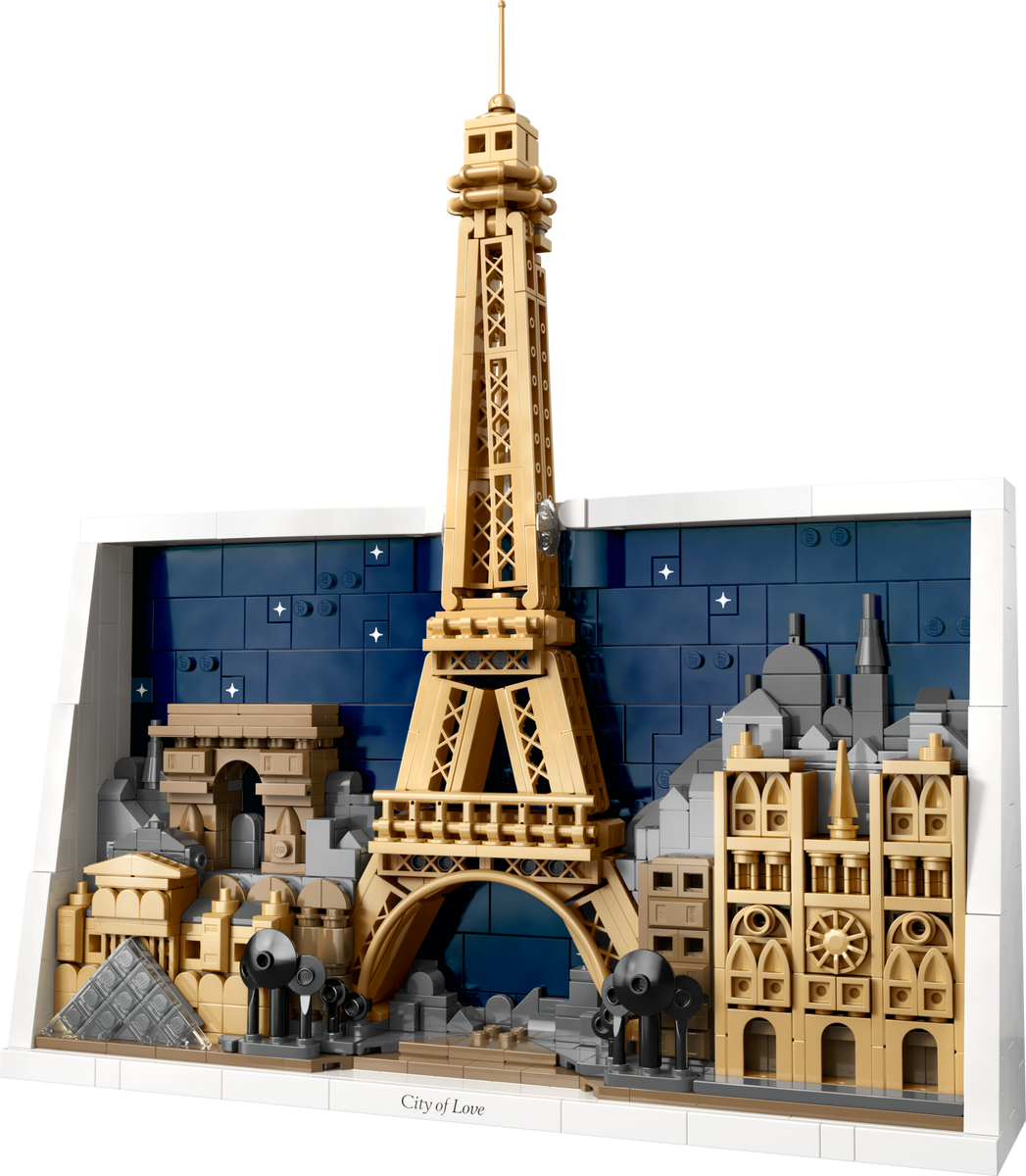
Paris: City of Love, an Architecture city set built at a much smaller scale than minifigures, a useful reference for background buildings.
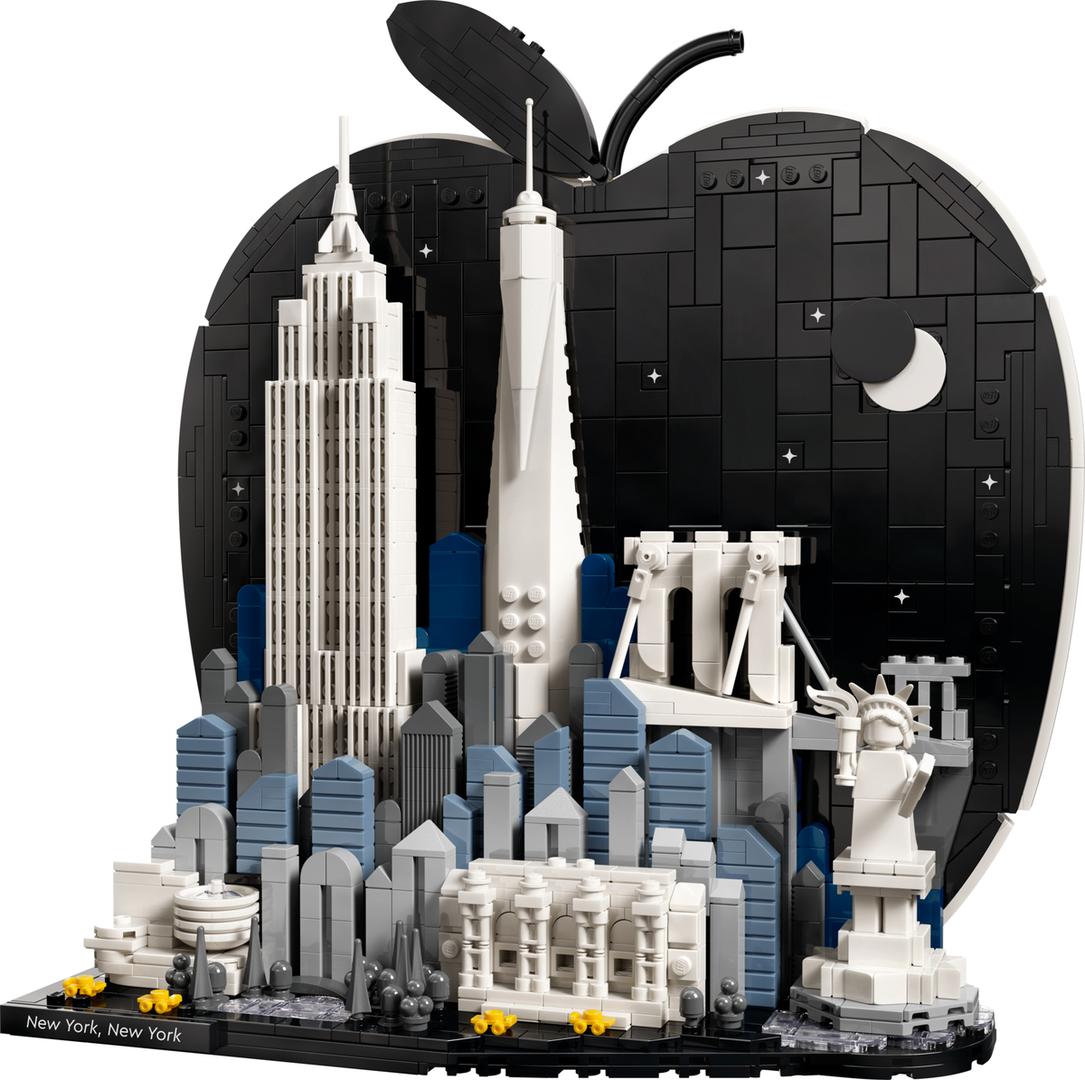
New York City: The Big Apple, another Architecture city set with landmarks at microscale.
For specific small parts in specific colours, see our guides to sourcing parts for your own builds and LEGO Pick a Brick.
Use Our Tools to Go Further
Get more insights about the sets mentioned in this article with our free LEGO tools