


The Journal · Guides & Tips
LEGO Architecture Building Guide: Techniques and Display
How LEGO Architecture sets turn landmarks into bricks, the techniques you will meet as you build them, a workflow for the big ones, how to display a collection, and how to start designing your own.
 Pin It
Last Updated: October 06, 2026
Supporting Free Content
As an Amazon Associate I earn from qualifying purchases. As an eBay Partner, we earn from qualifying purchases at no extra cost to you. We also earn a commission when you buy from Wicked Brick or BRKOX through our links (Awin). When you purchase through our links, that small commission helps us keep bringing you expert LEGO® reviews and guides. Thank you for your support!
LEGO Architecture asks a different question from most themes: not what can be played with, but how little it takes to make a famous building unmistakable. The answer is a small set of techniques, building sideways for smooth walls, texture from tiles and offsets, colour standing in for stone, and selective detail, that turn up in every landmark set. This guide explains each one, gives a workflow for the larger builds, and covers how to display a collection and design your own. For which set to buy, see our LEGO Architecture vs Icons comparison.
What makes Architecture builds different
An Architecture model is built to be looked at, not handled. That shows in three ways. The palettes are narrow, mostly whites, tans and greys, so shape and shadow do the work that bright colours do elsewhere. The subjects are real buildings, so every model has to solve the same problem a sculptor does: what to keep and what to leave out. And the scale is fixed by the shelf rather than by a minifigure, so a cathedral and a fountain can sit side by side at whatever size suits each one. Most of the current landmark and city sets in our catalog are marked 18+, which means LEGO designed them with adults in mind, not that they are hard.
Techniques you will meet
Studs not on top
Most LEGO building stacks upward with the studs showing. Architecture models turn parts sideways so facades read as smooth walls and small details can face the viewer. The parts that make this possible are brackets, which give a plate a second face at right angles, bricks with studs on one or more sides, including the headlight brick with its recessed side stud, and 1 by 1 bricks with studs on all four sides. When a page of instructions seems to build a wall lying down, this is why. Our SNOT building guide covers the parts in more depth.
Texture from tiles, plates and offsets
Real buildings mix smooth surfaces with rough ones. Architecture models suggest the difference by alternating smooth tiles with studded plates, by offsetting rows by half a stud to mimic a brick bond, and by adding small parts such as clips, bars and 1 by 1 plates for fine detail, a habit builders call greebling. The offset and jumper plate guide shows how the half-stud shift works.
Colour as texture
Bricks cannot be carved, so tone carries the material. Mixing close shades of one colour, tan with dark tan or light grey with dark grey, makes a wall read as weathered stone rather than plastic, and darker shades in recesses deepen the shadows. Telling light bluish grey from dark bluish grey is one of the commonest mistakes in these builds, which is a good reason to build in daylight or under a bright, neutral lamp.
Selective detail and scale
No model can include everything, so designers choose. Some sets keep the famous outline and hint at the inside. LEGO describes the Himeji Castle as letting you lift off the top of the main building to see a simplified interpretation of the interior layout. Others tell a story in the build itself: Notre-Dame de Paris is designed so the build follows the cathedral's history from the first stone in 1163 to its appearance before the fire of 2019. And some change with the seasons: the Neuschwanstein Castle comes with tree foliage that can show summer or autumn. Different parts of one model can also sit at different scales, so a detail that matters is drawn larger than the rest.
Sets to practise on
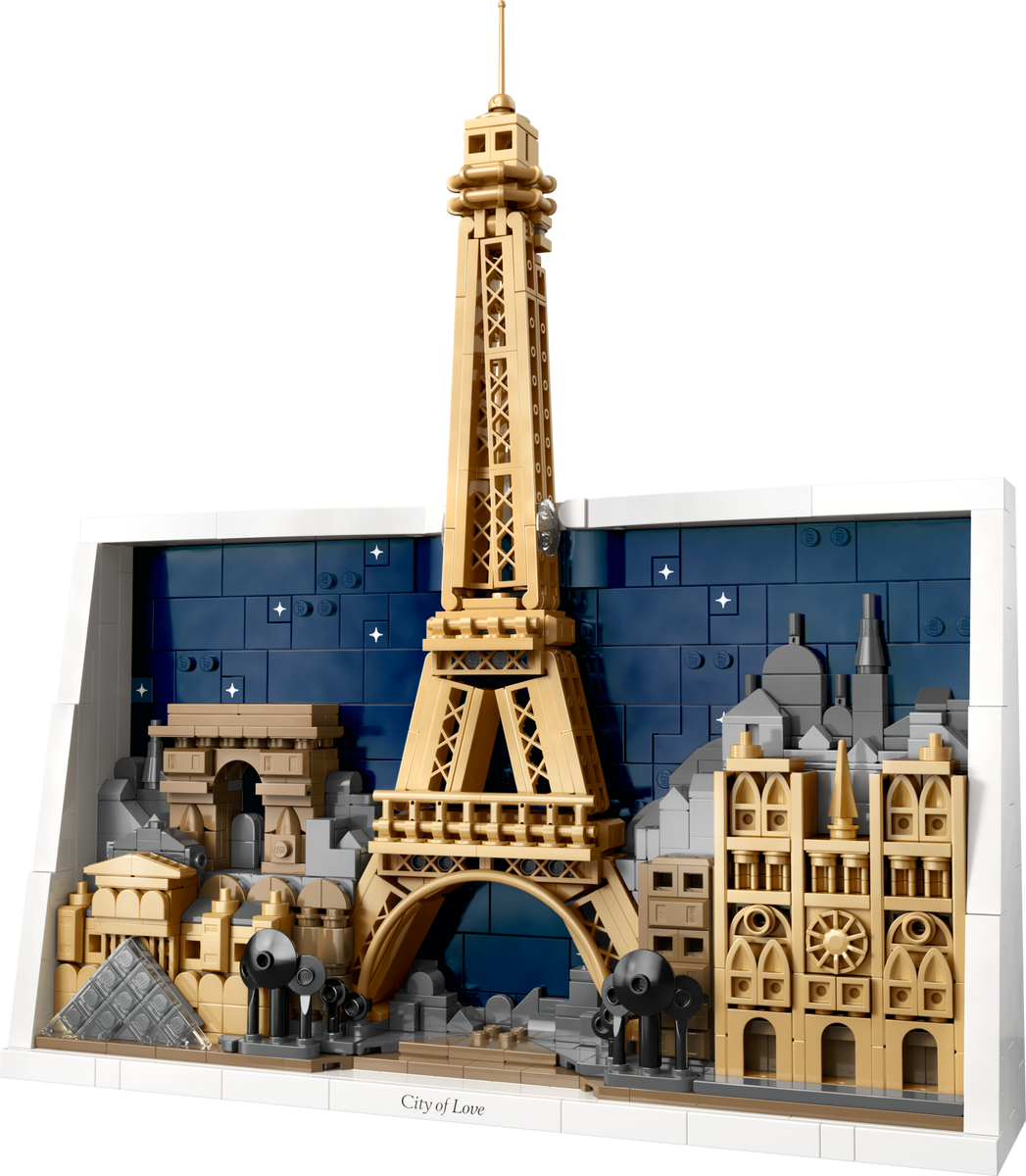 Paris - City of Love
Each of these is a current set in our catalog, ordered from the smaller builds to the larger ones. Piece counts and expected exit dates are on each card.
Paris: City of Love, the smallest of the landmark and city sets released since 2023, a framed scene of the Eiffel Tower, Notre-Dame, the Arc de Triomphe and the Louvre that can hang on a wall.

New York City: The Big Apple, a city scene built against a backdrop, with the Empire State Building, One World Trade Center, the Brooklyn Bridge and the Statue of Liberty.
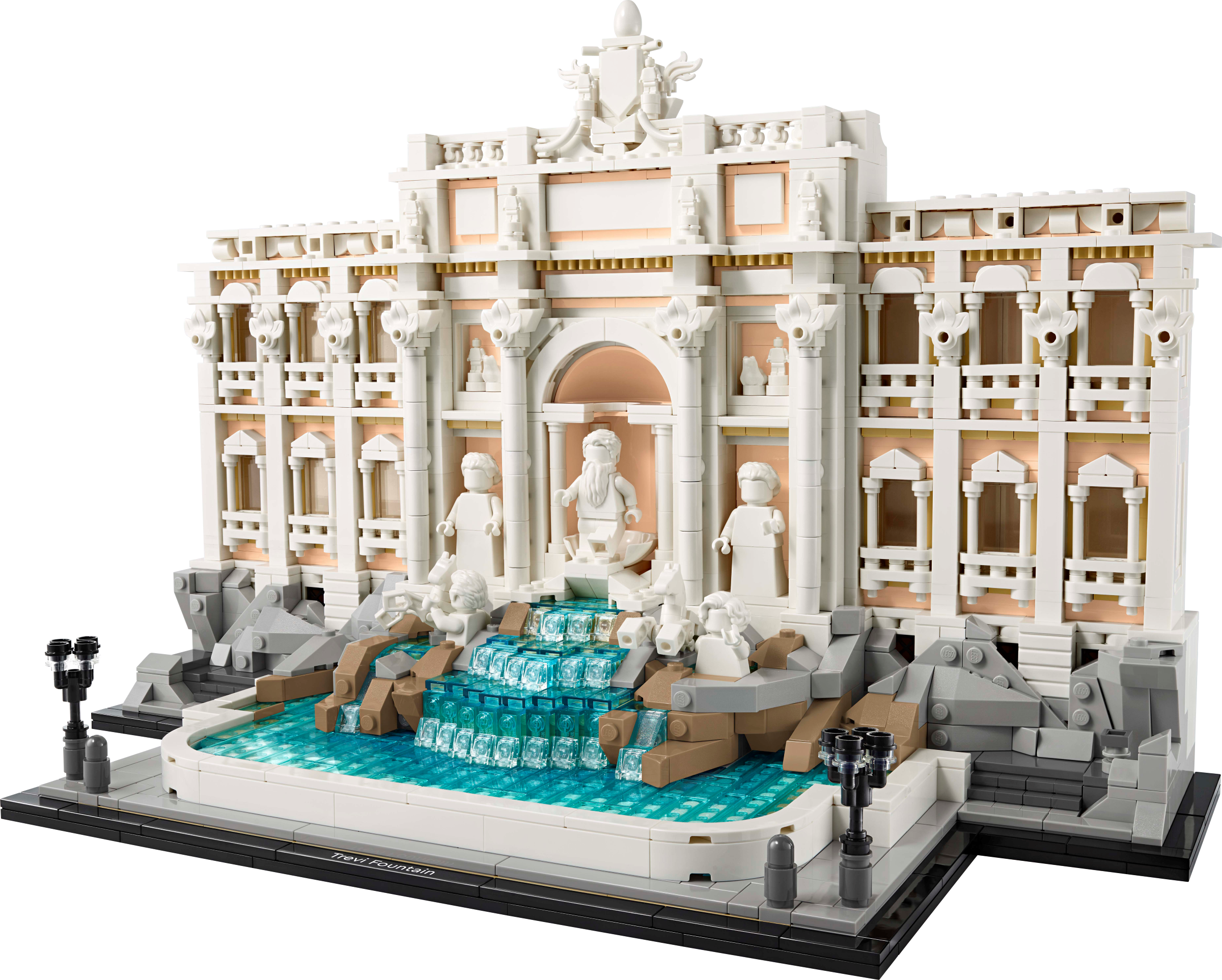
The Trevi Fountain, which LEGO says uses updated building techniques and reimagines the fountain's sculptures in minifigure form.
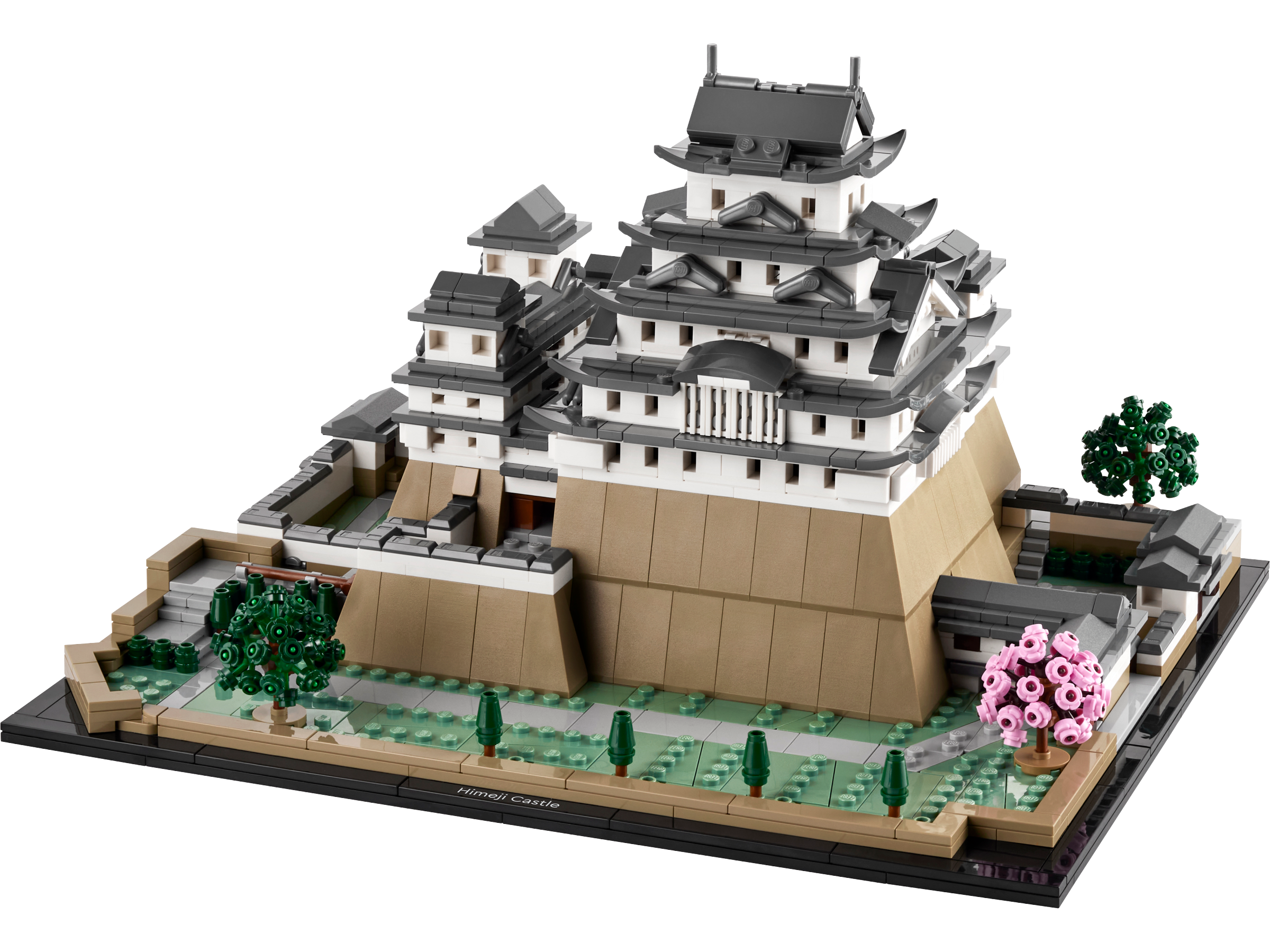
Himeji Castle, with turrets, walkways and asymmetric walls, a lift-off top and four cherry trees. Its expected exit date is December 31, 2026.
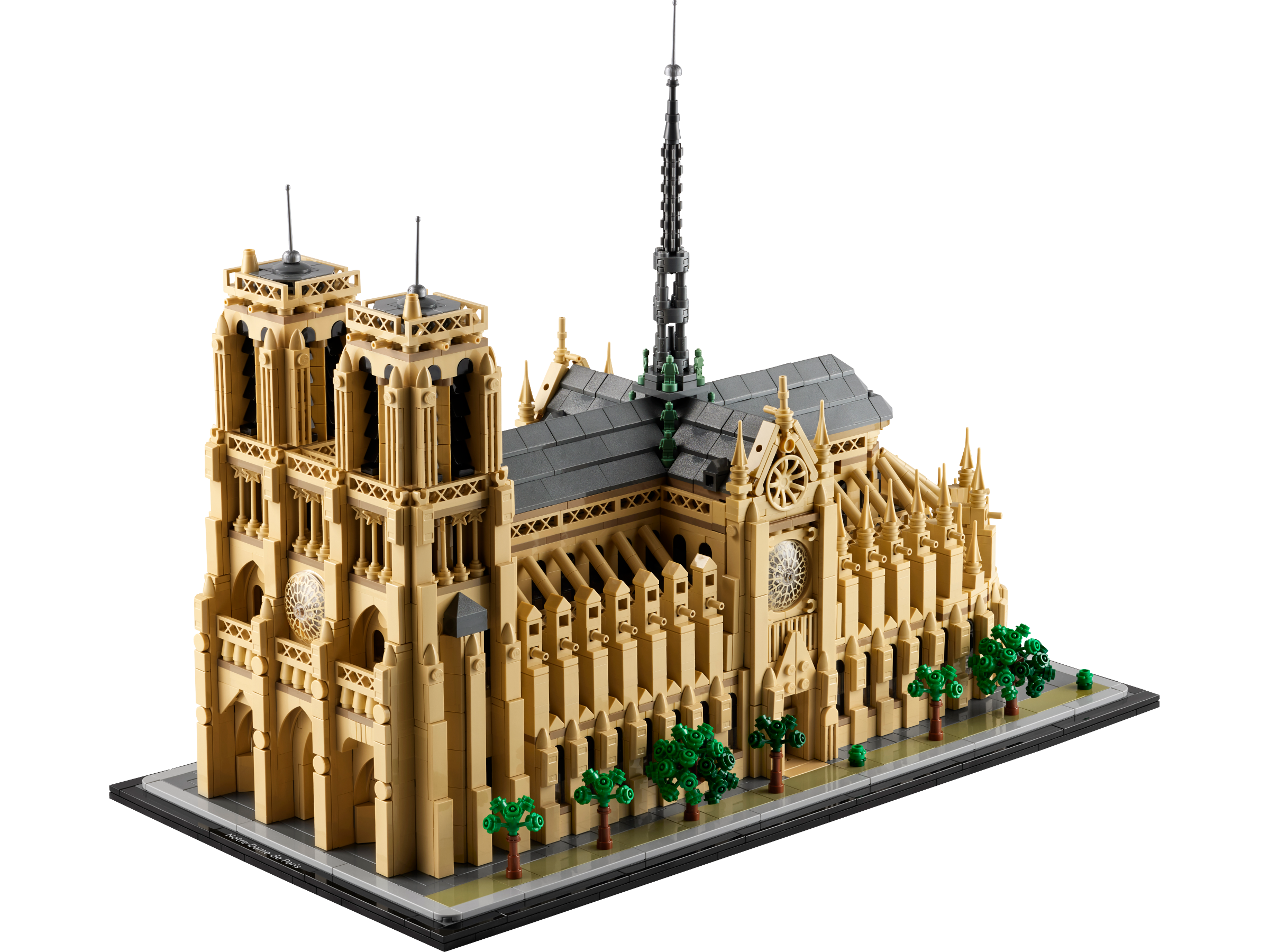
Notre-Dame de Paris, the largest of these, with rose windows, bell towers and the central spire, built in the order the cathedral grew.
A workflow for the big landmarks
- Work bag by bag. Large sets are packed in numbered bags that match stages of the instructions, which makes natural stopping points.
- Sort by colour before each stage. With so many whites, tans and greys, a quick sort saves more time than it costs.
- Build on a flat, hard surface in good light, not on your lap.
- Check alignment every few steps. A part one stud out early can stop a later section from fitting, and it is easier to find two steps back than twenty.
- Leave the finished model where it will live before attaching the last fragile details, so it is moved as little as possible.
Displaying an Architecture collection
- Space: leave room around each model so its outline reads; a crowded shelf turns landmarks into clutter.
- Height: at or near eye level, where the facades were designed to be seen.
- Grouping: by place, by era or by architect, so a shelf tells a story.
- Light: LED lighting rated CRI 90 or higher renders whites, tans and greys most faithfully.
- Sun: keep models out of direct sunlight, which can yellow or fade pale bricks over time.
- Dust: a glass cabinet is the simplest answer for a collection of mostly white and tan models.
Our guides to displaying a LEGO collection and protecting LEGO from dust cover shelf depths, cabinets and lighting in detail.
Designing your own
- Choose a subject with a clear shape and plenty of reference photos. A local building you know well is a good first project.
- Decide the size from the shelf it will sit on, then work out which features must survive at that size.
- Try it digitally first. Free tools such as BrickLink Studio or LeoCAD let you test the model and produce a parts list before buying anything.
- Source the parts from LEGO Pick a Brick or from marketplaces such as BrickLink and Brick Owl.
- Build from the base up and test stability at each level, rather than discovering a weak point at the top.
Architecture or Icons?
Some of LEGO's best-known landmarks are not Architecture sets at all. The Colosseum and the Eiffel Tower are LEGO Icons sets for adults, built larger than most Architecture sets. Our Architecture vs Icons comparison explains how the two lines differ and which suits your space.