ESP32 + LEGO Powered Up: Wireless Control with Legoino
Supporting Free Content
When you purchase through our links, we earn a small commission at no extra cost to you. As an eBay Partner, this helps us keep bringing you expert LEGO® reviews and guides. Thank you for your support!
Marbled brick
I've tried recreating this old tow truck as closely as possible: 1930 Ford Model AA Service Car/Tow Truck.
Impossible places you drop pieces
How to control LEGO Powered Up hubs from an ESP32 with the Legoino library, which versions still compile, and working code for train motors, Technic angular motors, sensors, battery level, hub emulation and Power Functions infrared.
An ESP32 can talk directly to LEGO Powered Up hubs over Bluetooth Low Energy, which makes it a small, cheap brain for a train layout, a motorized display or a robot that runs without a phone. The Legoino Arduino library does the protocol work. This guide covers setup, the library versions that actually compile today, and working code for motors, sensors, battery level, hub emulation and the older Power Functions infrared system.
Lpf2Hub, call init() to scan, connectHub() when it finds a hub, then setBasicMotorSpeed() for train motors or setAbsoluteMotorPosition() for Technic angular motors.
As of October 2026, Legoino's latest release is 1.1.0, from December 2020, and its repository was last updated in August 2023. It does not compile against NimBLE-Arduino 2.x, a known open issue (number 87). The combination reported working in the project's issues is the esp32 board package 2.0.17 with NimBLE-Arduino 1.4.3. Community forks that target NimBLE-Arduino 2.x exist, for example SFrijters/legoino and Rbel12b/legoino on GitHub; we have not tested them.
Why an ESP32
| Feature | ESP32 | Arduino Uno | Raspberry Pi 4 |
|---|---|---|---|
| Bluetooth LE | Built in | Needs a module | Built in |
| Wi-Fi | Built in | Needs a shield | Built in |
| Processor | Dual-core, up to 240 MHz | Single-core, 16 MHz | Quad-core, 1.5 GHz |
| Runs | Your sketch, no operating system | Your sketch, no operating system | Linux |
The ESP32 can act as a Bluetooth LE client, the role the LEGO app plays on a phone, so it connects to a hub directly. Legoino targets the ESP32 only.
Setup in the Arduino IDE
- Install the Arduino IDE.
- In Preferences, add the board manager URL
https://espressif.github.io/arduino-esp32/package_esp32_index.json. - In the Boards Manager, install esp32 by Espressif Systems and choose version 2.0.17.
- In the Library Manager, install NimBLE-Arduino and choose version 1.4.3.
- Install Legoino (version 1.1.0).
- Under Tools, choose your board, for example M5Stack-ATOM for an ATOM Matrix or ESP32 Dev Module for a generic board, and its port.
Hardware: the M5Stack ATOM Matrix
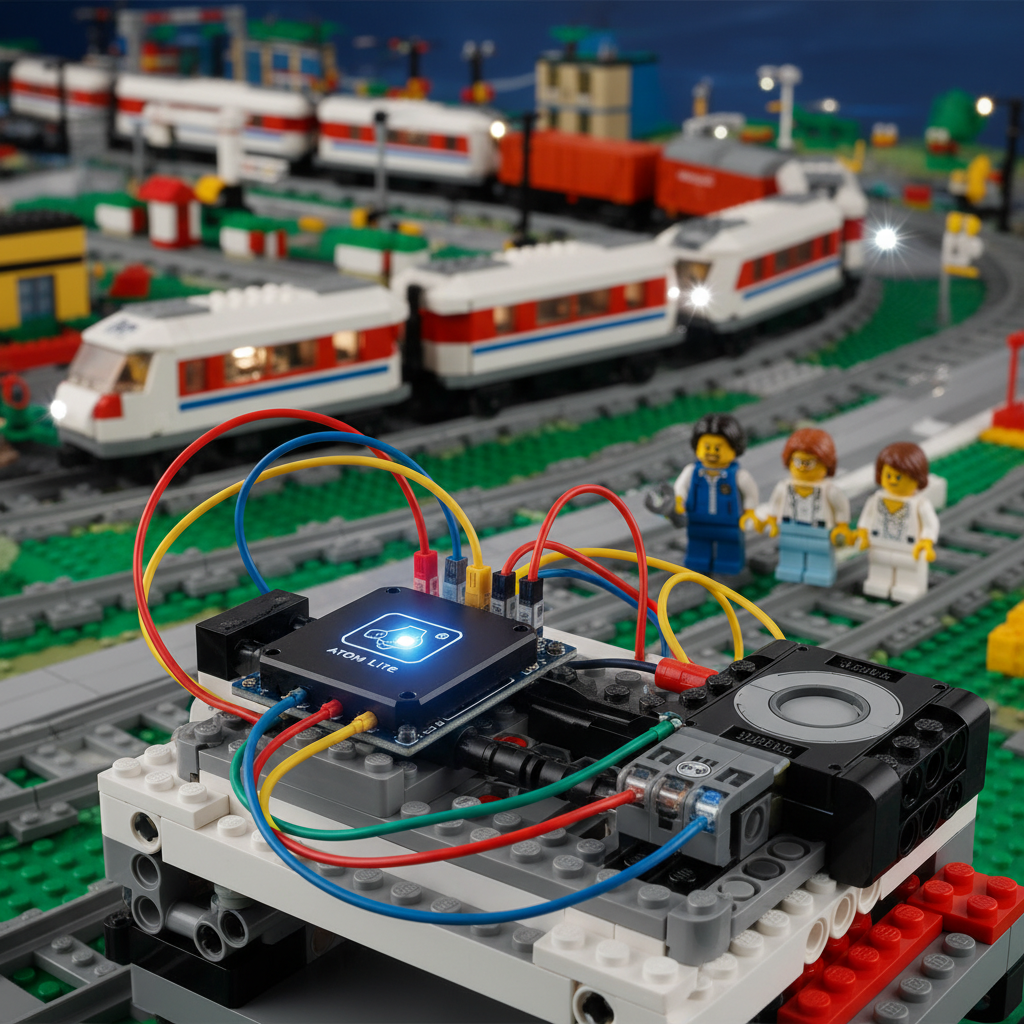
A bare ESP32 development board works, but a small cased board is easier to mount in a model. M5Stack's ATOM Matrix, per its documentation:
- Size: 24.0 by 24.0 by 13.8 mm.
- Chip: ESP32-PICO-D4 with 4 MB of flash.
- Display: a 5 by 5 matrix of WS2812C RGB LEDs, handy as a status light.
- Sensors: an MPU6886 IMU.
- Infrared: an IR LED on GPIO 12, which Legoino can use for Power Functions.
- Mounting: one M2 hole on the back. M5Stack's Atom Mate kit adds a mount whose cross-shaped holes connect to building blocks.
// ATOM Matrix status light (M5Atom library)
#include <M5Atom.h>

void setup() {
  M5.begin(true, false, true);  // serial on, I2C off, LED matrix on
}

void showConnected() { M5.dis.fillpix(0x00ff00); }  // green
void showError()     { M5.dis.fillpix(0xff0000); }  // red
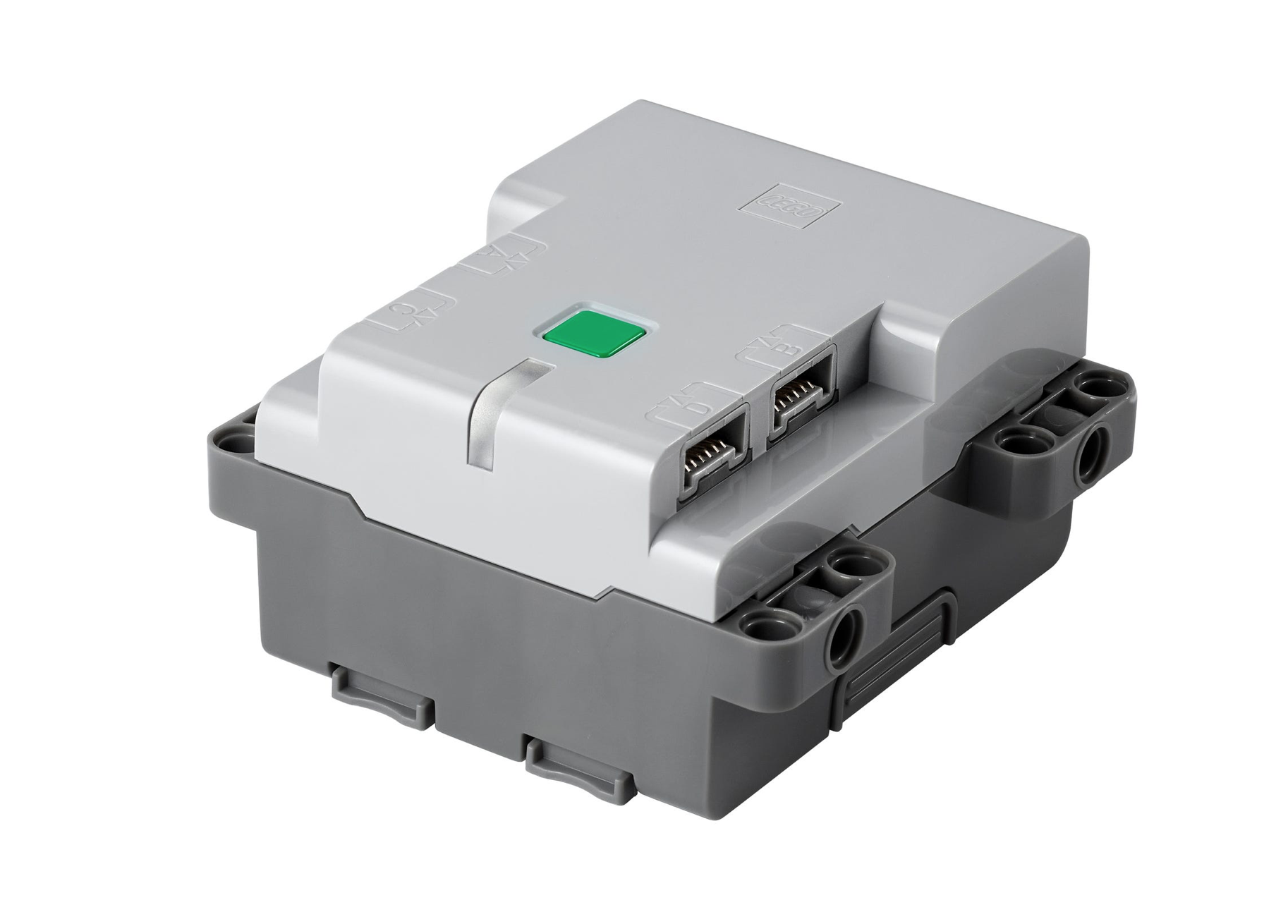
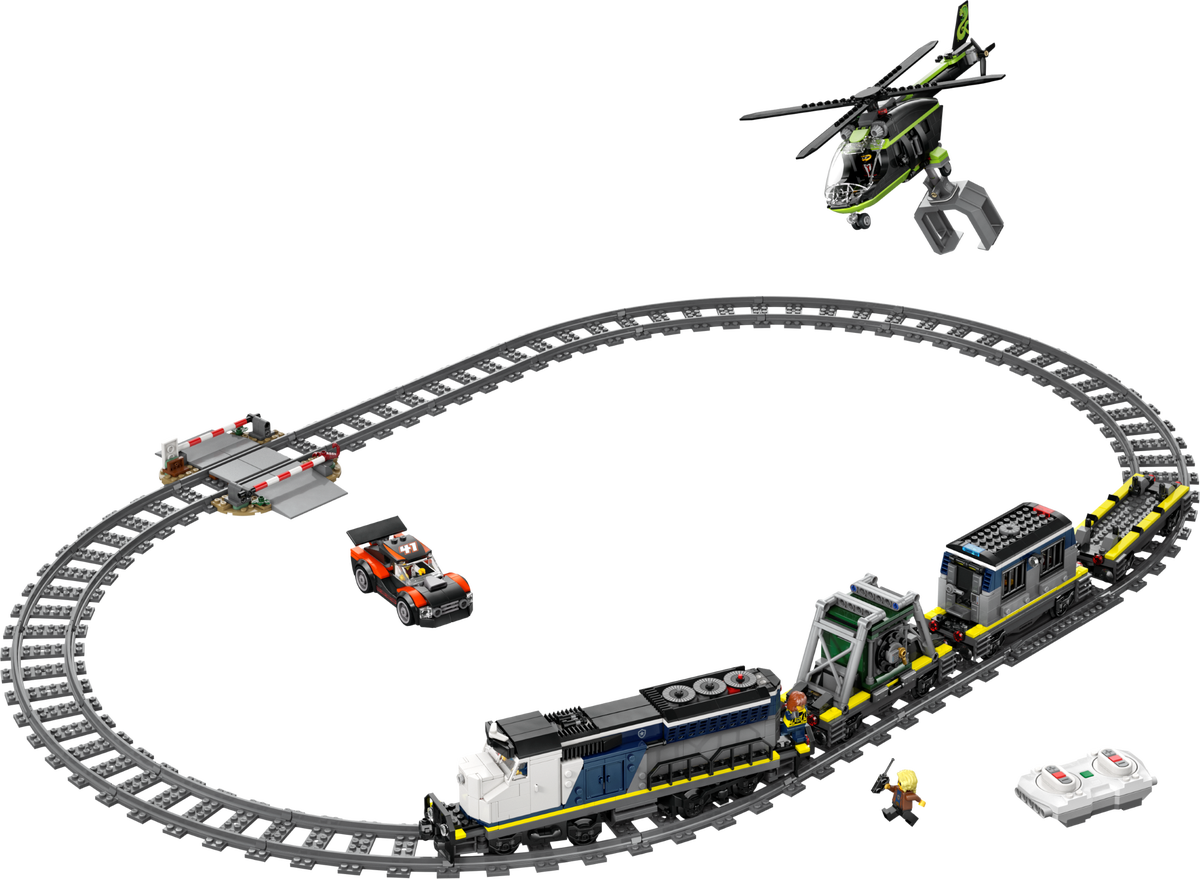
On the LEGO side you need a Bluetooth hub. LEGO sells the Technic Hub separately, and current Powered Up train sets such as the Police Train Heist come with a train hub.
Connecting to a hub
This is the connection pattern from Legoino's own examples: scan when not connected, connect when a hub is found.
#include "Lpf2Hub.h"

Lpf2Hub myHub;

void setup() {
  Serial.begin(115200);
}

void loop() {
  if (!myHub.isConnected() && !myHub.isConnecting()) {
    myHub.init();  // start scanning for a hub
  }

  if (myHub.isConnecting()) {
    myHub.connectHub();
    if (myHub.isConnected()) {
      Serial.print("Connected to ");
      Serial.println(myHub.getHubName().c_str());
    } else {
      Serial.println("Failed to connect to hub");
    }
  }
}
To connect to one particular hub, pass its address: myHub.init("90:84:2b:03:19:7f");.
What Legoino supports
- Hubs: the two-port Powered Up hub (trains and simple vehicles), the BOOST Move Hub, the DUPLO train hub, the Technic Hub, the Powered Up remote and the Super Mario hub.
- Devices: train motors, Technic angular motors with position control, the color and distance sensor, tilt sensors, the speedometer and the hub LED.
More than three hubs
NimBLE allows three simultaneous connections by default. Legoino's documentation says the ESP32 controller can handle up to nine: open nimconfig.h in the NimBLE-Arduino/src folder of your Arduino libraries, change CONFIG_BT_NIMBLE_MAX_CONNECTIONS, then restart the IDE so the library rebuilds. A #define in your own sketch does not change it.
Driving motors
Train motors
#include "Lpf2Hub.h"

Lpf2Hub myTrainHub;
byte port = (byte)PoweredUpHubPort::A;

void setup() {
  Serial.begin(115200);
}

void loop() {
  if (!myTrainHub.isConnected() && !myTrainHub.isConnecting()) {
    myTrainHub.init();
  }
  if (myTrainHub.isConnecting()) {
    myTrainHub.connectHub();
  }

  if (myTrainHub.isConnected()) {
    myTrainHub.setBasicMotorSpeed(port, 50);   // forward, speed -100..100
    delay(3000);
    myTrainHub.stopBasicMotor(port);
    delay(1000);
    myTrainHub.setBasicMotorSpeed(port, -30);  // reverse
    delay(3000);
    myTrainHub.stopBasicMotor(port);
    delay(1000);
  }
}
Technic angular motors
Motors with a position encoder can move to an angle. The signature is setAbsoluteMotorPosition(port, speed, position), with the position in degrees from the motor's zero point. Legoino's ControlPlusHubAbsolute example shows how to set that zero first with setAbsoluteMotorEncoderPosition().
byte portB = (byte)ControlPlusHubPort::B;

// once connected to a Technic Hub:
myHub.setAccelerationProfile(portB, 500);    // ramp time in ms
myHub.setDecelerationProfile(portB, 500);
myHub.setAbsoluteMotorPosition(portB, 50, 90);  // speed 50, go to +90 degrees
delay(2000);
myHub.setAbsoluteMotorPosition(portB, 50, 0);   // back to 0
Other options: setTachoMotorSpeed() for continuous rotation, setTachoMotorSpeedForDegrees() to turn a set number of degrees, and setTachoMotorSpeedForTime().
Reading sensors and the battery
Color and distance sensor
Sensor values arrive in a callback. Use the hub's parse functions to read them.
#include "Lpf2Hub.h"

Lpf2Hub myHub;
bool isInitialized = false;

void colorDistanceSensorCallback(void *hub, byte portNumber, DeviceType deviceType, uint8_t *pData) {
  Lpf2Hub *myHub = (Lpf2Hub *)hub;
  if (deviceType == DeviceType::COLOR_DISTANCE_SENSOR) {
    int color = myHub->parseColor(pData);
    double distance = myHub->parseDistance(pData);
    Serial.print("Color: ");
    Serial.print(LegoinoCommon::ColorStringFromColor(color).c_str());
    Serial.print(" Distance: ");
    Serial.println(distance);
  }
}

void setup() {
  Serial.begin(115200);
  myHub.init();
}

void loop() {
  if (myHub.isConnecting()) {
    myHub.connectHub();
  }
  if (myHub.isConnected() && !isInitialized) {
    delay(200);
    byte sensorPort = myHub.getPortForDeviceType((byte)DeviceType::COLOR_DISTANCE_SENSOR);
    if (sensorPort != 255) {  // 255 means no sensor found
      myHub.activatePortDevice(sensorPort, colorDistanceSensorCallback);
      isInitialized = true;
    }
  }
}
Battery level
void hubPropertyChangeCallback(void *hub, HubPropertyReference hubProperty, uint8_t *pData) {
  Lpf2Hub *myHub = (Lpf2Hub *)hub;
  if (hubProperty == HubPropertyReference::BATTERY_VOLTAGE) {
    Serial.print("Battery level: ");
    Serial.println(myHub->parseBatteryLevel(pData), DEC);
  }
}

// once connected:
myHub.activateHubPropertyUpdate(HubPropertyReference::BATTERY_VOLTAGE, hubPropertyChangeCallback);
Hub emulation: an ESP32 the Powered Up app can drive
Legoino's author describes hub emulation as a beta feature. Report problems on the project's GitHub issues.
In emulation the ESP32 advertises itself as a LEGO hub, so the Powered Up app finds it and connects. Each command the app sends reaches a callback in your sketch, and you decide what it does: drive a motor through an H-bridge driver, as below, or send Power Functions infrared signals, as Legoino's HubEmulation example does. LEGO publishes the underlying protocol in its BLE wireless protocol documentation.
#include "Lpf2HubEmulation.h"
#include "LegoinoCommon.h"

// Appears in the Powered Up app as a two-port train hub
Lpf2HubEmulation myEmulatedHub("TrainHub", HubType::POWERED_UP_HUB);

const int MOTOR_PIN_A = 25;  // inputs of an H-bridge motor driver
const int MOTOR_PIN_B = 26;

void writeValueCallback(byte port, byte value) {
  if (port == (byte)PoweredUpHubPort::A) {
    int speed = (int8_t)value;  // the app sends -100..100
    int pwm = map(abs(speed), 0, 100, 0, 255);
    analogWrite(MOTOR_PIN_A, speed > 0 ? pwm : 0);
    analogWrite(MOTOR_PIN_B, speed < 0 ? pwm : 0);
  }
}

void setup() {
  Serial.begin(115200);
  pinMode(MOTOR_PIN_A, OUTPUT);
  pinMode(MOTOR_PIN_B, OUTPUT);
  myEmulatedHub.setWritePortCallback(&writeValueCallback);
  myEmulatedHub.start();
}

void loop() {
  // once the app connects, tell it which devices sit on which ports
  if (myEmulatedHub.isConnected && !myEmulatedHub.isPortInitialized) {
    delay(1000);
    myEmulatedHub.isPortInitialized = true;
    myEmulatedHub.attachDevice((byte)PoweredUpHubPort::A, DeviceType::TRAIN_MOTOR);
    delay(1000);
    myEmulatedHub.attachDevice((byte)PoweredUpHubPort::LED, DeviceType::HUB_LED);
  }
}
Note that isConnected and isPortInitialized are plain variables on the emulated hub, not functions.
Running a train on a schedule
With Wi-Fi for the clock and Bluetooth for the hub, an ESP32 can run a train during set hours with nobody there. This sketch reconnects if the hub drops out.
#include "Lpf2Hub.h"
#include <WiFi.h>
#include <time.h>

Lpf2Hub trainHub;
byte port = (byte)PoweredUpHubPort::A;
bool isRunning = false;

void setup() {
  Serial.begin(115200);
  WiFi.begin("YourSSID", "YourPassword");
  while (WiFi.status() != WL_CONNECTED) delay(500);
  configTime(-5 * 3600, 0, "pool.ntp.org");  // UTC-5, no daylight saving
}

void loop() {
  struct tm timeinfo;
  if (!getLocalTime(&timeinfo)) {  // clock not set yet
    delay(1000);
    return;
  }
  bool shouldRun = timeinfo.tm_hour >= 9 && timeinfo.tm_hour < 17;

  if (!trainHub.isConnected() && !trainHub.isConnecting()) {
    trainHub.init();
    isRunning = false;
  }
  if (trainHub.isConnecting()) {
    trainHub.connectHub();
  }

  if (trainHub.isConnected()) {
    if (shouldRun && !isRunning) {
      trainHub.setBasicMotorSpeed(port, 40);
      isRunning = true;
    } else if (!shouldRun && isRunning) {
      trainHub.stopBasicMotor(port);
      isRunning = false;
    }
  }
  delay(1000);
}
Power Functions over infrared
Legoino also speaks LEGO's older Power Functions infrared protocol, so an IR LED, such as the ATOM Matrix's built-in one on GPIO 12, can drive Power Functions motors through an IR receiver.
#include "PowerFunctions.h"

// IR LED on GPIO 12, IR channel 0 (channel 1 on the receiver)
PowerFunctions pf(12, 0);

void setup() {}

void loop() {
  pf.single_pwm(PowerFunctionsPort::RED, PowerFunctionsPwm::FORWARD4);
  delay(2000);
  pf.single_pwm(PowerFunctionsPort::RED, PowerFunctionsPwm::BRAKE);
  delay(1000);
}
Combine this with hub emulation and the Powered Up app can drive Power Functions motors, which is what Legoino's HubEmulation example does.
Troubleshooting
- Compile errors in NimBLE files: check the versions in the box at the top; NimBLE-Arduino 2.x does not work with Legoino 1.1.0.
- Hub not found: press the hub's button so it advertises, and keep the phone app disconnected, because a hub accepts one connection at a time.
- Motor does nothing: check the port, and that the motor type matches the function (basic motor functions for train motors, tacho functions for angular motors).
- Sensor callback never fires: activate the port after the hub is connected, as in the color sensor example.
- Several hubs: raise the NimBLE connection limit as described above, and connect to each hub by address.
Resources
- Legoino on GitHub: source, README and the example sketches this guide follows.
- Legoino in the Arduino library reference.
- LEGO BLE wireless protocol documentation.
- MyOwnBricks: a library for building your own Powered Up compatible sensors.
- M5Stack ATOM Matrix documentation.
Use Our Tools to Go Further
Get more insights about the sets mentioned in this article with our free LEGO tools