LEGO MINDSTORMS vs Arduino vs Raspberry Pi for Kids
Supporting Free Content
When you purchase through our links, we earn a small commission at no extra cost to you. As an eBay Partner, this helps us keep bringing you expert LEGO® reviews and guides. Thank you for your support!
I can finally design like in minecraft and then build irl
LEGO robotics, Arduino or Raspberry Pi for a child learning to code: what each teaches, which ages it suits, what it costs beyond the box, and what you can still buy now that MINDSTORMS and SPIKE are retired.
LEGO robotics, Arduino or Raspberry Pi? All three can teach a child to code and to build things that move, light up or react, but they teach different skills, suit different ages and ask very different amounts of help from a parent. Here is how they compare on what each one teaches, how steep the learning curve is, what you end up buying beyond the box, how well each holds its value, and which one fits which child.
This is an editorial comparison, not a price survey. We looked at what each platform teaches, what a beginner has to get through before the first working project, what else you need to buy, and how long each one stays useful, based on how the systems work and what LEGO, Arduino and Raspberry Pi publish about them. Street prices change too often, and vary too much between new, clearance and secondhand, to quote here, so costs are compared in relative terms.
- MINDSTORMS Robot Inventor was retired at the end of 2022. The Robot Inventor app's own store listing says it was discontinued on October 1, 2026, with no further updates or support. LEGO points owners to the LEGO Education SPIKE Prime App, but notes that a full one-to-one experience or firmware replacement cannot be guaranteed.
- SPIKE Prime and SPIKE Essential are retired too. LEGO Education ended SPIKE sales on June 30, 2026, says the SPIKE App will be supported until June 30, 2031, and says FIRST LEGO League teams can keep using SPIKE through the 2027-2028 season.
- So any LEGO robotics kit you buy today comes from remaining retailer stock or the secondhand market. It can still be the best choice for a young beginner, but software support now belongs on your checklist alongside price and condition.
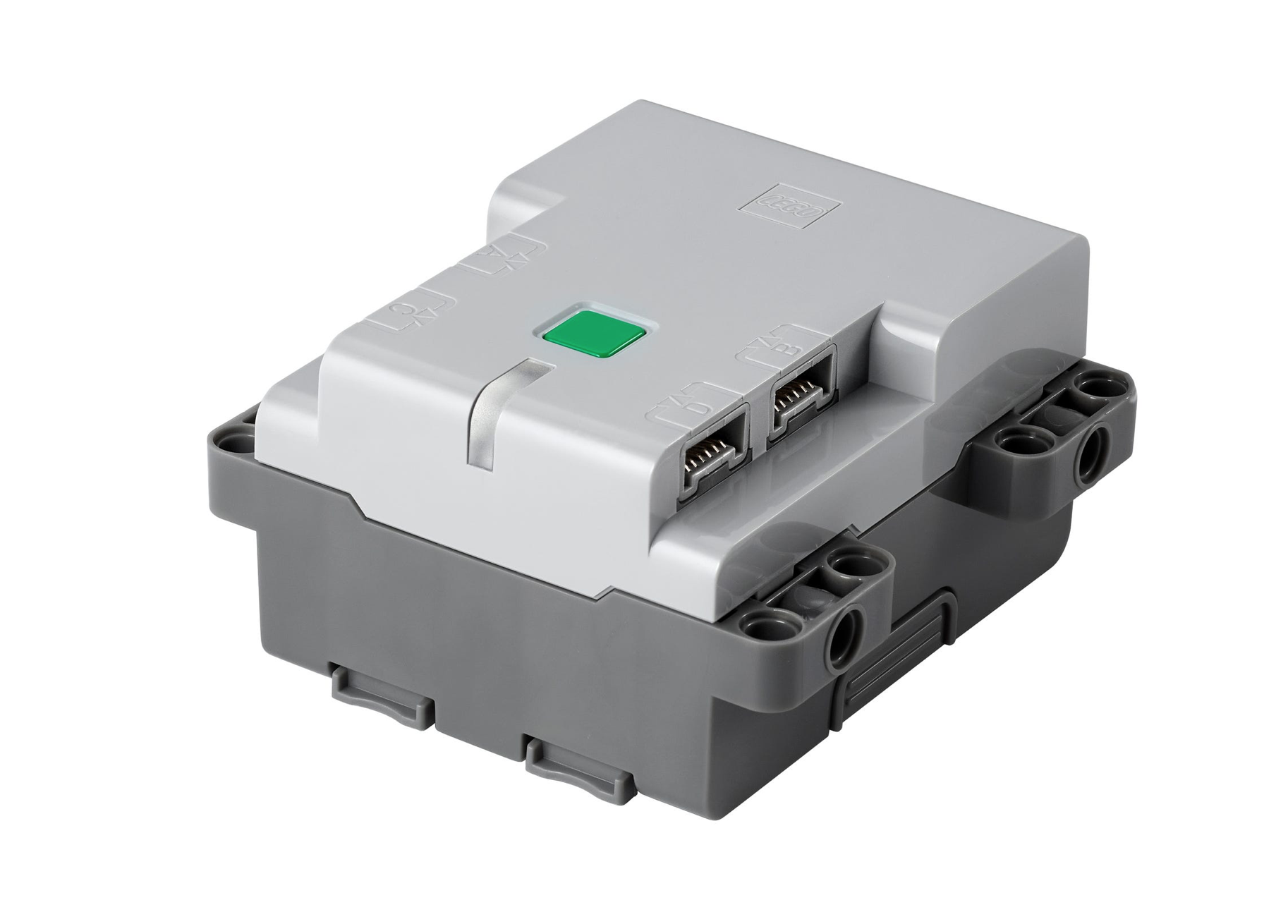
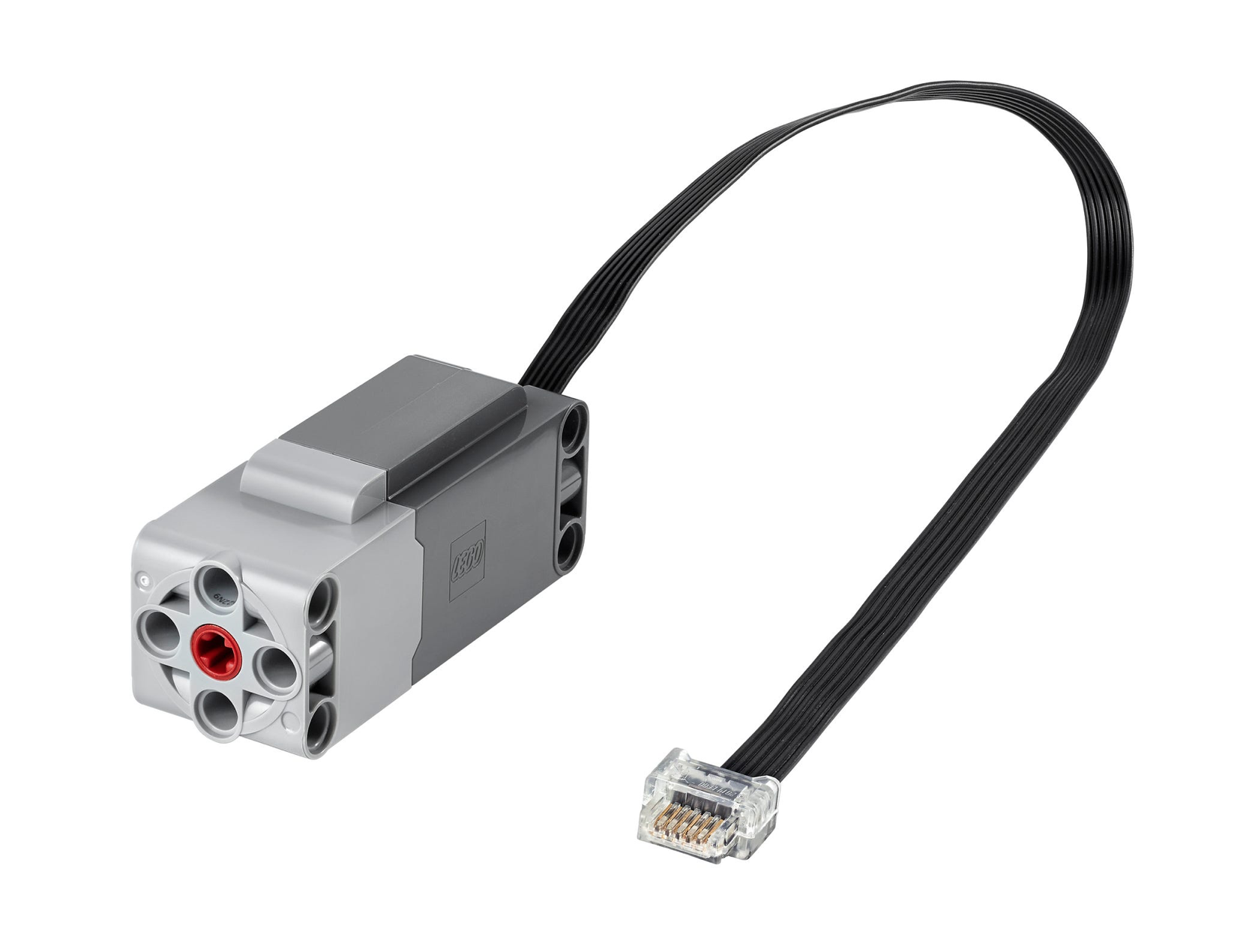
- To buy new: the closest LEGO option is the Technic Hub with motors such as the Technic Large Motor, programmed in Python with the free Pybricks firmware, which supports the Technic Hub. Schools can order LEGO Education Computer Science & AI, the K-8 classroom line LEGO Education began shipping in April 2026.
Platform Overview: What You're Really Buying
These three get lined up as rivals, but they are really three different kinds of product.
LEGO Robotics (MINDSTORMS Robot Inventor and SPIKE Prime)
- What it is: an all-in-one kit. A programmable hub, motors, sensors and a big box of LEGO Technic elements, all designed to work together straight out of the box.
- Programming: drag-and-drop word blocks based on Scratch, then Python (MicroPython) on the same hub when a child is ready. SPIKE Essential, the younger sibling, adds simpler icon blocks.
- What it focuses on: robotics, mechanisms and engineering design. Kids build something physical, program it, watch it go wrong, and fix it.
- Learning curve: gentle with blocks, moderate once Python comes in.
- In the box: Robot Inventor has four motors plus a color sensor and a distance sensor; SPIKE Prime has three motors plus color, distance and force sensors. There is no wiring and no soldering.
Arduino
- What it is: a small microcontroller board that runs a single program and controls whatever you wire to it. A starter kit adds a breadboard, jumper wires, LEDs, resistors, buttons, sensors and small motors.
- Programming: mostly C and C++ in the free Arduino IDE. Some newer Arduino boards can also run MicroPython, but most beginner kits and tutorials assume C++.
- What it focuses on: electronics and embedded programming: circuits, voltage and current, reading sensors and controlling hardware directly.
- Learning curve: steep at the start, because a beginner is learning circuits and code at the same time, and a mistake can be in either one.
- In the box: a board and loose components. Each new project idea tends to need a new part.
Raspberry Pi
- What it is: a small, complete computer that runs Linux (Raspberry Pi OS), with a row of GPIO pins for connecting electronics.
- Programming: almost anything that runs on Linux. For kids that usually means Scratch or Python; for teens it can mean the command line, web servers and more.
- What it focuses on: general computing and software: Linux, Python and networking, plus hardware projects through the GPIO pins.
- Learning curve: moderate. Setting up the computer is a small project of its own, but once it boots, Python on a Raspberry Pi works like Python anywhere else.
- In the box: it depends on the kit. A bare board needs a power supply, a memory card and, for desktop use, a screen, keyboard and mouse. Starter kits and the keyboard-style Raspberry Pi models bundle some of that.
Initial Cost Breakdown: Hardware and Accessories
| What You Need | LEGO Robotics | Arduino | Raspberry Pi |
|---|---|---|---|
| Base Kit | Highest upfront cost of the three; now bought from remaining stock or secondhand | Lowest; a starter kit costs far less than a LEGO robotics set | The board is inexpensive; a full starter kit costs more |
| Device to Program On | A tablet or computer you already own | A computer you already own | Not needed: the Raspberry Pi is the computer |
| Screen, Keyboard, Mouse | Not needed | Not needed | Needed for desktop use, unless you have spares, run it headless from another computer, or buy a keyboard-style model |
| Motors and Sensors | Included | A few in most starter kits; more sold separately | Not included; add sensors, a motor controller board, or a Build HAT for LEGO motors |
| Learning Materials | Guided builds and activities in the app | A projects book with the official Starter Kit; free tutorials online | Free official project guides; books optional |
| Wear and Breakage | Lost pieces; the hub battery ages over time | Components damaged by wiring mistakes, but cheap to replace | Corrupted memory cards; pins damaged by the wrong voltage |
A few things stand out. Arduino looks cheapest at the checkout, and it is the smallest first outlay, but it is also the platform most likely to keep asking for parts: a new project idea usually means a new sensor, a motor driver or another bag of components. LEGO robotics works the other way round. Most of the cost is paid upfront, and the same motors, sensors and elements get rebuilt into project after project. Raspberry Pi has the widest range, because the total depends on whether you already own a spare screen, keyboard and mouse, or plan to run it headless from another computer.
There is also a cost that never shows up on a receipt: troubleshooting. Arduino and Raspberry Pi both assume someone in the house can work out why a circuit or a setting is not behaving. If that someone is you, and you are new to it too, count your own evenings as part of the price.
Hidden Costs: What the Price Tag Doesn't Tell You
Parental Time Investment (The Biggest Hidden Cost)
For most families the biggest hidden cost is not money. It is how much of a parent's time each platform needs before a child can carry on alone.
- LEGO robotics: the lightest load. Setup means charging the hub, installing the app and following a guided build. A parent with no coding background can sit alongside, learn the blocks together, and step back fairly soon as the child works through the app's projects.
- Arduino: the heaviest load for a younger child. Someone has to install the IDE, understand a breadboard, read a wiring diagram and debug a circuit that does nothing. Many kids need an adult close by for months rather than days, unless a club, class or experienced mentor fills that role.
- Raspberry Pi: somewhere in between. Preparing the memory card, connecting everything and learning a few Linux basics takes an adult some effort at the start. After that, a child who can follow a tutorial can do a lot alone, especially in Scratch or Python.
If you are short on time, or new to coding yourself, weigh this more heavily than the sticker price.
Curriculum Costs
None of the three requires paid lessons, but they differ in how much structure comes with the hardware.
- LEGO robotics: guided builds and coding activities are built into the app, and LEGO Education publishes free lesson plans for SPIKE Prime. A large community shares robot designs and programs as well.
- Arduino: the official Arduino Starter Kit comes with a printed projects book, and free tutorials are everywhere. Many beginners still end up buying a book or course, because they want a structured path rather than scattered examples.
- Raspberry Pi: the Raspberry Pi Foundation publishes free, step-by-step project guides written for young learners. Books help but are optional.
LEGO's tutorials are visual, self-paced and built around a robot the child has just made. Arduino and Raspberry Pi learning leans much more on written instructions and technical documentation, which is a real barrier for many younger children.
Failure Costs (Troubleshooting Tax)
Every platform breaks in its own way. What matters is how often, and what it takes to fix.
- LEGO robotics: low risk. The usual losses are small elements under the sofa. The hub, motors and sensors are sturdy and fully enclosed, so there is no wiring to get wrong. The part to watch over the years is the hub's rechargeable battery, which ages like any other. LEGO Education lists hubs and batteries among the retired SPIKE products, so if you depend on one set, a spare battery is worth thinking about sooner rather than later.
- Arduino: higher risk, low cost per mistake. LEDs burn out without a resistor, parts go in backwards, and a wiring mistake can occasionally damage a board. Each part is cheap to replace, but the replacements add up, and so does the frustration.
- Raspberry Pi: medium risk. Pulling the power without shutting down can corrupt the memory card, a weak power supply causes odd crashes, and the GPIO pins work at 3.3 volts, so wiring a 5-volt signal straight to them can damage the board. Keeping a backup copy of the memory card saves a lot of heartache.
What Each Platform Actually Teaches
Rather than putting a price on each skill, it is more useful to look at which skills each platform builds, and which it barely touches.
| Skill | LEGO Robotics | Arduino | Raspberry Pi |
|---|---|---|---|
| Programming | Block coding, then Python (MicroPython) | C and C++, embedded programming | Python, Scratch, shell commands and almost any other language |
| Electronics | Very little: motors and sensors simply plug in | A lot: circuits, resistors, voltage and current, reading datasheets | Some: wiring sensors, lights and buttons to the GPIO pins |
| Mechanical Design | A lot: gears, axles, levers, balance and chassis design | Little, unless you add a robot chassis | Little, unless you add one |
| Computing and Operating Systems | Very little | A little: uploading programs, libraries, serial debugging | A lot: Linux, the command line, files, networking |
| Problem Solving and Debugging | Yes, with fast, visible feedback | Yes, across both code and wiring | Yes, across code and system settings |
The pattern is simple. LEGO robotics teaches programming plus mechanical design, Arduino teaches programming plus electronics, and Raspberry Pi teaches programming plus how computers work. All three teach the habit that matters most: breaking a problem into steps, testing, and fixing what went wrong.
Each has a trade-off. LEGO has a low ceiling on electronics, because a child never has to learn why a circuit works when the motors and sensors just plug in. Arduino has a high floor, and the first weeks can be discouraging for a young child. Raspberry Pi can do so much that a child without a specific project in mind can drift.
Learning Curve: How Quickly Does a Beginner Get a First Win?
Early wins keep kids going. A child who gets something moving in the first session wants a second session; a child who spends several evenings on something that will not work often gives up. Here is what the road to a first working project looks like on each platform.
LEGO Robotics
Charge the hub, install the app, follow a guided build, then drag a few blocks to make it move. There is nothing to wire and little to configure, so even a young beginner gets a robot moving early on. A child who already knows Scratch will recognize the blocks straight away. Python comes later, on the same hub, when the blocks start to feel limiting.
Arduino
Install the Arduino IDE, connect the board, choose the right board and port, and upload the classic first sketch that blinks an LED. That part is quick for an adult. The harder step comes next, when projects move onto a breadboard: now a problem can be in the wiring, the code or both, and a beginner cannot see a wiring mistake by reading the code. Teens with some coding experience, or with a patient adult nearby, get through this stage; younger kids often stall here.
Raspberry Pi
Write Raspberry Pi OS to a memory card with Raspberry Pi Imager, connect a screen, keyboard, mouse and power, and boot to a desktop. From there, Scratch or Python feels familiar to anyone who has used a computer. The first GPIO project, lighting an LED from Python, adds some simple wiring, but at a gentler pace than Arduino because the programming side is easier.
What the First Program Looks Like
Here is the same idea, making something move or light up, on each platform. The LEGO example spins a motor on port A one full turn, written for the SPIKE App 3 Python on a SPIKE Prime hub:
from hub import port
import motor
import runloop

async def main():
    await motor.run_for_degrees(port.A, 360, 720)

runloop.run(main())
The classic Arduino first sketch blinks the LED built into the board:
void setup() {
  pinMode(LED_BUILTIN, OUTPUT);
}

void loop() {
  digitalWrite(LED_BUILTIN, HIGH);
  delay(1000);
  digitalWrite(LED_BUILTIN, LOW);
  delay(1000);
}
On a Raspberry Pi, the GPIO Zero Python library blinks an LED wired, through a resistor, to GPIO pin 17:
from gpiozero import LED
from signal import pause

led = LED(17)
led.blink()
pause()
None of these is long, but look at what sits behind each one. The LEGO motor just plugs into port A. The Arduino sketch asks a beginner to understand the setup and loop structure, and anything beyond the built-in LED means wiring a circuit. The Raspberry Pi version is short and readable, but only works once the LED and resistor are wired to the right pin.
Where the Skills Lead: A Realistic Look
It is tempting to pick a kit by the job it might lead to. We would not put much weight on that. A child's interests will change many times before any career decision, and no starter kit decides where anyone ends up. What a kit can do is spark an interest and show a child which kind of problem they enjoy. With that caveat, here is where each set of skills naturally points:
- LEGO robotics points toward robotics, mechanical engineering and automation, and its Python pathway leads into general programming. It also opens the door to team robotics competitions such as FIRST LEGO League, which build teamwork and presentation skills as much as technical ones.
- Arduino points toward electronics and embedded systems: the small computers inside appliances, cars, toys and medical devices. Of the three, it is the most direct taste of hardware engineering.
- Raspberry Pi points toward software and computing: Linux, the command line, networking and servers, which sit underneath a great deal of modern software.
The skills that transfer everywhere are the same on all three: breaking a problem down, reading documentation, testing ideas and not giving up when the first attempt fails. Pick the platform your child will actually stick with, and those come along for free.
Resale Value and Longevity
Resale is where the platforms differ most, and where LEGO's retirements change the picture.
LEGO Robotics
LEGO MINDSTORMS Robot Inventor (51515-1) and SPIKE Prime have the most active secondhand market of the three. Complete sets are wanted by families with younger children, homeschoolers and robotics teams, and the elements work with any LEGO Technic collection. A complete, working set with its hub, every motor and sensor, and ideally the box, sells far more easily than a partial one. The electronics carry most of the value, so a hub that will not hold a charge or a dead motor matters much more than a few missing beams.
Software support now matters as much as condition. With LEGO's Robot Inventor app discontinued on October 1, 2026, owners and secondhand buyers need another way to program the hub. The most dependable one is Pybricks, a free, open-source Python firmware and web editor that supports the Robot Inventor hub, the SPIKE Prime hub and several other LEGO hubs. It runs in the Chrome or Edge browser on Windows, macOS, Linux, ChromeOS or Android (iPads and iPhones are not supported), and you can restore LEGO's original firmware from the same editor. Here is the motor example again, written for Pybricks firmware version 3 on a Robot Inventor hub:
from pybricks.hubs import InventorHub
from pybricks.parameters import Color, Port
from pybricks.pupdevices import Motor

hub = InventorHub()
motor = Motor(Port.A)

hub.light.on(Color.GREEN)
motor.run_angle(720, 360)
SPIKE Prime has the longer official runway, with LEGO Education supporting the SPIKE App until June 30, 2031, which should help it stay in demand secondhand.
One caution for a site that covers LEGO investing: do not buy a robotics set as an investment. Retired LEGO sets sometimes rise in value, but a set built around a battery-powered hub and an app depends on things that age or can be withdrawn, and that can pull its value down instead.
Arduino
Arduino hardware has very little resale value, and that is not really a flaw. Boards and components are cheap to buy new, Arduino's open-source hardware designs are widely copied, and parts often end up built into a finished project. Most families never resell an Arduino kit: the parts get used up or wait in a drawer for the next idea. The platform itself is very long-lived, though. The Arduino IDE is free, the Uno has been around for well over a decade, and older tutorials generally still work.
Raspberry Pi
A Raspberry Pi board keeps some secondhand value, because it is a recognizable product people buy for all sorts of projects, although newer models steadily replace older ones. Cases and cables resell for very little, and a used memory card should be wiped or thrown away rather than sold, since it can hold personal files and saved passwords. Even when a Pi is outgrown as a learning tool, it often gets a second life around the house as a media player, a home server or the brains of the next project.
Why LEGO Robotics Holds Up Best
- Compatibility and hand-me-downs: the elements work with any LEGO Technic collection, and one set can serve several children in turn.
- Shared hardware: the Robot Inventor and SPIKE Prime hubs are the same hardware in different colors, and their motors and sensors share a connector with LEGO's other Powered Up electronics, so parts stay useful across sets.
- Community software: Pybricks keeps retired hubs programmable in Python.
Long-Term Cost: What You Keep Paying For
| Cost Category | LEGO Robotics | Arduino | Raspberry Pi |
|---|---|---|---|
| Upfront Cost | Highest | Lowest | Low for the board, moderate for a full kit |
| Extra Hardware to Get Started | None beyond a tablet or computer | None beyond a computer | Screen, keyboard and mouse, unless you have spares |
| New Projects | Usually free: rebuild the same parts | Often need new components | Sometimes need add-on boards or sensors |
| Breakage and Wear | Low; watch the hub battery | Frequent but cheap | Occasional: memory cards and power supplies |
| Software | Free apps; Pybricks Python is free | Free IDE | Free operating system and tools |
| Value at the End | Best resale or hand-down value | Little resale value | Some resale value; often reused around the house |
Over several years the gap between the platforms narrows, and can even flip. LEGO robotics asks for the most money on day one, but its running costs are low, and a complete set can be resold or handed to a younger sibling. Arduino's low entry price is real, but a child who stays interested keeps buying parts for new ideas, and those parts rarely come back as resale money. Raspberry Pi's running costs depend mostly on what you already own: a family with a spare monitor and keyboard spends much less than one buying everything new.
The biggest cost risk on any platform is a kit that stops being used after a few weeks. For families with several children, or a young beginner who needs quick wins, LEGO robotics usually gives the best value over time, as long as you buy a set whose software you can keep running. For a teen with a clear interest in electronics or computing, Arduino or Raspberry Pi is money well spent from the start.
Age Fit: Which Platform Suits Which Child?
Ages 6 to 10: Early STEM Introduction
- LEGO robotics: a good fit with an adult nearby. The younger end of this range suits SPIKE Essential or BOOST (both retired, so remaining stock or secondhand), which were designed for younger builders. SPIKE Prime, which LEGO Education aims at grades 6 to 8, and Robot Inventor are better saved for older kids.
- Arduino: a poor fit. Circuits are abstract, C++ is hard to read, and mistakes are invisible to a young child.
- Raspberry Pi: a reasonable fit as a first computer for Scratch, with an adult handling setup. Physical robotics projects are a stretch at this age.
- Our pick: LEGO robotics, sized to the child's age. For the very youngest, free Scratch on a computer you already own is a no-cost way to test interest first.
Ages 11 to 14: Middle School STEM
- LEGO robotics: the strongest fit. Kids can move from blocks to Python on the same hub, and SPIKE Prime is widely used by FIRST LEGO League teams, with LEGO Education confirming it stays eligible through the 2027-2028 season.
- Arduino: a moderate fit. Motivated kids do well with a class, club or supportive adult, and their understanding of circuits builds steadily.
- Raspberry Pi: a good fit. Python projects are within reach, and so are simple games, web pages and Linux basics.
- Our pick: LEGO robotics for a beginner, especially one who loves building. Raspberry Pi for a child who already codes and is more interested in screens than motors.
Ages 15 to 18: High School and College Prep
- LEGO robotics: a good fit for competition teams and Python practice, though many teens will want more open-ended hardware before long.
- Arduino: an excellent fit. Teens can handle the circuits, and Arduino builds make strong science fair entries and portfolio pieces.
- Raspberry Pi: an excellent fit. Linux and Python are a solid foundation for studying computer science, and self-hosted projects teach real-world computing.
- Our pick: a tie between Arduino and Raspberry Pi. At this age, let the teen's interest decide: hardware and circuits point to Arduino, software and computers point to Raspberry Pi.
Adult Learners and Career Changers
- LEGO robotics: a fun hobby platform, especially with Pybricks, but a narrow one for professional skills unless you work in robotics.
- Arduino: an excellent fit for anyone curious about electronics, home automation or embedded programming, and projects make good portfolio pieces.
- Raspberry Pi: an excellent fit for learning Linux, networking and self-hosting, skills that carry straight into many technical jobs.
- Our pick: Raspberry Pi for its breadth, with Arduino close behind for anyone drawn to hardware.
Hybrid Strategy: Why Buy More Than One Platform?
Owning more than one platform is never required, but some combinations complement each other well once a child has outgrown the first one.
LEGO Robotics, Then Arduino
Start with LEGO for quick, confidence-building robotics, and add Arduino when the child starts asking how the motors and sensors actually work inside. This suits a child heading toward mechatronics: building machines and wiring the electronics that drive them.
LEGO Robotics Plus Raspberry Pi
This is the neatest pairing, because the two can work together directly. The Raspberry Pi Build HAT is an add-on board that lets a Raspberry Pi control up to four LEGO Technic motors and sensors from SPIKE Prime or Robot Inventor, programmed through a Python library. It gives LEGO parts a second life on a full computer, which also helps once official app support for your hub ends.
Arduino Plus Raspberry Pi
A classic maker combination for teens and adults: Arduino boards read sensors and drive hardware, while a Raspberry Pi runs the bigger program, stores data or serves a web page. It is a good way to learn how connected devices and home automation systems fit together. For a child who already knows Python, the Raspberry Pi Pico, a small microcontroller board from Raspberry Pi that runs MicroPython, is a gentler way into Arduino-style electronics.
All Three?
Some families end up with all three, because each teaches something the others do not. In practice, most children settle on the one that matches their interests. Our advice: start with one, and add another only when your child runs into something the first platform cannot do.
Three Common Family Situations
These are typical situations rather than real families, with what we would suggest for each.
The situation: two children a few years apart, the younger still early in primary school, and a parent with no programming background.
What we'd suggest: one LEGO robotics set the whole family can share. BOOST or SPIKE Essential if the younger child is the main user; SPIKE Prime or Robot Inventor if the older one is.
- The parent can learn the blocks alongside the kids, without any coding background.
- The older child can move on to Python on the same hub.
The situation: a young teen with a little Scratch experience, and a parent who works in software or engineering.
What we'd suggest: one platform, not two, chosen by the teen's interest: Raspberry Pi for a child who likes screens and software, Arduino for one who likes taking things apart.
- Buying several platforms at once spreads a beginner thin.
- A steep start can put a curious kid off, even with an expert in the house. Watch for the parent doing the debugging while the child watches.
- If the teen still wants quick results, a LEGO robotics set is not a step backwards.
The situation: two children who love a challenge, at a school or club with a FIRST LEGO League team.
What we'd suggest: SPIKE Prime, since it matches what many teams use and stays eligible through the 2027-2028 season.
- Practicing at home on the same hardware as the team pays off at practice.
- Competition adds deadlines, teamwork and presentations to the technical skills.
What These Situations Have in Common
- A smaller budget is not a compromise. An age-appropriate set that gets used beats a more advanced kit that does not.
- The most "serious" platform is not always the most valuable. Professional tools only pay off if the child keeps using them.
- Community creates accountability. A team, club or class gives kids deadlines, friends and a reason to push through the hard parts.
- Match the platform to the parent, too. A parent new to coding does well with LEGO's guided tutorials; a technical parent should be careful not to overestimate how independent a beginner can be.
Verdict: The Best Pick by Situation
| Use Case | Best Pick | Reasoning |
|---|---|---|
| Ages 10 to 14, First Programming Experience | LEGO robotics | Fastest first wins, blocks to Python on one hub, easy to resell or hand down |
| Ages 15+, Hardware/Embedded Interest | Arduino | The most direct introduction to electronics and embedded programming |
| Ages 15+, Software/Web Development Interest | Raspberry Pi | Linux skills, versatile programming environment |
| Classroom/Homeschool (Structured Curriculum Needed) | SPIKE Prime | Free LEGO Education lesson plans and teacher resources; SPIKE App supported until June 30, 2031 |
| Smallest Upfront Spend | Arduino | A starter kit costs far less than a LEGO robotics set, though new projects need new parts |
| Best Long-Term Value for a Family | LEGO robotics | Parts get rebuilt into new projects, and complete sets resell or pass down well |
| Best Career Skill Diversity | Raspberry Pi | Linux, Python and networking in one device |
| Fastest Time to First Successful Project | LEGO robotics | Guided builds, no wiring, drag-and-drop blocks |
| Best Resale Value | LEGO robotics | Active secondhand market for complete, working sets; check software support before buying |
| Most Engaging for Non-Technical Parents | LEGO robotics | No technical knowledge assumed, guided tutorials |
| Best Platform for Siblings (Age Gap) | LEGO robotics | Scales from blocks for younger kids to Python for older ones |
| Adult Career-Changer (Embedded Systems) | Arduino | Practice with the kind of hardware inside connected devices |
| Adult Career-Changer (DevOps/Cloud) | Raspberry Pi | Linux administration skills carry straight over |
Quick Decision Guide
- Age under 11? → free Scratch on a computer you already own to test interest first, then a secondhand LEGO Boost Creative Toolbox or, for a classroom, SPIKE Essential. Both are retired, so they are only available secondhand or from remaining stock.
- Ages 11-16 + no prior programming? → a secondhand SPIKE Prime for its official app support until June 30, 2031, or a secondhand LEGO MINDSTORMS Robot Inventor programmed with Pybricks, since LEGO discontinued its app on October 1, 2026. To buy new, a Technic Hub with motors and Pybricks.
- Ages 14+ + specifically interested in electronics/circuits? → An Arduino Uno starter kit
- Ages 14+ + interested in software development/Linux? → A Raspberry Pi starter kit, or a keyboard-style Raspberry Pi if you need the whole computer
- School/classroom with curriculum needs? → SPIKE Prime kits a school already owns stay eligible for FIRST LEGO League through the 2027-2028 season; for new purchases, LEGO Education Computer Science & AI
- Tight budget? → An Arduino starter kit for a teen, or free Scratch on a computer you already own to test a younger child's interest before buying LEGO
- Adult learner wanting IoT/embedded career? → Arduino plus Raspberry Pi for the full connected-device stack
- Maximize resale value for multi-child household? → MINDSTORMS or SPIKE Prime: a complete, working LEGO set passes down well and has the strongest secondhand market
Conclusion: Match the Kit to the Kid
For most families with a child of roughly 10 to 14 and no coding experience, LEGO robotics is still the best place to start:
- It gets a beginner to a working robot fastest, with no wiring and no setup headaches.
- It asks the least technical knowledge of parents.
- It grows with the child, from drag-and-drop blocks to real Python on the same hub.
- It suits siblings of different ages, and a complete set resells or passes down better than the alternatives.
The catch is that both LEGO robotics lines are now retired, so they come from remaining stock or the secondhand market. If you buy one, lean toward SPIKE Prime for its official app support until June 30, 2031; a Robot Inventor needs Pybricks now that LEGO discontinued its app on October 1, 2026. To buy new, a Technic Hub with motors, programmed in Pybricks, is the closest LEGO option.
Arduino is the better choice for:
- Teens who want to know how electronics actually work
- Adults interested in embedded systems, home automation or connected devices
- Makers who enjoy circuits and building hardware
Raspberry Pi is the better choice for:
- Teens drawn to software, Linux and how computers work
- Adults learning Linux, networking or self-hosting
- Projects that need a full computer as well as GPIO pins
The mistake to avoid: buying the cheapest option to "test the waters" with a young beginner. A steep, frustrating start can put a child off coding altogether, which is the most expensive outcome of all. Start where your child can win early, and move on to Arduino or Raspberry Pi when a specific interest appears.
The right decision matches the platform to your child's age, existing skills and interests, and to how much time you can give. That matters more than which kit looks best on paper.
Ready to get started? Check current availability: MINDSTORMS Robot Inventor | SPIKE Prime | All Programming Guides
Need Help Deciding?
Chat with BlockTalk AI for personalized recommendations based on your child's age, interests, and budget. Or browse our Programming Tutorials to see what's possible with each platform!
Use Our Tools to Go Further
Get more insights about the sets mentioned in this article with our free LEGO tools