
LEGO LPF2 Connector: Pinout and Protocol for Makers
Supporting Free Content
When you purchase through our links, we earn a small commission at no extra cost to you. As an eBay Partner, this helps us keep bringing you expert LEGO® reviews and guides. Thank you for your support!
The six-pin LPF2 connector links LEGO Powered Up, SPIKE and Technic hubs to their motors and sensors. This guide gives the pinout, how a hub tells a simple motor from a smart sensor, how the LEGO UART Message Protocol works, and the libraries that let you build on it safely.
The LPF2 connector is the small six-pin plug that joins LEGO's Powered Up, SPIKE and Technic hubs to their motors and sensors. Two pins carry motor power, two carry ground and a 3.3V supply, and two 3.3V lines do double duty: the hub first uses them to work out what is plugged in, then, for smart devices, as a serial link. This guide gives the pinout, how identification works, how the LEGO UART Message Protocol is structured, and the libraries that let you build on it without writing the protocol yourself.
The pinout
The Pybricks documentation gives the pinout for Powered Up ports, with the wire colours inside LEGO cables:
| Pin | Wire | Function |
|---|---|---|
| 1 | White | Motor terminal 1 |
| 2 | Black | Motor terminal 2 |
| 3 | Red | Ground |
| 4 | Green | VCC, 3.3V |
| 5 | Yellow | Hub transmit (device receive), 3.3V; also ID1 |
| 6 | Blue | Hub receive (device transmit), 3.3V; also ID2 |
The motor terminals are driven by the hub's motor driver, not logic, so keep anything you build off pins 1 and 2 unless it is meant to take motor power.
How a hub identifies a device
When something is plugged in, the hub probes pins 5 and 6 (called ID1 and ID2 in this phase). Pybricks' device detection code shows two kinds of device:
- Passive devices, such as simple motors and lights, have no electronics to talk with. The hub recognises them by whether each ID line is tied to ground, tied to the 3.3V supply or pulled down. A train motor, for example, ties ID1 to the supply and ID2 to ground; a simple medium motor pulls ID1 down and ties ID2 to ground.
- Smart devices, such as SPIKE and Technic angular motors and every SPIKE sensor, answer with a serial handshake and announce who they are.
The LEGO UART Message Protocol
Smart devices use what Pybricks calls the LEGO UART Message Protocol (LUMP), the same family of protocol EV3 sensors used. Everything below is from Pybricks' protocol header and implementation, which cite LEGO's EV3 source and the ev3dev drivers.
The header byte
- Top two bits: the message type, one of system, command, info or data.
- Next three bits: the payload size, a power of two from 1 to 32 bytes.
- Low three bits: the command, or for data and info messages the mode.
System messages are a single byte: SYNC, which a device sends first, ACK, and NACK, which the hub sends every 100 ms or so as a keep-alive. Every other message ends with a checksum: 0xFF XORed with the header and every payload byte.
The handshake
- Powered Up hubs first try 115200 baud, the standard rate for Powered Up devices. If the device does not acknowledge within about 100 ms, the hub drops to 2400 baud for the handshake.
- The device sends SYNC, then a TYPE command with its type ID, a MODES command with its number of modes, and a SPEED command with the baud rate it wants.
- For each mode, it sends INFO messages: the mode's name, value ranges, units and data format.
- The hub acknowledges, both sides switch to the announced speed, and the device starts sending DATA messages for the selected mode.
- The hub selects other modes with a SELECT command (on Powered Up, after an extended-mode command), writes to the device with WRITE, and keeps sending NACK as a keep-alive. If the keep-alives stop, the device resets.
Device type IDs
The TYPE command tells the hub what is connected. Some of the IDs listed in Pybricks' header:
| Type ID | Device |
|---|---|
| 37 | Color and distance sensor (Powered Up and BOOST) |
| 38 | Interactive motor (BOOST) |
| 46 | Technic large motor |
| 47 | Technic XL motor |
| 48 | SPIKE medium angular motor |
| 49 | SPIKE large angular motor |
| 61 | SPIKE color sensor |
| 62 | SPIKE distance sensor |
| 63 | SPIKE force sensor |
| 64 | Technic 3x3 color light matrix |
| 65 | SPIKE small angular motor |
| 75 | Technic medium angular motor |
| 76 | Technic large angular motor |
LEGO's own Wireless Protocol documentation covers the Bluetooth link between a hub and an app rather than the wire, but it uses the same device type numbers.
Building on it
Writing LUMP by hand is possible, but the timing (the keep-alive window, the speed switch) makes it easy to get wrong, and libraries already exist:
- PUPRemote runs on MicroPython boards such as the LMS-ESP32 and presents the board as a LEGO device. Our guide to external sensors on SPIKE Prime shows the code for both ends.
-
Pybricks reads any LUMP device through
PUPDeviceand talks plain serial on pins 5 and 6 withUARTDevice, on every port of a Powered Up hub. - The Raspberry Pi Build HAT speaks the protocol for you and exposes LEGO motors and sensors to Python on a Pi; see our Build HAT guide.
To sniff a real device, a logic analyser on pins 5 and 6 (and ground) at 3.3V shows the handshake at 2400 or 115200 baud, followed by data messages.
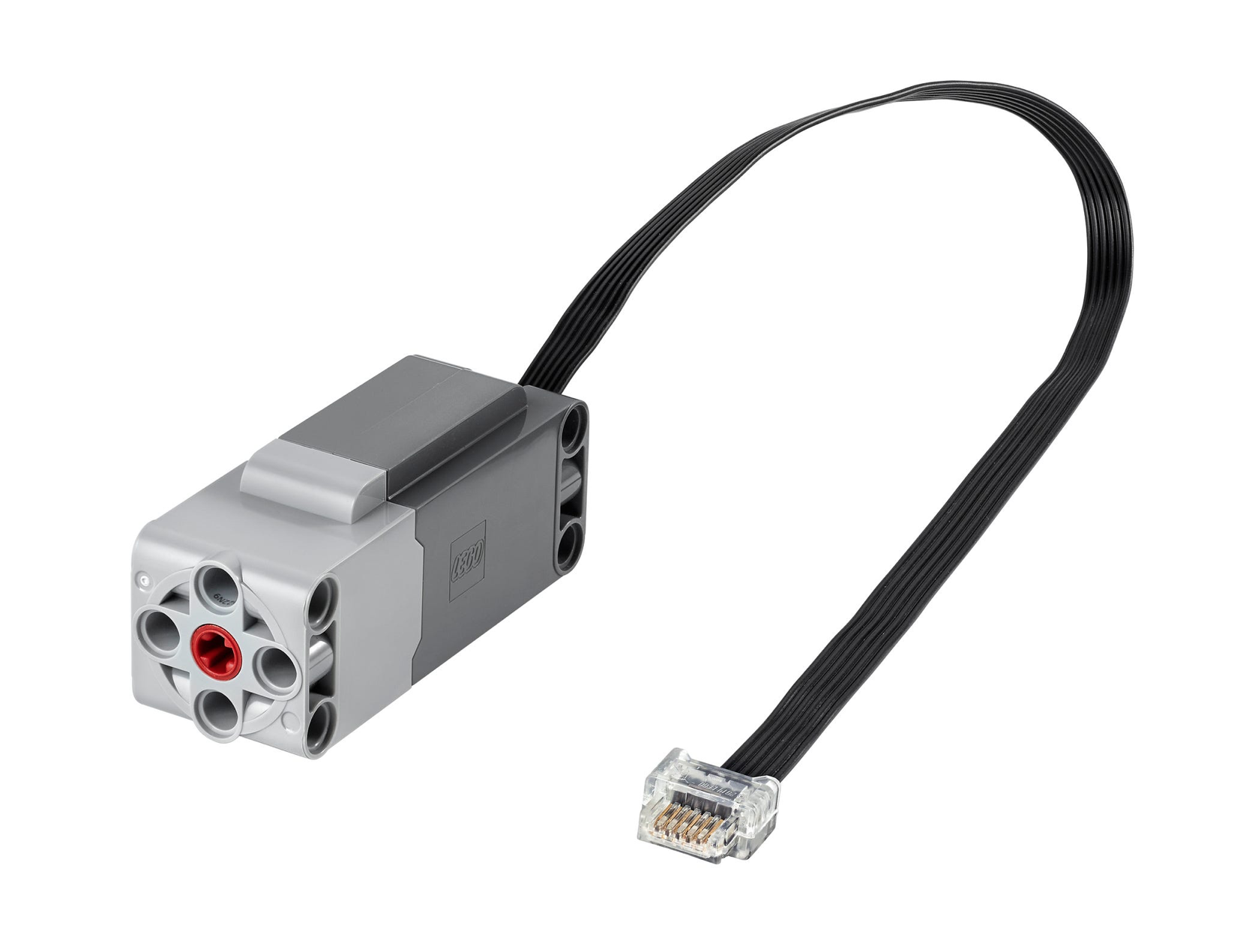
The Technic Large Motor, a smart LPF2 device (type ID 46 in Pybricks' list) that reports its position over the protocol described here.
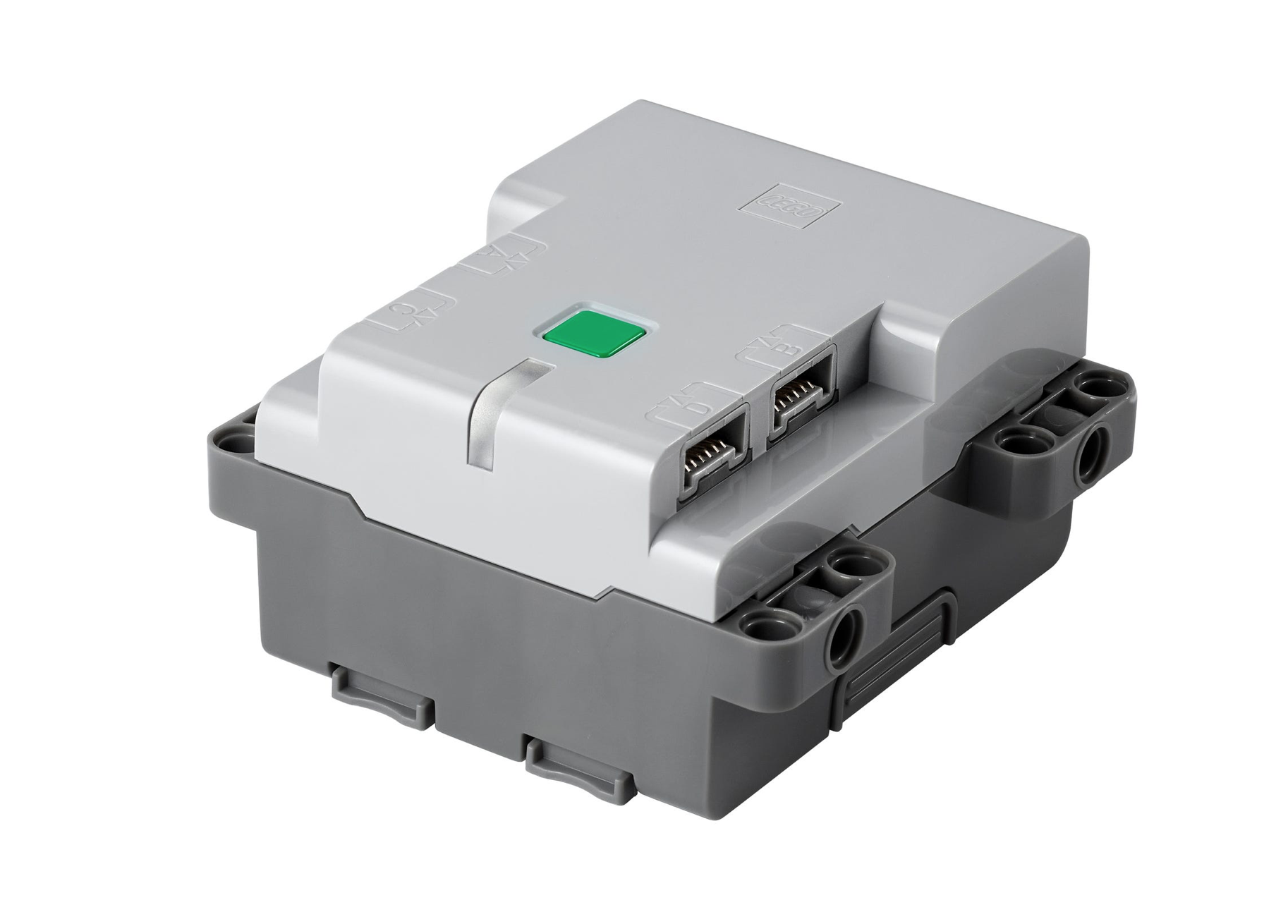
The Technic Hub, a four-port Powered Up hub that runs Pybricks as well as LEGO's own firmware.
Safety
- Pins 5 and 6 are 3.3V. A 5V signal, from an Arduino Uno for example, needs a level shifter.
- Pins 1 and 2 carry motor power. Shorting them, or connecting logic to them, risks damaging the hub.
- Pybricks lets code switch power onto the port pins, and warns that doing so can damage a hub or device if you are not careful.
- Cutting a LEGO cable gives you the connector, but work on a spare cable and a hub you can afford to lose.
For a wireless alternative that talks to LEGO hubs over Bluetooth instead of the wire, see our ESP32 and LEGO Powered Up guide.
Use Our Tools to Go Further
Get more insights about the sets mentioned in this article with our free LEGO tools