Best LEGO Sets for Learning Programming in 2026
Supporting Free Content
As an Amazon Associate I earn from qualifying purchases. As an eBay Partner, we earn from qualifying purchases at no extra cost to you. We also earn a commission when you buy from Wicked Brick or BRKOX through our links (Awin). When you purchase through our links, that small commission helps us keep bringing you expert LEGO® reviews and guides. Thank you for your support!
In 2026 LEGO no longer sells a coding kit for families. SPIKE Prime and SPIKE Essential sales ended on June 30, 2026, MINDSTORMS ended in 2022, and LEGO Education's replacement is sold to schools. Here is what you can still buy new, how to program it, and what to do with a kit you already own.
LEGO no longer sells a coding kit for families. Sales of SPIKE Prime and SPIKE Essential ended on June 30, 2026, MINDSTORMS Robot Inventor ended in 2022 and its app is discontinued on October 1, 2026, and LEGO Education's replacement, Computer Science & AI, is a set of classroom kits for schools. So learning to code with LEGO in 2026 means one of three things: building with LEGO's Powered Up hub and motors and programming them with Pybricks, finding a SPIKE or MINDSTORMS kit that still has years of software support, or using the new kits in a school.
What changed in 2026
| Kit | Sales | Software |
|---|---|---|
| SPIKE Prime (45678) | Ended June 30, 2026 | SPIKE App supported until June 30, 2031; Pybricks |
| SPIKE Essential (45345) | Ended June 30, 2026 | SPIKE App supported until June 30, 2031; Pybricks |
| MINDSTORMS Robot Inventor (51515) | Ended 2022 | MINDSTORMS Inventor app discontinued October 1, 2026; LEGO points owners to the SPIKE Prime app; Pybricks |
| BOOST Creative Toolbox (17101) | Retired | Pybricks supports its Move Hub |
| Computer Science & AI | Shipping from April 2026, to schools | LEGO Education Coding Canvas, browser or iOS |
LEGO Education also says SPIKE can be used in FIRST LEGO League through the 2027 to 2028 season, after which it will no longer be eligible.
Buy new today: the Technic Hub and Pybricks
The programmable piece LEGO still sells on its own is the Powered Up Technic Hub. LEGO describes it as a hub with a built-in tilt sensor and four ports to program and control Powered Up motors, sensors and lights. Our latest data from late September 2026 shows it still listed at LEGO; it has been on sale since 2020 and LEGO has not published an exit date, so check it is still available before you plan a gift around it.
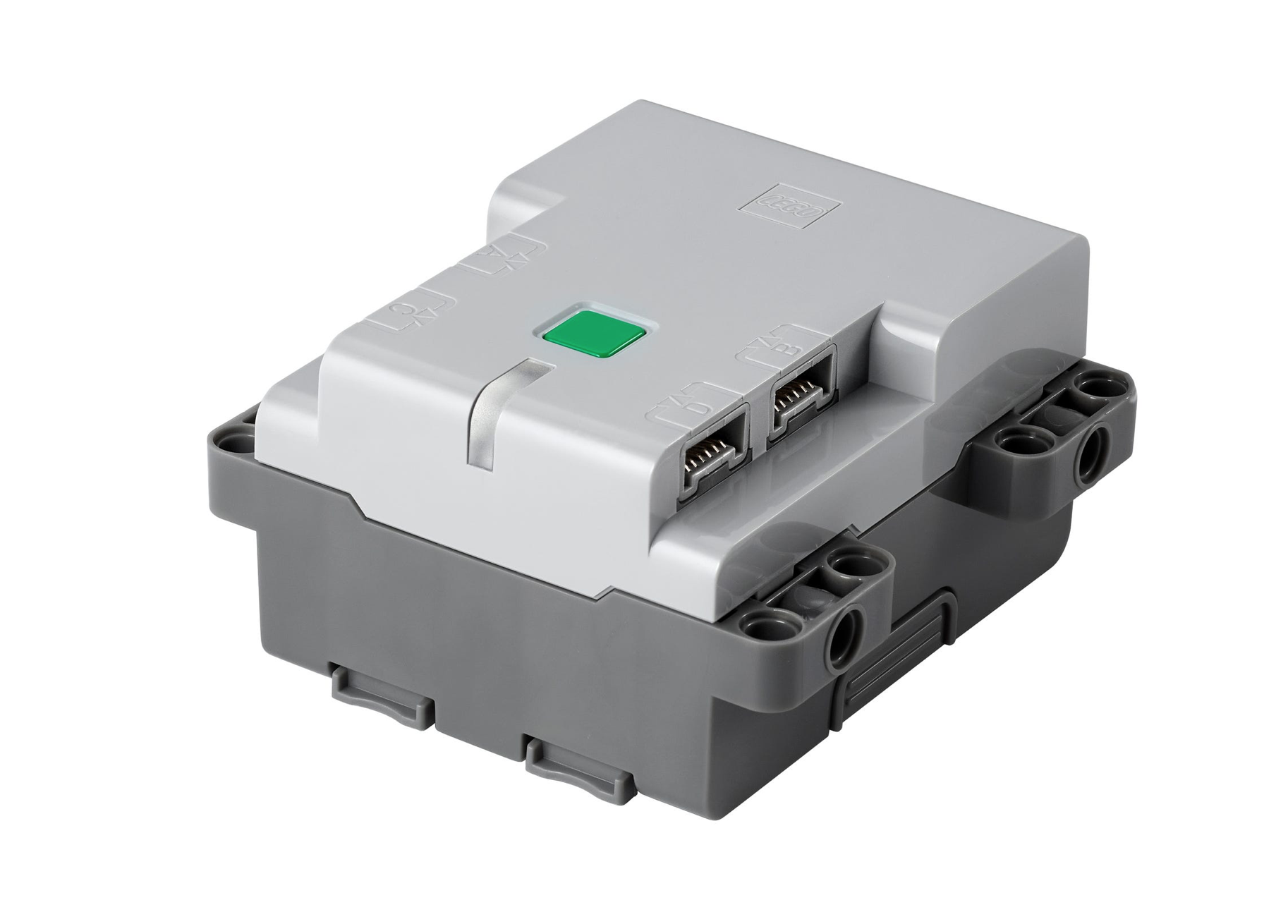
The Powered Up Technic Hub: a built-in tilt sensor and four ports for Powered Up motors, sensors and lights. Pybricks can program it in Python.
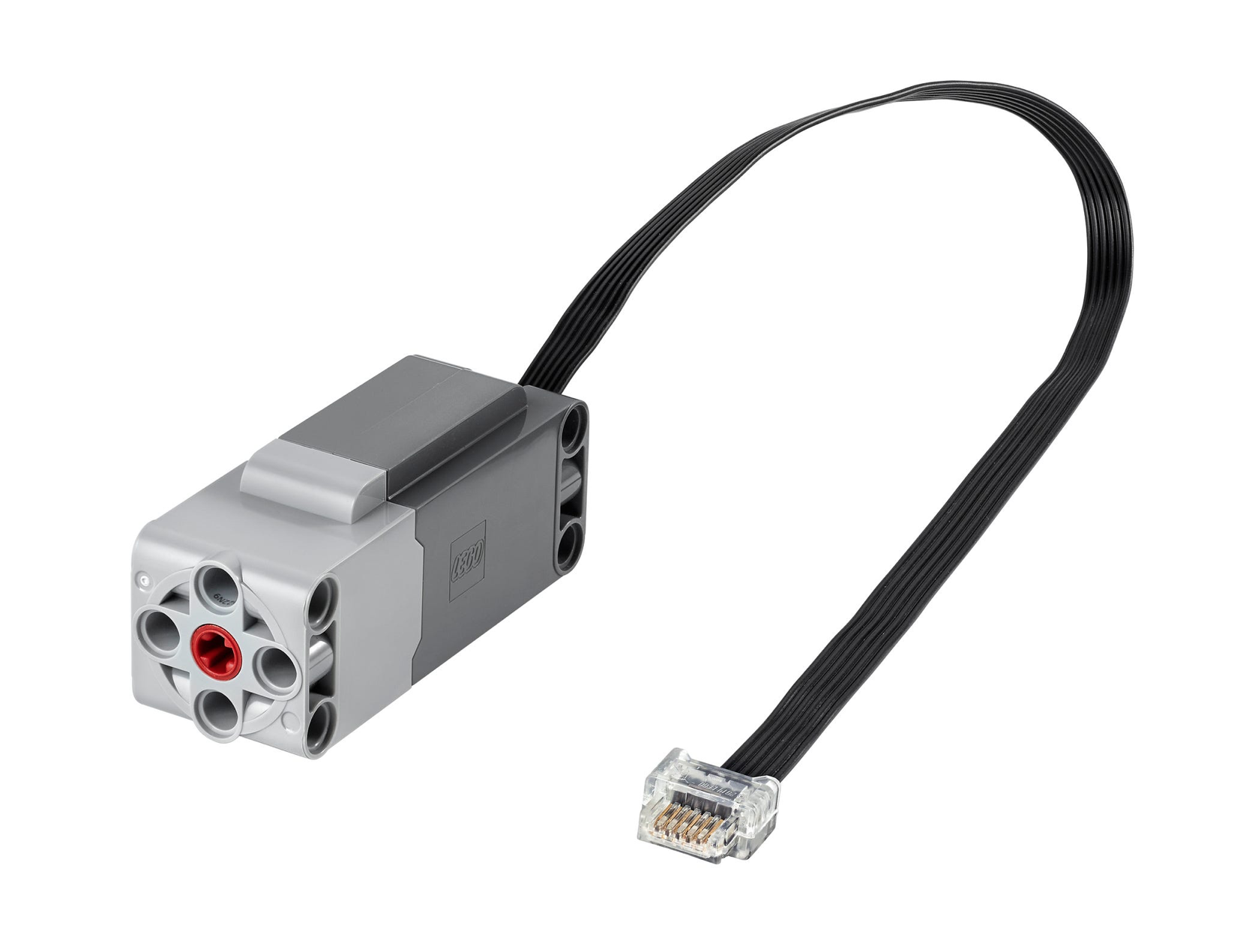
A Powered Up Technic Large Motor that connects to the Technic Hub. Add one or two to drive a build.
To program it, use Pybricks, an open-source firmware and editor for LEGO hubs. You install it on the hub from a browser and write MicroPython programs in the same browser. Pybricks lists the Technic Hub among its supported hubs, along with the City Hub, the BOOST Move Hub and the SPIKE and MINDSTORMS hubs. You need a computer or tablet with Google Chrome or Microsoft Edge, because programs reach the hub over Bluetooth; Pybricks says iPads and iPhones do not work, and neither does Firefox.
This route suits a teenager or adult who is comfortable typing code, or a younger child working with a parent. Unlike SPIKE Prime, it comes with no lessons or robot models, so pair it with a Technic set you already own, or with our Pybricks vs LEGO firmware comparison.
A SPIKE or MINDSTORMS kit you already own or can still find
These kits are retired, but they are still the most complete LEGO robotics kits, with hubs, motors, sensors and lesson material, and remaining stock and secondhand kits are still around. Buy a used kit only if the hub, motors and sensors are all present and the hub charges.

SPIKE Prime, LEGO Education's robotics kit for older students. Sales ended June 30, 2026; LEGO supports the SPIKE App until June 30, 2031.
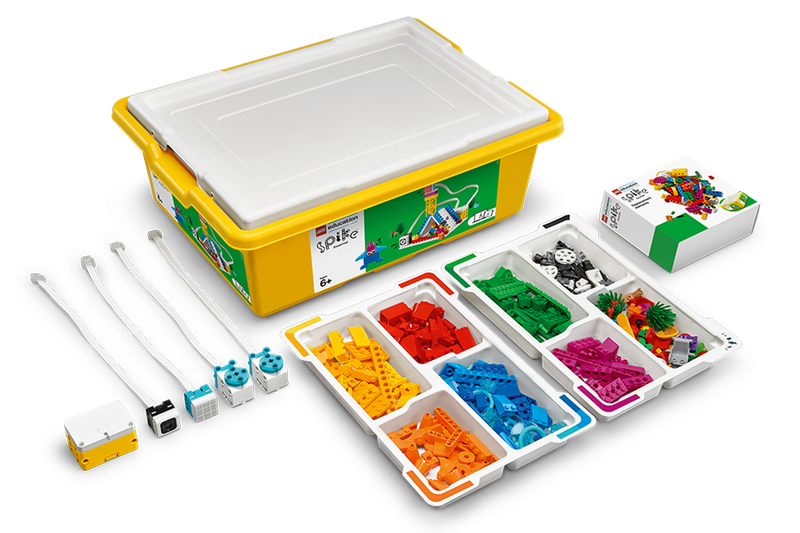
SPIKE Essential, the kit for younger students. Sales ended June 30, 2026, with the same app support as SPIKE Prime.
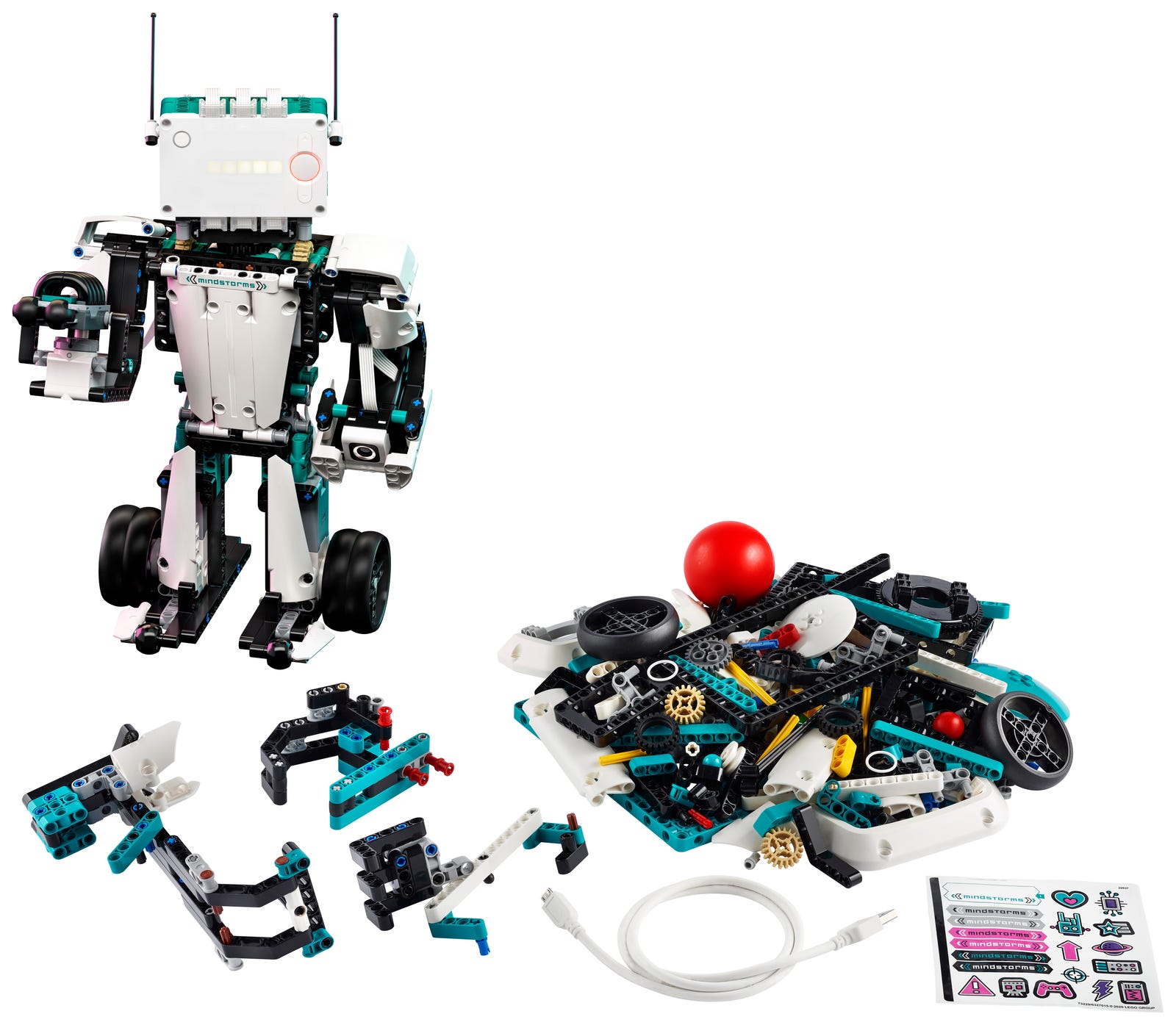
MINDSTORMS Robot Inventor, retired in 2022. Its app is discontinued on October 1, 2026; LEGO points owners to the SPIKE Prime app, and Pybricks supports its hub.
For a MINDSTORMS owner, LEGO's guidance after October 1, 2026 is the SPIKE Prime app, though LEGO does not promise the same experience. Pybricks is the other way to keep programming the Inventor hub. Our SPIKE Prime vs MINDSTORMS Robot Inventor guide compares the two kits in detail.
In a school: LEGO Education Computer Science & AI
LEGO Education's replacement for SPIKE in computer science is Computer Science & AI, shipping from April 2026, with kits for grades K-2, 3-5 and 6-8. Each kit contains LEGO bricks, interactive hardware, connection cards and charging cables, and students code with blocks in the LEGO Education Coding Canvas in a browser or an iOS app. It is designed and sold for classrooms, and LEGO's announcement does not mention sales to families, so for most parents it is something to ask a school about rather than a gift.
What to choose by age
- Under 9: there is no current LEGO coding product sold for home use at this age. A school using Computer Science & AI, or a secondhand SPIKE Essential, are the LEGO options.
- 9 to 12: a remaining-stock or secondhand SPIKE Prime with the SPIKE App, which keeps support until 2031; or a Technic Hub build with Pybricks if an adult can help with Python.
- 13 and up, and adults: the Technic Hub and a motor with Pybricks, or a used SPIKE Prime or Robot Inventor programmed in Pybricks Python.
Going further
Once the basics click, the same hubs connect to other hardware. Our guides cover controlling Powered Up hubs from an ESP32 and programming LEGO motors from a Raspberry Pi.
This guide is research based, from LEGO Education's own announcements, the Pybricks documentation and our catalog, as of October 2026.
Use Our Tools to Go Further
Get more insights about the sets mentioned in this article with our free LEGO tools