Free tool
Rule out the usual hiding places first. If the piece really is gone, check the set piece by piece and leave with the element ID LEGO asks for, or a link to buy the part.

Builders who report a missing piece often find it in one of these places. Tick each one off as you look.
LEGO's request form asks for the set number (1454) and each piece's element ID, both listed above.
As an Amazon Associate I earn from qualifying purchases. As an eBay Partner, we earn from qualifying purchases at no extra cost to you. We also earn a commission when you buy from Wicked Brick or BRKOX through our links (Awin).
 Primo Brick 1 x 2 with LEGO Logo Print
×1
Primo Brick 1 x 2 with LEGO Logo Print
×1
 Primo Brick 1 x 1 with Light Yellow and Light Green Rings Print
×1
Primo Brick 1 x 1 with Light Yellow and Light Green Rings Print
×1
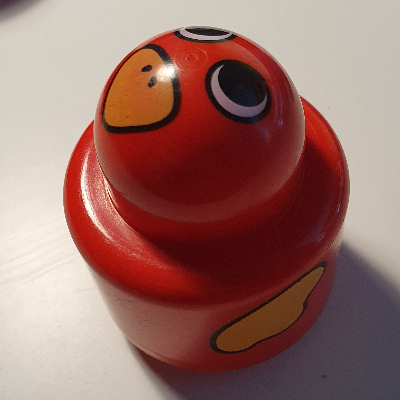 Primo Brick 1 x 1 with Round Rattle, Bird Face and Yellow Wings Print
×1
Primo Brick 1 x 1 with Round Rattle, Bird Face and Yellow Wings Print
×1
Tick each piece as you find it, or mark it missing.
LEGO takes requests for pieces missing from a new set through its customer service site. The form asks for the set number and each piece's element ID, the number printed beside the piece in the parts list at the back of the instructions. This checker lists both.
Request a replacement from LEGOMark a piece missing and your list links it to an eBay search for that part, which also covers pieces from older or second-hand sets.
Copy or download your missing list (the CSV opens in any spreadsheet), or print the whole checklist and tick pieces off on paper. Your marks stay in this browser, so you can check a big set over several sittings.