Free tool
Rule out the usual hiding places first. If the piece really is gone, check the set piece by piece and leave with the element ID LEGO asks for, or a link to buy the part.
Builders who report a missing piece often find it in one of these places. Tick each one off as you look.
These parts appear in this set in two colors that are easy to confuse. If you are one short in one color, check whether it went in where the other color belongs. Each color has its own element ID in the parts list at the back of the instructions.
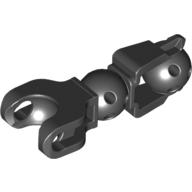 Large Figure Skeletal, Limb with 2 Ball Joints, and Ball Socket
Black ×2
Dark Bluish Gray ×2
Black is darker than Dark Bluish Gray.
Large Figure Skeletal, Limb with 2 Ball Joints, and Ball Socket
Black ×2
Dark Bluish Gray ×2
Black is darker than Dark Bluish Gray.
LEGO's request form asks for the set number (6282) and each piece's element ID, both listed above.
As an eBay Partner, we earn from qualifying purchases at no extra cost to you.
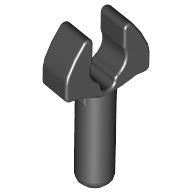 Bar 1L with Clip [Cut Edges and One Side Hole] [Gap in Clip]
1 spare in the box
×1
Bar 1L with Clip [Cut Edges and One Side Hole] [Gap in Clip]
1 spare in the box
×1
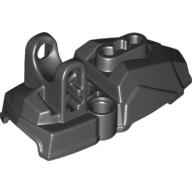 Large Figure Foot, Type 2
×2
Large Figure Foot, Type 2
×2
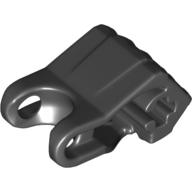 Large Figure Hand, Fist with Axle Hole, 4 Fingers
×2
Large Figure Hand, Fist with Axle Hole, 4 Fingers
×2
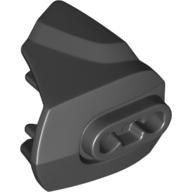 Large Figure Limb Cover, Size 3, Armor with Ball Joint Socket
×2
Large Figure Limb Cover, Size 3, Armor with Ball Joint Socket
×2
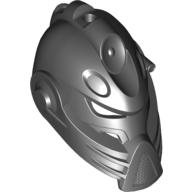 Large Figure Mask, Stringer
×1
Large Figure Skeletal, Limb with 2 Ball Joints, and Ball Socket
Also in Dark Bluish Gray
×2
Large Figure Mask, Stringer
×1
Large Figure Skeletal, Limb with 2 Ball Joints, and Ball Socket
Also in Dark Bluish Gray
×2
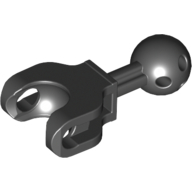 Large Figure Skeletal, Limb, 4L with Ball Joint on Axle and Ball Socket
×2
Large Figure Skeletal, Limb, 4L with Ball Joint on Axle and Ball Socket
×2
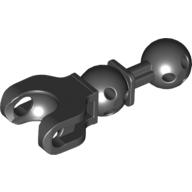 Large Figure Skeletal, Limb, 5L with Ball Joint on Axle and Ball Socket
×2
Large Figure Skeletal, Limb, 5L with Ball Joint on Axle and Ball Socket
×2
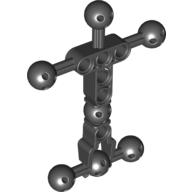 Large Figure Skeletal, Torso with 7 Ball Joints, and 6 Holes, Small
×1
Large Figure Skeletal, Torso with 7 Ball Joints, and 6 Holes, Small
×1
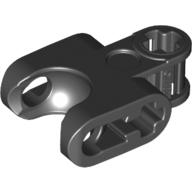 Technic Axle Connector 2 x 3 with Ball Socket, Open Lower Axle Holes
×1
Technic Axle Connector 2 x 3 with Ball Socket, Open Lower Axle Holes
×1
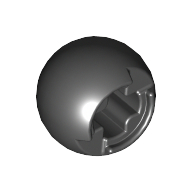 Technic Ball Joint with Through Axle Hole
×1
Technic Ball Joint with Through Axle Hole
×1
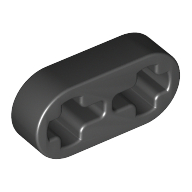 Technic Beam 1 x 2 Thin
×2
Technic Beam 1 x 2 Thin
×2
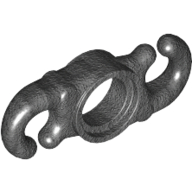 Large Figure Accessory, Chain Link Section
×3
Large Figure Accessory, Chain Link Section
×3
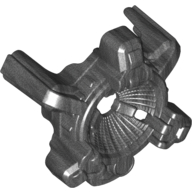 Large Figure Shoulder Cover, Sonic Speaker
×2
Large Figure Shoulder Cover, Sonic Speaker
×2
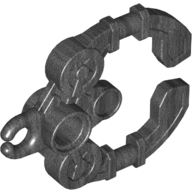 Large Figure Weapon Claw / Handcuff
×2
Large Figure Weapon Claw / Handcuff
×2
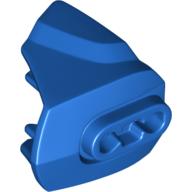 Large Figure Limb Cover, Size 3, Armor with Ball Joint Socket
×4
Large Figure Limb Cover, Size 3, Armor with Ball Joint Socket
×4
 Projectile, Large Figure Weapon, Zamor Sphere / Ball
×1
Projectile, Large Figure Weapon, Zamor Sphere / Ball
×1
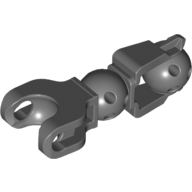 Large Figure Skeletal, Limb with 2 Ball Joints, and Ball Socket
Also in Black
×2
Large Figure Skeletal, Limb with 2 Ball Joints, and Ball Socket
Also in Black
×2
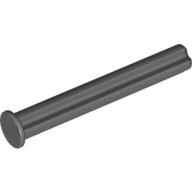 Technic Axle 4 with Stop
×1
Technic Axle 4 with Stop
×1
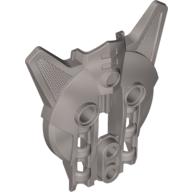 Large Figure Shield, Type 2
×1
Large Figure Shield, Type 2
×1
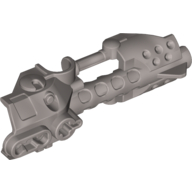 Large Figure Weapon, Zamor Sphere Launcher, Top with Barrel and Sight
×1
Large Figure Weapon, Zamor Sphere Launcher, Top with Barrel and Sight
×1
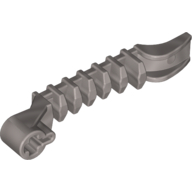 Launcher, Large Figure Weapon, Zamor Sphere Launcher, Bottom with Axle Hole
×1
Launcher, Large Figure Weapon, Zamor Sphere Launcher, Bottom with Axle Hole
×1
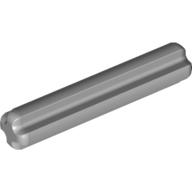 Technic Axle 3
×1
Technic Axle 3
×1
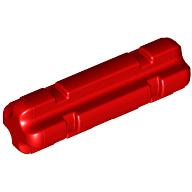 Technic Axle 2 Notched
1 spare in the box
×1
Technic Axle 2 Notched
1 spare in the box
×1
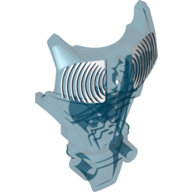 Large Figure Torso Cover, Armor with White Waves Print (Stringer)
×1
Large Figure Torso Cover, Armor with White Waves Print (Stringer)
×1
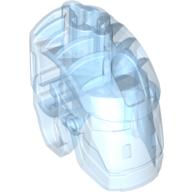 Large Figure Head Connector Block (Glatorian)
×1
Large Figure Head Connector Block (Glatorian)
×1
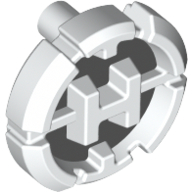 Large Figure Chest Badge with 'H' Hero Factory Logo on Light Bluish Gray Background Pattern
×1
Large Figure Chest Badge with 'H' Hero Factory Logo on Light Bluish Gray Background Pattern
×1
Tick each piece as you find it, or mark it missing.
LEGO takes requests for pieces missing from a new set through its customer service site. The form asks for the set number and each piece's element ID, the number printed beside the piece in the parts list at the back of the instructions. This checker lists both.
Request a replacement from LEGOMark a piece missing and your list links it to an eBay search for that part, which also covers pieces from older or second-hand sets.
Copy or download your missing list (the CSV opens in any spreadsheet), or print the whole checklist and tick pieces off on paper. Your marks stay in this browser, so you can check a big set over several sittings.