Free tool
Rule out the usual hiding places first. If the piece really is gone, check the set piece by piece and leave with the element ID LEGO asks for, or a link to buy the part.

Builders who report a missing piece often find it in one of these places. Tick each one off as you look.
These parts appear in this set in two colors that are easy to confuse. If you are one short in one color, check whether it went in where the other color belongs. Each color has its own element ID in the parts list at the back of the instructions.
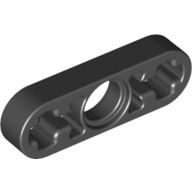 Technic Beam 1 x 3 Thin
Black ×12
Dark Bluish Gray ×6
Black is darker than Dark Bluish Gray.
Technic Beam 1 x 3 Thin
Black ×12
Dark Bluish Gray ×6
Black is darker than Dark Bluish Gray.
LEGO's request form asks for the set number (42056) and each piece's element ID, both listed above.
As an eBay Partner, we earn from qualifying purchases at no extra cost to you.
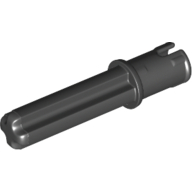 Technic Axle Pin 3L with Friction Ridges Lengthwise and 2L Axle
×26
Technic Axle Pin 3L with Friction Ridges Lengthwise and 2L Axle
×26
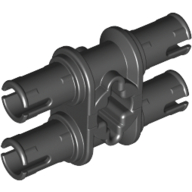 Technic Pin Double with Axle Hole
×4
Technic Pin Double with Axle Hole
×4
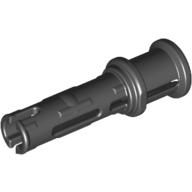 Technic Pin Long with Friction Ridges Lengthwise and Stop Bush [3 Lateral Holes, Big Pin Hole]
×20
Technic Pin Long with Friction Ridges Lengthwise and Stop Bush [3 Lateral Holes, Big Pin Hole]
×20
 Technic Pin with Friction Ridges Lengthwise and Center Slots
10 spares in the box
×516
Technic Pin with Friction Ridges Lengthwise and Center Slots
10 spares in the box
×516
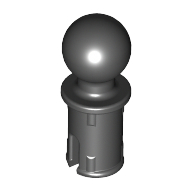 Technic Pin with Friction Ridges Lengthwise and Towball
×16
Technic Pin with Friction Ridges Lengthwise and Towball
×16
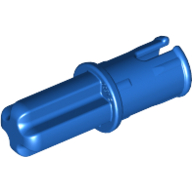 Technic Axle Pin with Friction Ridges Lengthwise
×103
Technic Axle Pin with Friction Ridges Lengthwise
×103
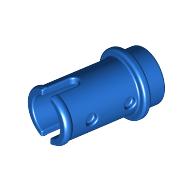 Technic Pin 1/2 without Friction Ridges
4 spares in the box
×58
Technic Pin 1/2 without Friction Ridges
4 spares in the box
×58
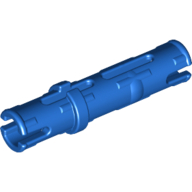 Technic Pin Long with Friction Ridges Lengthwise, 2 Center Slots
×285
Technic Pin Long with Friction Ridges Lengthwise, 2 Center Slots
×285
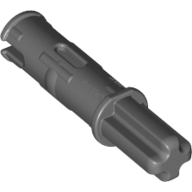 Technic Axle Pin 3L with Friction Ridges Lengthwise and 1L Axle
×50
Technic Axle Pin 3L with Friction Ridges Lengthwise and 1L Axle
×50
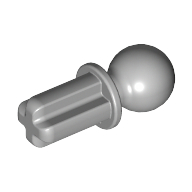 Technic Axle Towball
×4
Technic Axle Towball
×4
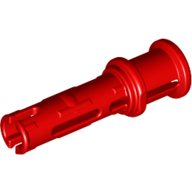 Technic Pin Long with Friction Ridges Lengthwise and Stop Bush [3 Lateral Holes, Big Pin Hole]
×40
Technic Pin Long with Friction Ridges Lengthwise and Stop Bush [3 Lateral Holes, Big Pin Hole]
×40
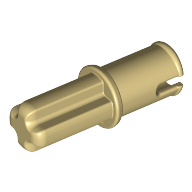 Technic Axle Pin without Friction Ridges Lengthwise
×1
Technic Axle Pin without Friction Ridges Lengthwise
×1
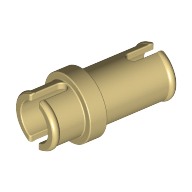 Technic Pin 3/4
1 spare in the box
×2
Technic Pin 3/4
1 spare in the box
×2
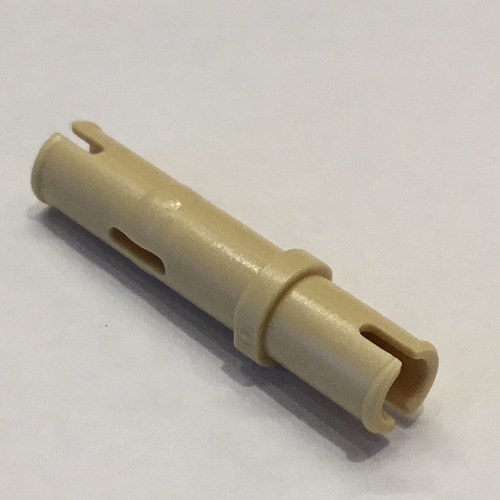 Technic Pin Long without Friction Ridges
×2
Technic Pin Long without Friction Ridges
×2
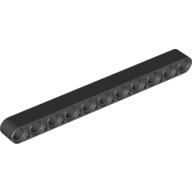 Technic Beam 1 x 11 Thick
×13
Technic Beam 1 x 11 Thick
×13
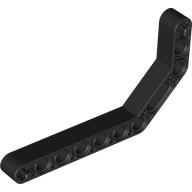 Technic Beam 1 x 11.5 Double Bent Thick
×12
Technic Beam 1 x 11.5 Double Bent Thick
×12
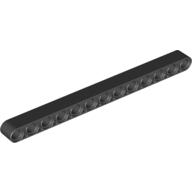 Technic Beam 1 x 13 Thick
×3
Technic Beam 1 x 13 Thick
×3
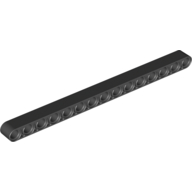 Technic Beam 1 x 15 Thick
×21
Technic Beam 1 x 15 Thick
×21
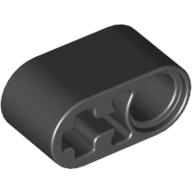 Technic Beam 1 x 2 Thick with Pin Hole and Axle Hole
×18
Technic Beam 1 x 2 Thick with Pin Hole and Axle Hole
×18
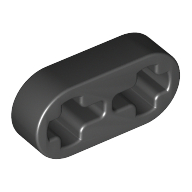 Technic Beam 1 x 2 Thin
×10
Technic Beam 1 x 2 Thin
×10
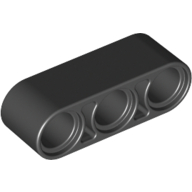 Technic Beam 1 x 3 Thick
×15
Technic Beam 1 x 3 Thin
Also in Dark Bluish Gray
×12
Technic Beam 1 x 3 Thick
×15
Technic Beam 1 x 3 Thin
Also in Dark Bluish Gray
×12
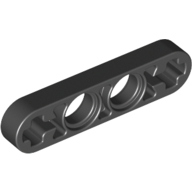 Technic Beam 1 x 4 Thin
×16
Technic Beam 1 x 4 Thin
×16
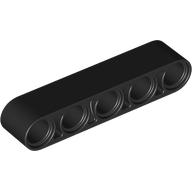 Technic Beam 1 x 5 Thick
×14
Technic Beam 1 x 5 Thick
×14
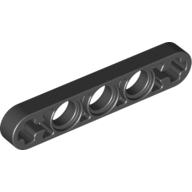 Technic Beam 1 x 5 Thin with Axle Holes on Ends
×6
Technic Beam 1 x 5 Thin with Axle Holes on Ends
×6
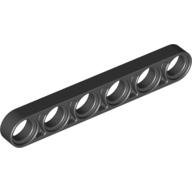 Technic Beam 1 x 6 Thin
×16
Technic Beam 1 x 6 Thin
×16
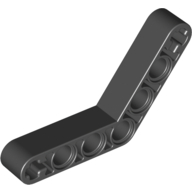 Technic Beam 1 x 7 Bent (4 - 4) Thick
×8
Technic Beam 1 x 7 Bent (4 - 4) Thick
×8
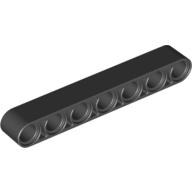 Technic Beam 1 x 7 Thick
×31
Technic Beam 1 x 7 Thick
×31
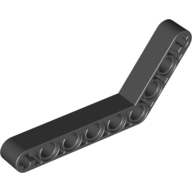 Technic Beam 1 x 9 Bent (6 - 4) Thick
×4
Technic Beam 1 x 9 Bent (6 - 4) Thick
×4
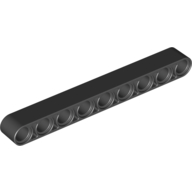 Technic Beam 1 x 9 Thick
×39
Technic Beam 1 x 9 Thick
×39
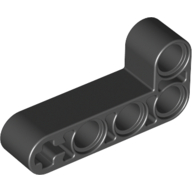 Technic Beam 2 x 4 L-Shape Thick
×12
Technic Beam 2 x 4 L-Shape Thick
×12
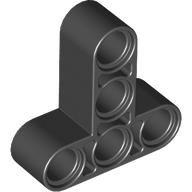 Technic Beam 3 x 3 T-Shape Thick
×6
Technic Beam 3 x 3 T-Shape Thick
×6
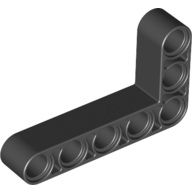 Technic Beam 3 x 5 L-Shape Thick
×28
Technic Beam 3 x 5 L-Shape Thick
×28
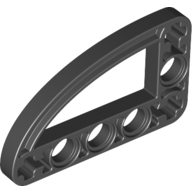 Technic Beam 3 x 5 L-Shape with Quarter Ellipse Thin
×4
Technic Beam 3 x 5 L-Shape with Quarter Ellipse Thin
×4
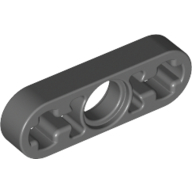 Technic Beam 1 x 3 Thin
Also in Black
×6
Technic Beam 1 x 3 Thin
Also in Black
×6
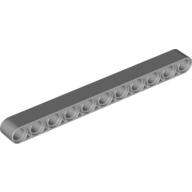 Technic Beam 1 x 11 Thick
×8
Technic Beam 1 x 11 Thick
×8
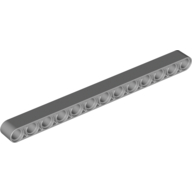 Technic Beam 1 x 13 Thick
×16
Technic Beam 1 x 13 Thick
×16
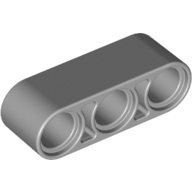 Technic Beam 1 x 3 Thick
×12
Technic Beam 1 x 3 Thick
×12
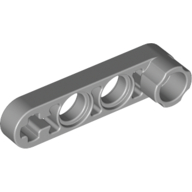 Technic Beam 1 x 4 Thin with Stud Connector
×4
Technic Beam 1 x 4 Thin with Stud Connector
×4
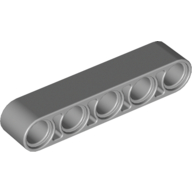 Technic Beam 1 x 5 Thick
×2
Technic Beam 1 x 5 Thick
×2
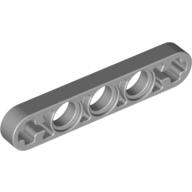 Technic Beam 1 x 5 Thin with Axle Holes on Ends
×16
Technic Beam 1 x 5 Thin with Axle Holes on Ends
×16
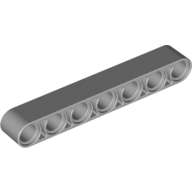 Technic Beam 1 x 7 Thick
×8
Technic Beam 1 x 7 Thick
×8
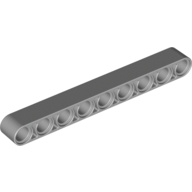 Technic Beam 1 x 9 Thick
×4
Technic Beam 1 x 9 Thick
×4
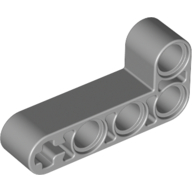 Technic Beam 2 x 4 L-Shape Thick
×8
Technic Beam 2 x 4 L-Shape Thick
×8
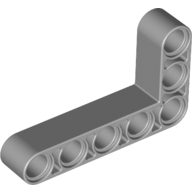 Technic Beam 3 x 5 L-Shape Thick
×8
Technic Beam 3 x 5 L-Shape Thick
×8
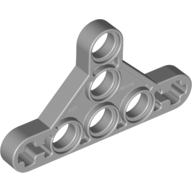 Technic Beam Triangle Thin [Type II]
×2
Technic Beam Triangle Thin [Type II]
×2
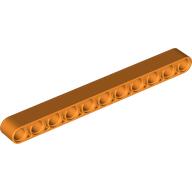 Technic Beam 1 x 11 Thick
×10
Technic Beam 1 x 11 Thick
×10
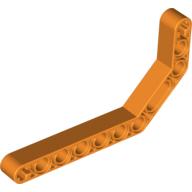 Technic Beam 1 x 11.5 Double Bent Thick
×4
Technic Beam 1 x 11.5 Double Bent Thick
×4
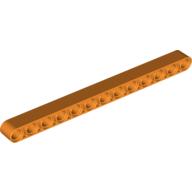 Technic Beam 1 x 13 Thick
×10
Technic Beam 1 x 13 Thick
×10
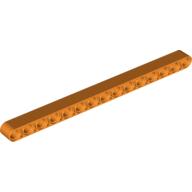 Technic Beam 1 x 15 Thick
×10
Technic Beam 1 x 15 Thick
×10
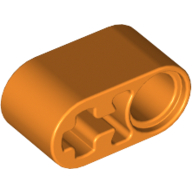 Technic Beam 1 x 2 Thick with Pin Hole and Axle Hole
×51
Technic Beam 1 x 2 Thick with Pin Hole and Axle Hole
×51
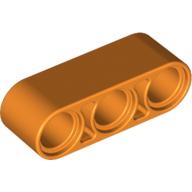 Technic Beam 1 x 3 Thick
×22
Technic Beam 1 x 3 Thick
×22
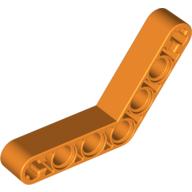 Technic Beam 1 x 7 Bent (4 - 4) Thick
×2
Technic Beam 1 x 7 Bent (4 - 4) Thick
×2
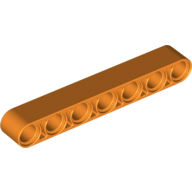 Technic Beam 1 x 7 Thick
×14
Technic Beam 1 x 7 Thick
×14
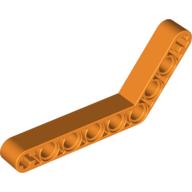 Technic Beam 1 x 9 Bent (6 - 4) Thick
×4
Technic Beam 1 x 9 Bent (6 - 4) Thick
×4
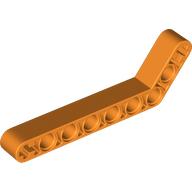 Technic Beam 1 x 9 Bent (7 - 3) Thick
×2
Technic Beam 1 x 9 Bent (7 - 3) Thick
×2
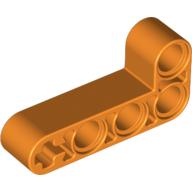 Technic Beam 2 x 4 L-Shape Thick
×4
Technic Beam 2 x 4 L-Shape Thick
×4
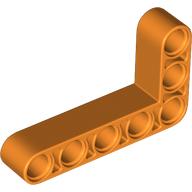 Technic Beam 3 x 5 L-Shape Thick
×14
Technic Beam 3 x 5 L-Shape Thick
×14
 Technic Beam 1 x 4 Thin with Stud Connector
×4
Technic Beam 1 x 4 Thin with Stud Connector
×4
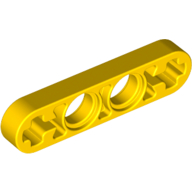 Technic Beam 1 x 4 Thin
×4
Technic Beam 1 x 4 Thin
×4
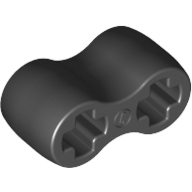 Technic Axle Connector Double Flexible [Rubber]
×2
Technic Axle Connector Double Flexible [Rubber]
×2
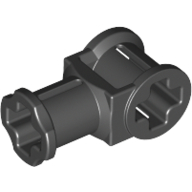 Technic Axle Connector with Axle Hole
×6
Technic Axle Connector with Axle Hole
×6
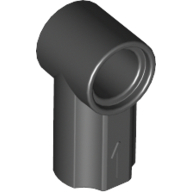 Technic Axle and Pin Connector Angled #1
×10
Technic Axle and Pin Connector Angled #1
×10
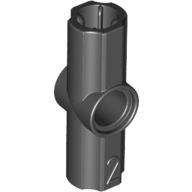 Technic Axle and Pin Connector Angled #2 - 180°
×5
Technic Axle and Pin Connector Angled #2 - 180°
×5
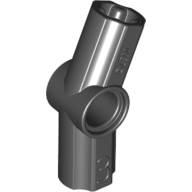 Technic Axle and Pin Connector Angled #3 - 157.5°
×12
Technic Axle and Pin Connector Angled #3 - 157.5°
×12
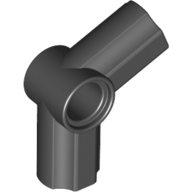 Technic Axle and Pin Connector Angled #5 - 112.5°
×2
Technic Axle and Pin Connector Angled #5 - 112.5°
×2
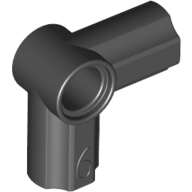 Technic Axle and Pin Connector Angled #6 - 90°
×4
Technic Axle and Pin Connector Angled #6 - 90°
×4
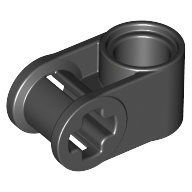 Technic Axle and Pin Connector Perpendicular
×22
Technic Axle and Pin Connector Perpendicular
×22
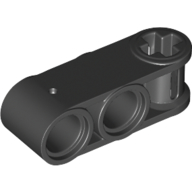 Technic Axle and Pin Connector Perpendicular 3L with 2 Pin Holes
×62
Technic Axle and Pin Connector Perpendicular 3L with 2 Pin Holes
×62
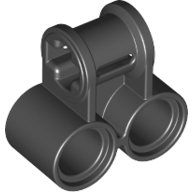 Technic Axle and Pin Connector Perpendicular Double
×8
Technic Axle and Pin Connector Perpendicular Double
×8
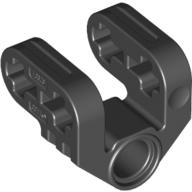 Technic Axle and Pin Connector Perpendicular Split
×4
Technic Axle and Pin Connector Perpendicular Split
×4
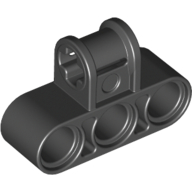 Technic Axle and Pin Connector Perpendicular Triple
×9
Technic Axle and Pin Connector Perpendicular Triple
×9
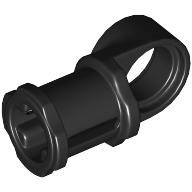 Technic Axle and Pin Connector Toggle Joint Smooth
×4
Technic Axle and Pin Connector Toggle Joint Smooth
×4
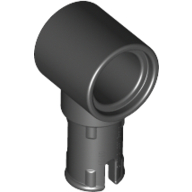 Technic Pin Connector Hub with 1 Pin with Friction Ridges Lengthwise
×31
Technic Pin Connector Hub with 1 Pin with Friction Ridges Lengthwise
×31
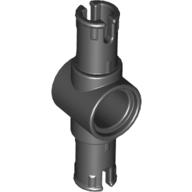 Technic Pin Connector Hub with 2 Pins with Friction Ridges Lengthwise [Big Squared Pin Holes]
×2
Technic Pin Connector Hub with 2 Pins with Friction Ridges Lengthwise [Big Squared Pin Holes]
×2
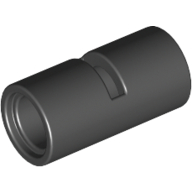 Technic Pin Connector Round [Slotted]
×2
Technic Pin Connector Round [Slotted]
×2
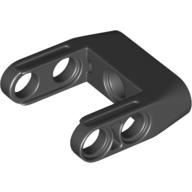 Technic Pin Connector Toggle Joint Smooth Double with Axle and Pin Holes
×2
Technic Pin Connector Toggle Joint Smooth Double with Axle and Pin Holes
×2
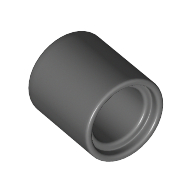 Technic Pin Connector Round 1L [Beam]
2 spares in the box
×12
Technic Pin Connector Round 1L [Beam]
2 spares in the box
×12
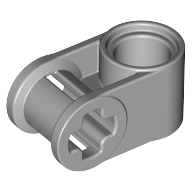 Technic Axle and Pin Connector Perpendicular
×22
Technic Axle and Pin Connector Perpendicular
×22
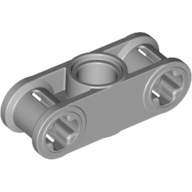 Technic Axle and Pin Connector Perpendicular 3L with Centre Pin Hole
×19
Technic Axle and Pin Connector Perpendicular 3L with Centre Pin Hole
×19
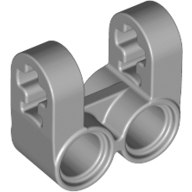 Technic Axle and Pin Connector Perpendicular Double Split
×4
Technic Axle and Pin Connector Perpendicular Double Split
×4
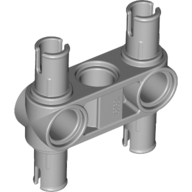 Technic Pin Connector Hub Perpendicular 3L with 4 Pins
×6
Technic Pin Connector Hub Perpendicular 3L with 4 Pins
×6
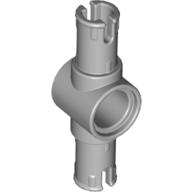 Technic Pin Connector Hub with 2 Pins with Friction Ridges Lengthwise [Big Squared Pin Holes]
×11
Technic Pin Connector Hub with 2 Pins with Friction Ridges Lengthwise [Big Squared Pin Holes]
×11
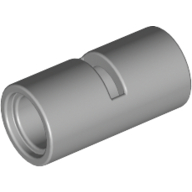 Technic Pin Connector Round [Slotted]
×5
Technic Pin Connector Round [Slotted]
×5
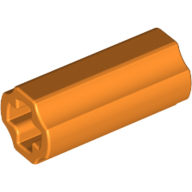 Technic Axle Connector Smooth [with x Hole + Orientation]
×15
Technic Axle Connector Smooth [with x Hole + Orientation]
×15
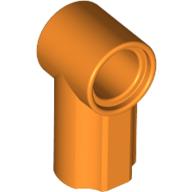 Technic Axle and Pin Connector Angled #1
×21
Technic Axle and Pin Connector Angled #1
×21
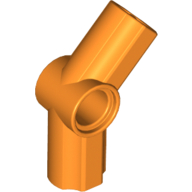 Technic Axle and Pin Connector Angled #4 - 135°
×2
Technic Axle and Pin Connector Angled #4 - 135°
×2
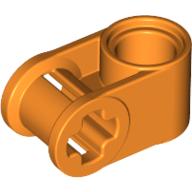 Technic Axle and Pin Connector Perpendicular
×8
Technic Axle and Pin Connector Perpendicular
×8
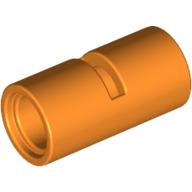 Technic Pin Connector Round [Slotted]
×4
Technic Pin Connector Round [Slotted]
×4
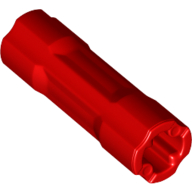 Technic Driving Ring Connector Smooth [4 rounded side walls]
×11
Technic Driving Ring Connector Smooth [4 rounded side walls]
×11
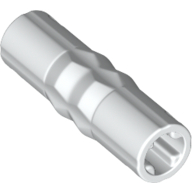 Technic Driving Ring Connector
×1
Technic Driving Ring Connector
×1
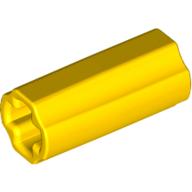 Technic Axle Connector Smooth [with x Hole + Orientation]
×8
Technic Axle Connector Smooth [with x Hole + Orientation]
×8
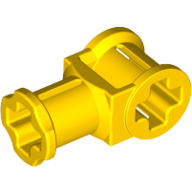 Technic Axle Connector with Axle Hole
×2
Technic Axle Connector with Axle Hole
×2
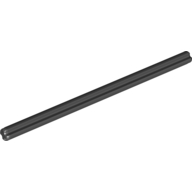 Technic Axle 10
×2
Technic Axle 10
×2
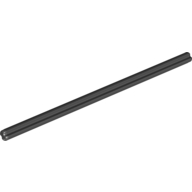 Technic Axle 12
×3
Technic Axle 12
×3
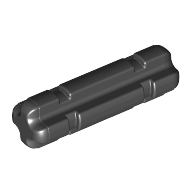 Technic Axle 2 Notched
×2
Technic Axle 2 Notched
×2
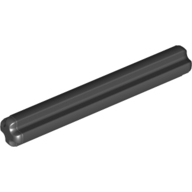 Technic Axle 4
×15
Technic Axle 4
×15
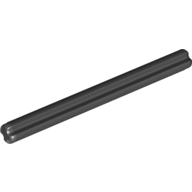 Technic Axle 6
×9
Technic Axle 6
×9
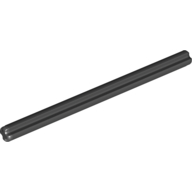 Technic Axle 8
×2
Technic Axle 8
×2
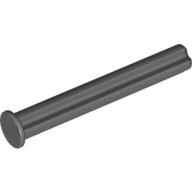 Technic Axle 4 with Stop
×16
Technic Axle 4 with Stop
×16
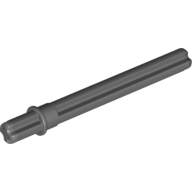 Technic Axle 5.5 with Stop [Rounded Short End]
×1
Technic Axle 5.5 with Stop [Rounded Short End]
×1
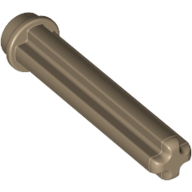 Technic Axle 3 with Stud
×1
Technic Axle 3 with Stud
×1
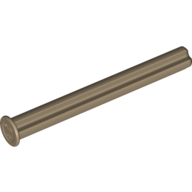 Technic Axle 5 with Stop
×17
Technic Axle 5 with Stop
×17
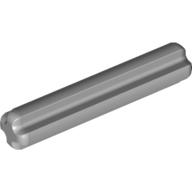 Technic Axle 3
×61
Technic Axle 3
×61
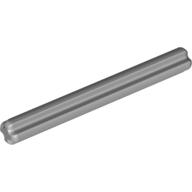 Technic Axle 5
×6
Technic Axle 5
×6
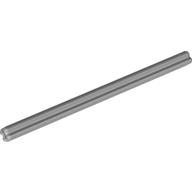 Technic Axle 7
×12
Technic Axle 7
×12
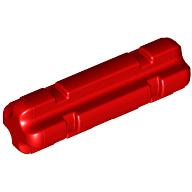 Technic Axle 2 Notched
×24
Technic Axle 2 Notched
×24
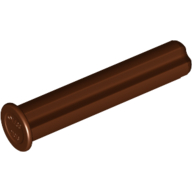 Technic Axle 3 with Stop
×18
Technic Axle 3 with Stop
×18
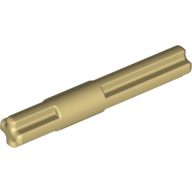 Technic Axle 4 with Centre Stop
×1
Technic Axle 4 with Centre Stop
×1
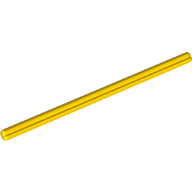 Technic Axle 11
×1
Technic Axle 11
×1
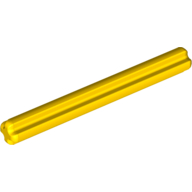 Technic Axle 5
×16
Technic Axle 5
×16
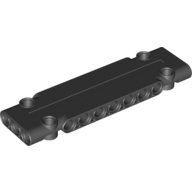 Technic Panel 3 x 11 x 1
×5
Technic Panel 3 x 11 x 1
×5
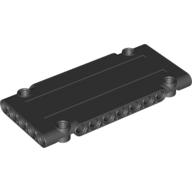 Technic Panel 5 x 11 x 1
×6
Technic Panel 5 x 11 x 1
×6
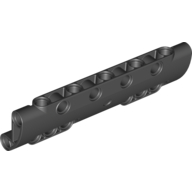 Technic Panel Curved 11 x 3 with 10 Pin Holes through Panel Surface
×4
Technic Panel Curved 11 x 3 with 10 Pin Holes through Panel Surface
×4
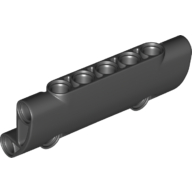 Technic Panel Curved 7 x 3 with 2 Pin Holes through Panel Surface
×6
Technic Panel Curved 7 x 3 with 2 Pin Holes through Panel Surface
×6
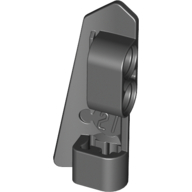 Technic Panel Fairing #21 5L Small Smooth, Side B
×5
Technic Panel Fairing #21 5L Small Smooth, Side B
×5
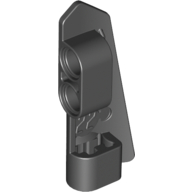 Technic Panel Fairing #22 5L Small Smooth, Side A
×5
Technic Panel Fairing #22 5L Small Smooth, Side A
×5
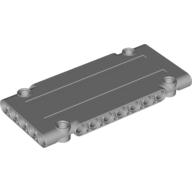 Technic Panel 5 x 11 x 1
×2
Technic Panel 5 x 11 x 1
×2
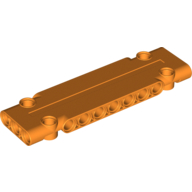 Technic Panel 3 x 11 x 1
×3
Technic Panel 3 x 11 x 1
×3
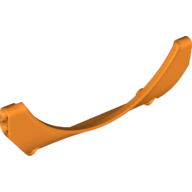 Technic Panel Car Mudguard Arched 15 x 2 x 5
×4
Technic Panel Car Mudguard Arched 15 x 2 x 5
×4
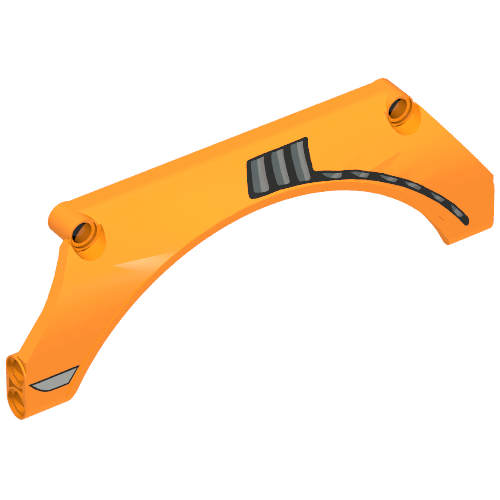 Technic Panel Car Mudguard Arched 15 x 2 x 5 with Vent Grille Print Model Left Side
×1
Technic Panel Car Mudguard Arched 15 x 2 x 5 with Vent Grille Print Model Left Side
×1
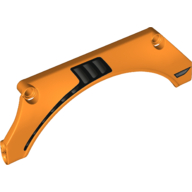 Technic Panel Car Mudguard Arched 15 x 2 x 5 with Vent Grille Print Model Right Side
×1
Technic Panel Car Mudguard Arched 15 x 2 x 5 with Vent Grille Print Model Right Side
×1
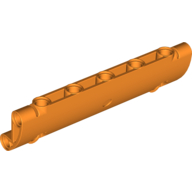 Technic Panel Curved 11 x 3 with 2 Pin Holes through Panel Surface
×4
Technic Panel Curved 11 x 3 with 2 Pin Holes through Panel Surface
×4
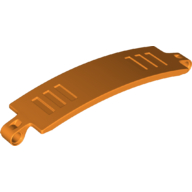 Technic Panel Curved 3 x 13
×10
Technic Panel Curved 3 x 13
×10
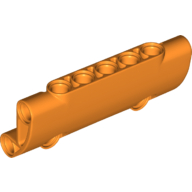 Technic Panel Curved 7 x 3 with 2 Pin Holes through Panel Surface
×8
Technic Panel Curved 7 x 3 with 2 Pin Holes through Panel Surface
×8
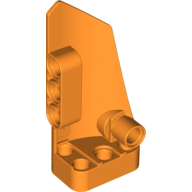 Technic Panel Fairing # 3 Small Smooth Long, Side A
×2
Technic Panel Fairing # 3 Small Smooth Long, Side A
×2
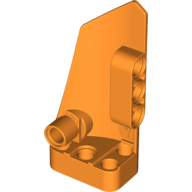 Technic Panel Fairing # 4 Small Smooth Long, Side B
×2
Technic Panel Fairing # 4 Small Smooth Long, Side B
×2
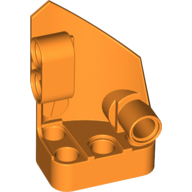 Technic Panel Fairing #1 Small Smooth Short, Side A
×4
Technic Panel Fairing #1 Small Smooth Short, Side A
×4
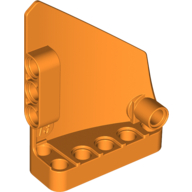 Technic Panel Fairing #13 Large Short Smooth, Side A
×2
Technic Panel Fairing #13 Large Short Smooth, Side A
×2
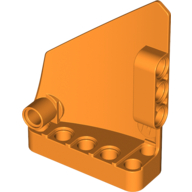 Technic Panel Fairing #14 Large Short Smooth, Side B
×2
Technic Panel Fairing #14 Large Short Smooth, Side B
×2
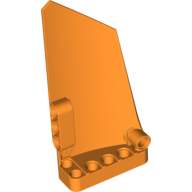 Technic Panel Fairing #17 Large Smooth, Side A
×1
Technic Panel Fairing #17 Large Smooth, Side A
×1
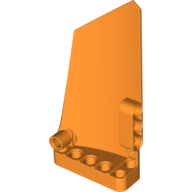 Technic Panel Fairing #18 Large Smooth, Side B
×1
Technic Panel Fairing #18 Large Smooth, Side B
×1
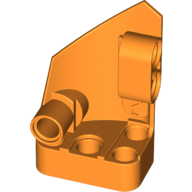 Technic Panel Fairing #2 Small Smooth Short, Side B
×4
Technic Panel Fairing #2 Small Smooth Short, Side B
×4
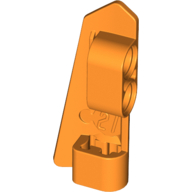 Technic Panel Fairing #21 5L Small Smooth, Side B
×5
Technic Panel Fairing #21 5L Small Smooth, Side B
×5
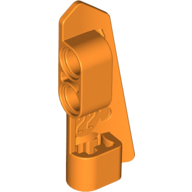 Technic Panel Fairing #22 5L Small Smooth, Side A
×5
Technic Panel Fairing #22 5L Small Smooth, Side A
×5
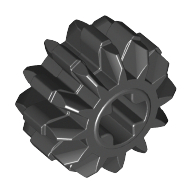 Technic Gear 12 Tooth Double Bevel
×8
Technic Gear 12 Tooth Double Bevel
×8
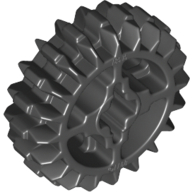 Technic Gear 20 Tooth Double Bevel with Axle Hole Type 1 [+ Opening]
×4
Technic Gear 20 Tooth Double Bevel with Axle Hole Type 1 [+ Opening]
×4
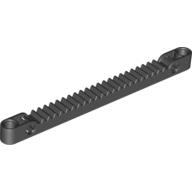 Technic Gear Rack 1 x 13 with Axle and Pin Holes
×1
Technic Gear Rack 1 x 13 with Axle and Pin Holes
×1
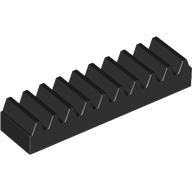 Technic Gear Rack 1 x 4
×10
Technic Gear Rack 1 x 4
×10
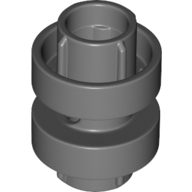 Technic Driving Ring 3L
×3
Technic Driving Ring 3L
×3
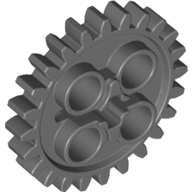 Technic Gear 24 Tooth [New Style with Single Axle Hole]
×2
Technic Gear 24 Tooth [New Style with Single Axle Hole]
×2
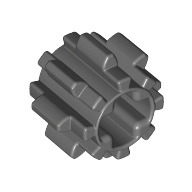 Technic Gear 8 Tooth [Reinforced]
×5
Technic Gear 8 Tooth [Reinforced]
×5
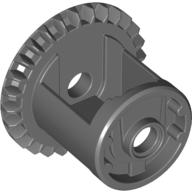 Technic Gear Differential with Inner Tabs and Closed Center, 28 Bevel Teeth [Beveled Edge]
×1
Technic Gear Differential with Inner Tabs and Closed Center, 28 Bevel Teeth [Beveled Edge]
×1
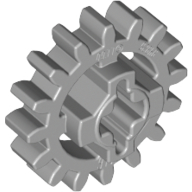 Technic Gear 16 Tooth Reinforced [New Style]
×13
Technic Gear 16 Tooth Reinforced [New Style]
×13
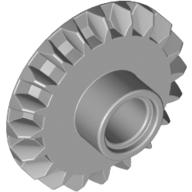 Technic Gear 20 Tooth Bevel with Pin Hole
×3
Technic Gear 20 Tooth Bevel with Pin Hole
×3
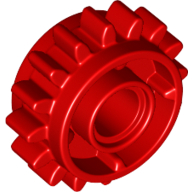 Technic Gear 16 Tooth with Clutch on Both Sides
×8
Technic Gear 16 Tooth with Clutch on Both Sides
×8
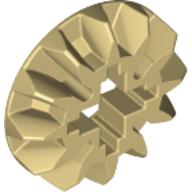 Technic Gear 12 Tooth Bevel
×6
Technic Gear 12 Tooth Bevel
×6
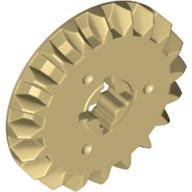 Technic Gear 20 Tooth Bevel
×2
Technic Gear 20 Tooth Bevel
×2
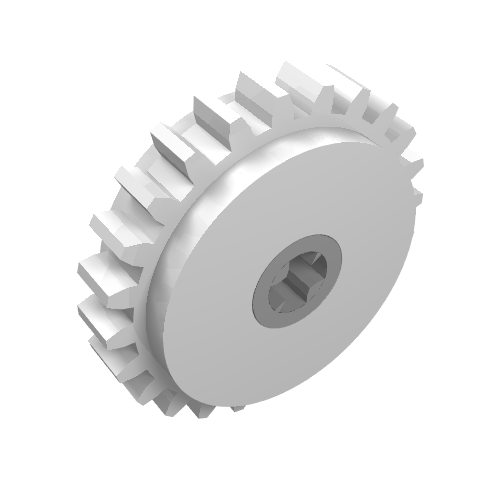 Technic Gear 24 Tooth Clutch with Dark Bluish Gray Center
×1
Technic Gear 24 Tooth Clutch with Dark Bluish Gray Center
×1
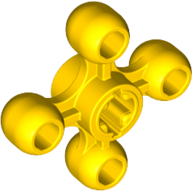 Technic Knob Wheel
×7
Technic Knob Wheel
×7
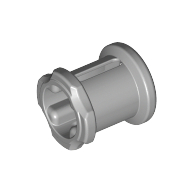 Technic Bush
3 spares in the box
×29
Technic Bush
3 spares in the box
×29
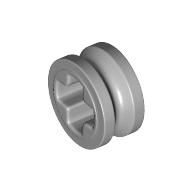 Technic Bush 1/2 Smooth with Axle Hole Semi-Reduced
3 spares in the box
×26
Technic Bush 1/2 Smooth with Axle Hole Semi-Reduced
3 spares in the box
×26
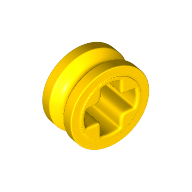 Technic Bush 1/2 Smooth with Axle Hole Semi-Reduced
1 spare in the box
×8
Technic Bush 1/2 Smooth with Axle Hole Semi-Reduced
1 spare in the box
×8
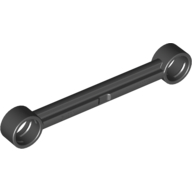 Technic Link 1 x 6 without Stoppers
×2
Technic Link 1 x 6 without Stoppers
×2
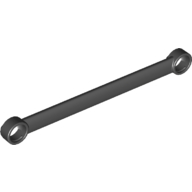 Technic Link 1 x 9
×2
Technic Link 1 x 9
×2
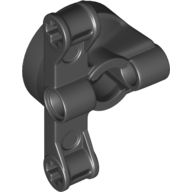 Technic Steering Wheel Hub Holder with 2 Pin Holes and 2 Axle Holes, Slots
×2
Technic Steering Wheel Hub Holder with 2 Pin Holes and 2 Axle Holes, Slots
×2
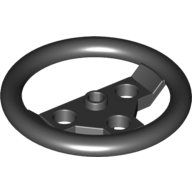 Technic Steering Wheel Large
×1
Technic Steering Wheel Large
×1
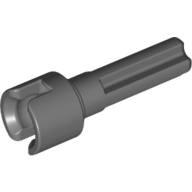 Technic Steering / CV Joint Axle
×5
Technic Steering / CV Joint Axle
×5
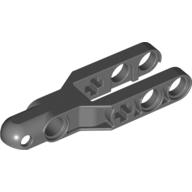 Technic Steering Arm 5.5 x 2 with Towball Socket Rounded, Chamfered
×4
Technic Steering Arm 5.5 x 2 with Towball Socket Rounded, Chamfered
×4
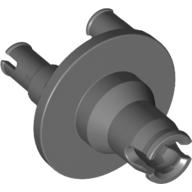 Technic Steering Hub for Portal Axle
×4
Technic Steering Hub for Portal Axle
×4
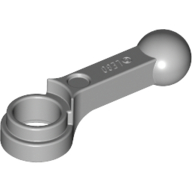 Technic Engine Connecting Rod
×6
Technic Engine Connecting Rod
×6
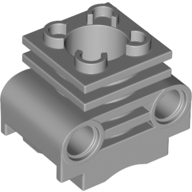 Technic Engine Cylinder without Side Slots, with Bottom Slots
×6
Technic Engine Cylinder without Side Slots, with Bottom Slots
×6
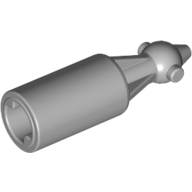 Technic Steering / CV Joint
×7
Technic Steering / CV Joint
×7
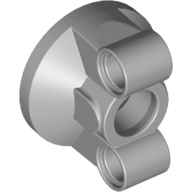 Technic Steering Portal with 2 Pin Holes
×2
Technic Steering Portal with 2 Pin Holes
×2
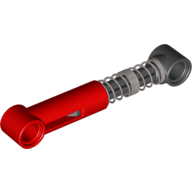 Technic Shock Absorber 6.5L with Hard Spring, Tight Coil in Middle [Complete Assembly]
×6
Technic Shock Absorber 6.5L with Hard Spring, Tight Coil in Middle [Complete Assembly]
×6
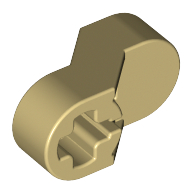 Technic Engine Crankshaft Center
×2
Technic Engine Crankshaft Center
×2
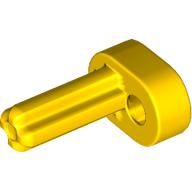 Technic Engine Crankshaft
×2
Technic Engine Crankshaft
×2
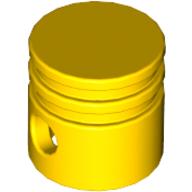 Technic Engine Piston Round
×6
Technic Engine Piston Round
×6
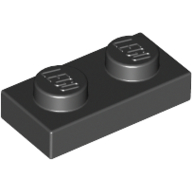 Plate 1 x 2
×2
Plate 1 x 2
×2
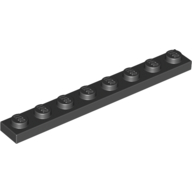 Plate 1 x 8
×1
Plate 1 x 8
×1
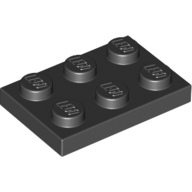 Plate 2 x 3
×6
Plate 2 x 3
×6
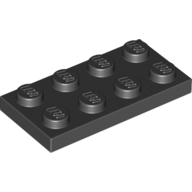 Plate 2 x 4
×2
Plate 2 x 4
×2
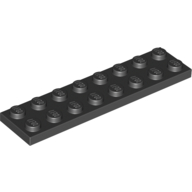 Plate 2 x 8
×2
Plate 2 x 8
×2
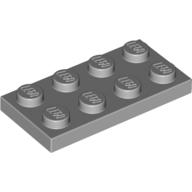 Plate 2 x 4
×4
Plate 2 x 4
×4
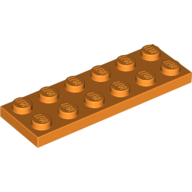 Plate 2 x 6
×1
Plate 2 x 6
×1
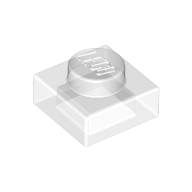 Plate 1 x 1
1 spare in the box
×12
Plate 1 x 1
1 spare in the box
×12
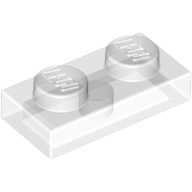 Plate 1 x 2
×10
Plate 1 x 2
×10
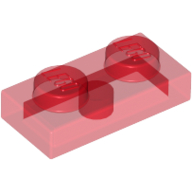 Plate 1 x 2
×8
Plate 1 x 2
×8
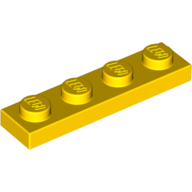 Plate 1 x 4
×4
Plate 1 x 4
×4
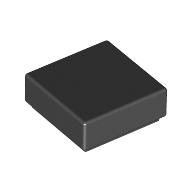 Tile 1 x 1 with Groove
1 spare in the box
×2
Tile 1 x 1 with Groove
1 spare in the box
×2
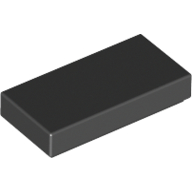 Tile 1 x 2 with Groove
×1
Tile 1 x 2 with Groove
×1
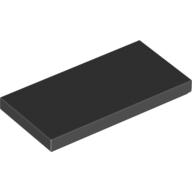 Tile 2 x 4 with Groove
×1
Tile 2 x 4 with Groove
×1
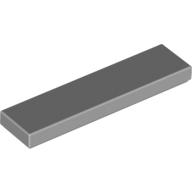 Tile 1 x 4 with Groove
×3
Tile 1 x 4 with Groove
×3
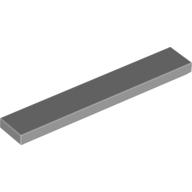 Tile 1 x 6 with Groove
×2
Tile 1 x 6 with Groove
×2
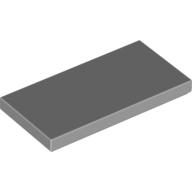 Tile 2 x 4 with Groove
×2
Tile 2 x 4 with Groove
×2
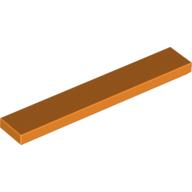 Tile 1 x 6 with Groove
×2
Tile 1 x 6 with Groove
×2
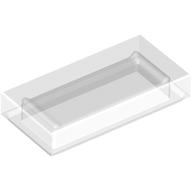 Tile 1 x 2 with Groove
×4
Tile 1 x 2 with Groove
×4
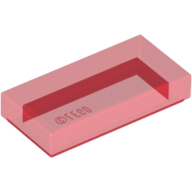 Tile 1 x 2 with Groove
×4
Tile 1 x 2 with Groove
×4
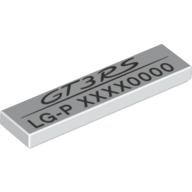 Tile 1 x 4 with Porsche 'GT3RS LG-P' and Code Print
×1
Tile 1 x 4 with Porsche 'GT3RS LG-P' and Code Print
×1
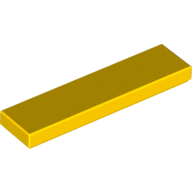 Tile 1 x 4 with Groove
×4
Tile 1 x 4 with Groove
×4
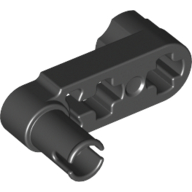 Technic Beam 3 x 0.5 Liftarm with Boss and Pin Semi-Reduced
×2
Technic Beam 3 x 0.5 Liftarm with Boss and Pin Semi-Reduced
×2
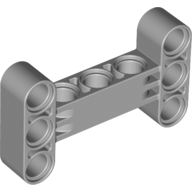 Technic Beam 3 x 5 Thick [90° Offset Centre Beam Holes]
×2
Technic Beam 3 x 5 Thick [90° Offset Centre Beam Holes]
×2
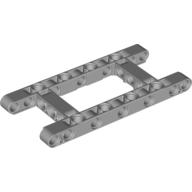 Technic Beam 5 x 11 with 3 x 5 Opening Frame Thick
×1
Technic Beam 5 x 11 with 3 x 5 Opening Frame Thick
×1
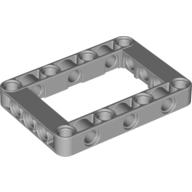 Technic Beam Frame 5 x 7 with 3 x 5 Opening Thick
×17
Technic Beam Frame 5 x 7 with 3 x 5 Opening Thick
×17
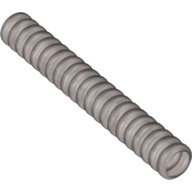 Hose, Ribbed 7mm D. 7L / 5.6cm
×4
Hose, Ribbed 7mm D. 7L / 5.6cm
×4
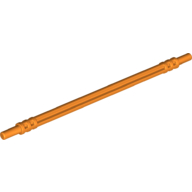 Axle Hose, Soft 12L
×5
Axle Hose, Soft 12L
×5
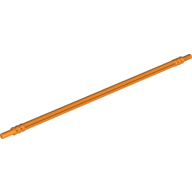 Axle Hose, Soft 19L
×7
Axle Hose, Soft 19L
×7
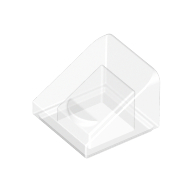 Brick Sloped 30° 1 x 1 x 2/3 (Cheese Slope)
1 spare in the box
×2
Brick Sloped 30° 1 x 1 x 2/3 (Cheese Slope)
1 spare in the box
×2
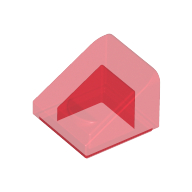 Brick Sloped 30° 1 x 1 x 2/3 (Cheese Slope)
1 spare in the box
×12
Brick Sloped 30° 1 x 1 x 2/3 (Cheese Slope)
1 spare in the box
×12
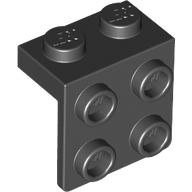 Bracket 1 x 2 - 2 x 2
×6
Bracket 1 x 2 - 2 x 2
×6
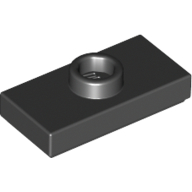 Plate Special 1 x 2 with 1 Stud with Groove and Inside Stud Holder (Jumper)
×1
Plate Special 1 x 2 with 1 Stud with Groove and Inside Stud Holder (Jumper)
×1
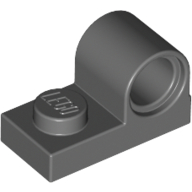 Plate Special 1 x 2 with Pin Hole on Top
×2
Plate Special 1 x 2 with Pin Hole on Top
×2
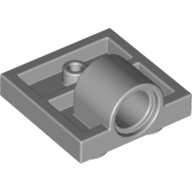 Plate Special 2 x 2 with 1 Pin Hole [Complete Underside Rib]
×4
Plate Special 2 x 2 with 1 Pin Hole [Complete Underside Rib]
×4
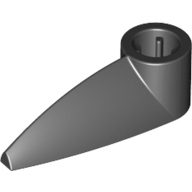 Technic Tooth 1 x 3 with Axle Hole [Rounded Underside]
×4
Technic Tooth 1 x 3 with Axle Hole [Rounded Underside]
×4
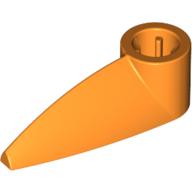 Technic Tooth 1 x 3 with Axle Hole [Rounded Underside]
×2
Technic Tooth 1 x 3 with Axle Hole [Rounded Underside]
×2
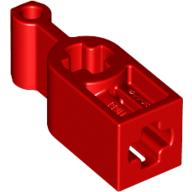 Technic Changeover Catch - + opening
×5
Technic Changeover Catch - + opening
×5
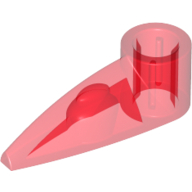 Technic Tooth 1 x 3 with Axle Hole [Rounded Underside]
×2
Technic Tooth 1 x 3 with Axle Hole [Rounded Underside]
×2
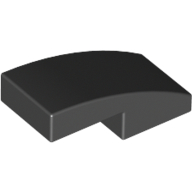 Brick Curved 2 x 1 No Studs [1/2 Bow]
×2
Brick Curved 2 x 1 No Studs [1/2 Bow]
×2
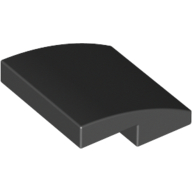 Brick Curved 2 x 2 x 2/3
×2
Brick Curved 2 x 2 x 2/3
×2
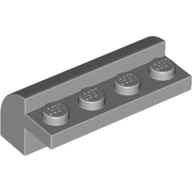 Brick Curved 2 x 4 x 1 1/3
×6
Brick Curved 2 x 4 x 1 1/3
×6
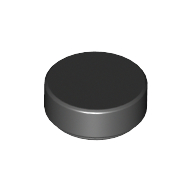 Tile Round 1 x 1
1 spare in the box
×1
Tile Round 1 x 1
1 spare in the box
×1
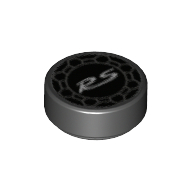 Tile Round 1 x 1 with Porsche RS Print
1 spare in the box
×4
Tile Round 1 x 1 with Porsche RS Print
1 spare in the box
×4
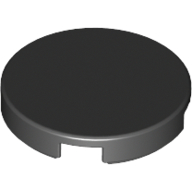 Tile Round 2 x 2 with Bottom Stud Holder
×3
Tile Round 2 x 2 with Bottom Stud Holder
×3
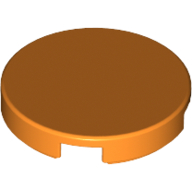 Tile Round 2 x 2 with Bottom Stud Holder
×1
Tile Round 2 x 2 with Bottom Stud Holder
×1
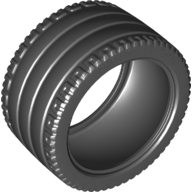 Tyre 81.6 x 44 ZR Technic Straight Tread
×4
Tyre 81.6 x 44 ZR Technic Straight Tread
×4
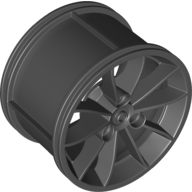 Wheel 62.3 x 42 Technic Racing Large
×4
Wheel 62.3 x 42 Technic Racing Large
×4
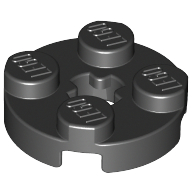 Plate Round 2 x 2 with Axle Hole Type 1 (+ Opening)
×3
Plate Round 2 x 2 with Axle Hole Type 1 (+ Opening)
×3
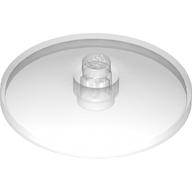 Dish 4 x 4 Inverted [Radar]
×2
Dish 4 x 4 Inverted [Radar]
×2
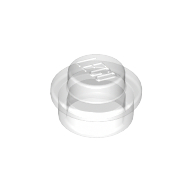 Plate Round 1 x 1 with Solid Stud
1 spare in the box
×2
Plate Round 1 x 1 with Solid Stud
1 spare in the box
×2
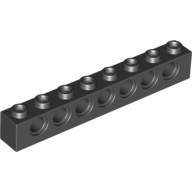 Technic Brick 1 x 8 [7 Pin Holes]
×1
Technic Brick 1 x 8 [7 Pin Holes]
×1
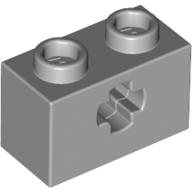 Technic Brick 1 x 2 with Axle Hole Type 1 [+ Opening] and Bottom Pin
×2
Technic Brick 1 x 2 with Axle Hole Type 1 [+ Opening] and Bottom Pin
×2
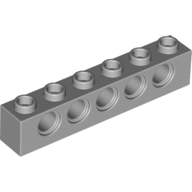 Technic Brick 1 x 6 [5 Pin Holes]
×2
Technic Brick 1 x 6 [5 Pin Holes]
×2
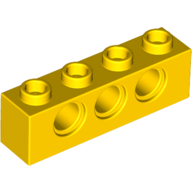 Technic Brick 1 x 4 [3 Pin Holes]
×2
Technic Brick 1 x 4 [3 Pin Holes]
×2
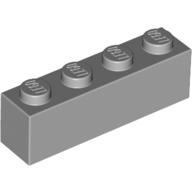 Brick 1 x 4
×2
Brick 1 x 4
×2
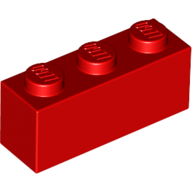 Brick 1 x 3
×2
Brick 1 x 3
×2
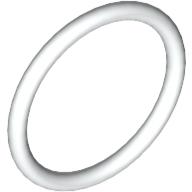 Rubber Belt Small [15mm ID] [Round Cross Section]
×4
Rubber Belt Small [15mm ID] [Round Cross Section]
×4
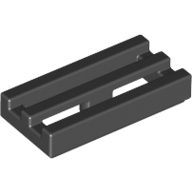 Tile Special 1 x 2 Grille with Bottom Groove
×2
Tile Special 1 x 2 Grille with Bottom Groove
×2
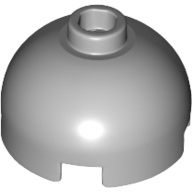 Brick Round 2 x 2 Dome Top, Hollow Stud
×1
Brick Round 2 x 2 Dome Top, Hollow Stud
×1
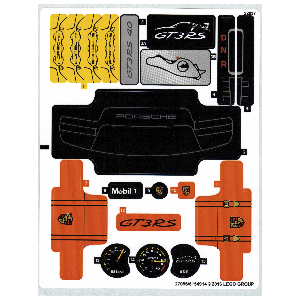 Sticker Sheet for Set 42056-1
×1
Sticker Sheet for Set 42056-1
×1
Tick each piece as you find it, or mark it missing.
LEGO takes requests for pieces missing from a new set through its customer service site. The form asks for the set number and each piece's element ID, the number printed beside the piece in the parts list at the back of the instructions. This checker lists both.
Request a replacement from LEGOMark a piece missing and your list links it to an eBay search for that part, which also covers pieces from older or second-hand sets.
Copy or download your missing list (the CSV opens in any spreadsheet), or print the whole checklist and tick pieces off on paper. Your marks stay in this browser, so you can check a big set over several sittings.