10 Beginner Python Projects for LEGO MINDSTORMS and SPIKE
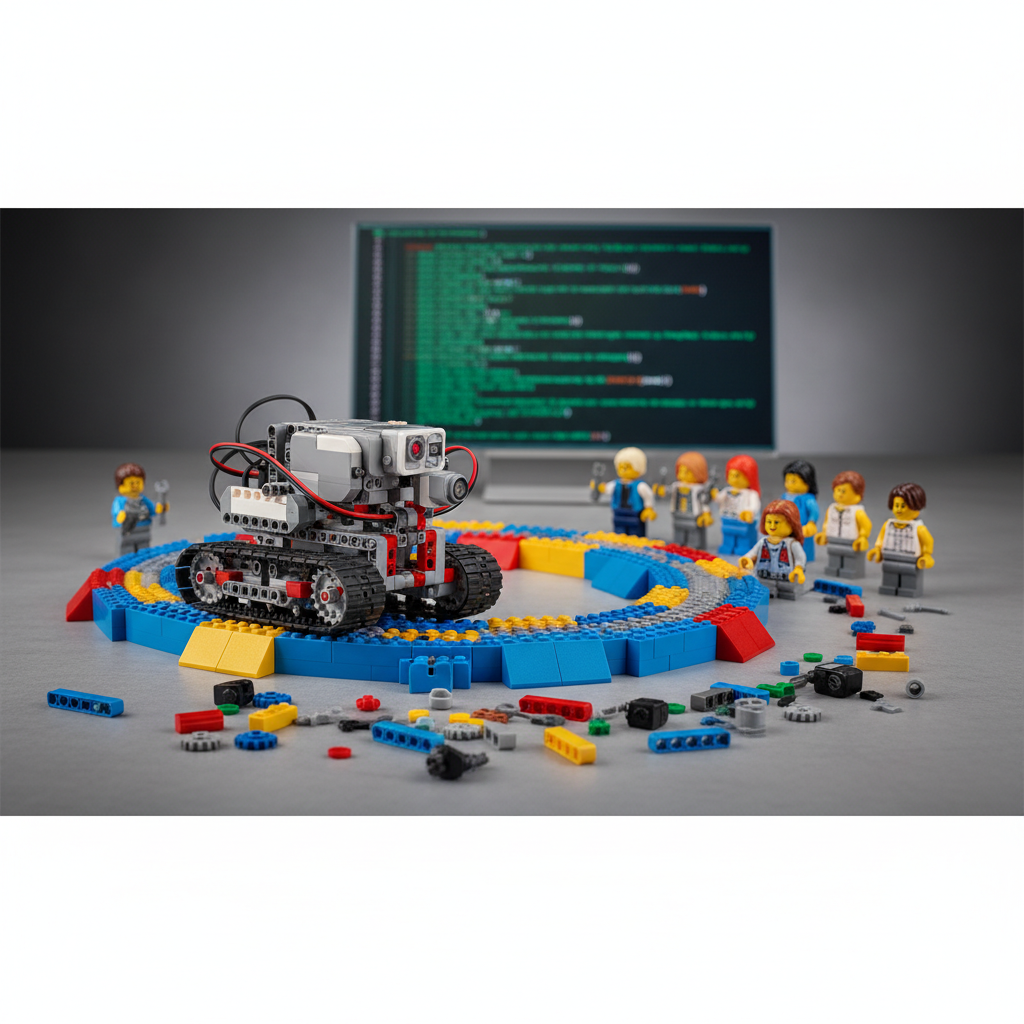
Learn Python by programming a LEGO robot through ten progressively harder projects, written for the free Pybricks firmware on MINDSTORMS Robot Inventor and SPIKE Prime hubs.
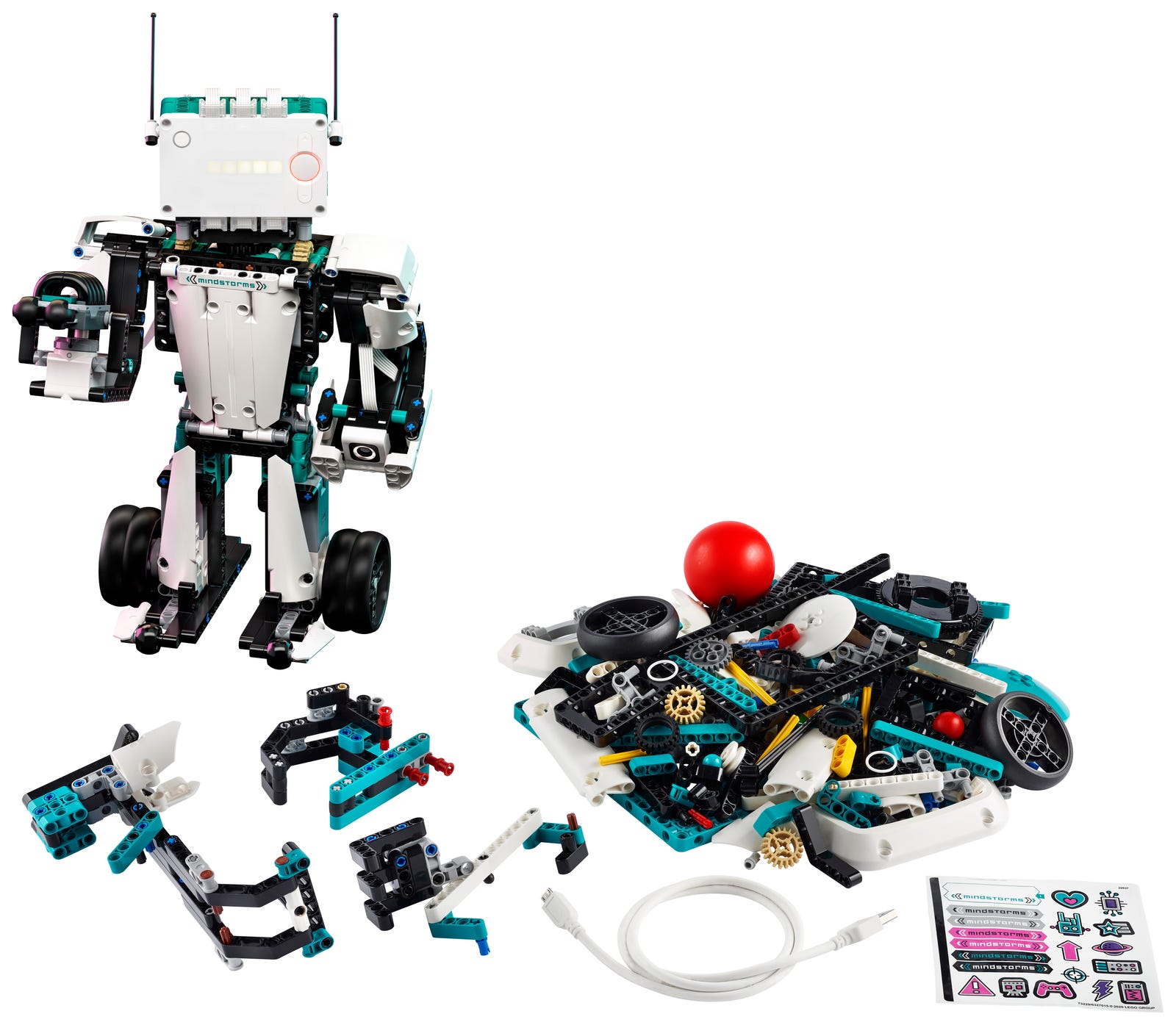
These ten projects teach Python on a LEGO MINDSTORMS Robot Inventor or SPIKE Prime hub, starting with scrolling text on the light matrix and ending with a robotic arm and a Bluetooth game controller. Every program is written for the free Pybricks firmware, comes with complete code, and lists the Python skills it practices.
Table of Contents
- Project 1: LED Matrix Messages (5 min)
- Project 2: Sound Synthesizer (10 min)
- Project 3: Gyro Compass (15 min)
- Project 4: Remote Control Car (20 min)
- Project 5: Obstacle Avoider (30 min)
- Project 6: Color Sorter (45 min)
- Project 7: Line Follower (1 hour)
- Project 8: Maze Solver (1.5 hours)
- Project 9: Robotic Arm (2 hours)
- Project 10: Bluetooth Game Controller (2 hours)
Project 1: LED Matrix Messages (5 min) ⭐
Difficulty: Beginner | Skills: Variables, strings, functions
Before you start: every program in this guide is written for Pybricks, free and open-source firmware for the Robot Inventor hub. LEGO discontinued the MINDSTORMS Robot Inventor app on October 1, 2026, and Pybricks keeps the hub fully programmable in Python without it. (The SPIKE Prime hub is the same hardware, so these programs run on it too. SPIKE Prime hubs made in 2026 have new internal electronics; as of early October 2026, Pybricks supports those only in its beta at beta.pybricks.com.) The Python in the official LEGO apps uses different libraries, so code written for those apps will not run under Pybricks, and the reverse. To set up, open code.pybricks.com in Chrome or Edge on a Windows, Mac, Linux, Android or ChromeOS device (iPad and iPhone browsers lack the Bluetooth support it needs), choose the option to install the Pybricks firmware, and follow the on-screen steps with the hub plugged in by its micro USB cable. After that, programs go to the hub over Bluetooth, and you can put the official LEGO firmware back at any time from the same site's tools menu. All ten samples need Pybricks 3.3 or newer.
Your first program uses the 5x5 light matrix on the hub. It scrolls a greeting built from a variable, shows one of the built-in pictures, then draws an X of your own one pixel at a time. Type it into Pybricks Code and press the Run button, then change name to your own name and run it again. The draw_x function draws the same shape at whatever brightness you pass in, which is the whole point of a function: write it once, use it as often as you like. Rows and columns on the matrix are numbered 0 to 4.
# Pybricks firmware 3.3 or newer. Only the hub is needed.
from pybricks.hubs import InventorHub
from pybricks.parameters import Icon
from pybricks.tools import wait

hub = InventorHub()

# Scroll a message built from a variable
name = "SAM"
hub.display.text("HI " + name)

# Show a built-in picture for two seconds
hub.display.icon(Icon.HAPPY)
wait(2000)


# Draw your own pattern: an X, lit one pixel at a time
def draw_x(brightness):
    hub.display.off()
    for i in range(5):
        hub.display.pixel(i, i, brightness)
        hub.display.pixel(i, 4 - i, brightness)
        wait(100)


draw_x(100)
wait(1000)
draw_x(30)
wait(1000)
What You'll Learn: Importing modules, creating objects, calling methods, LED matrix API
Project 2: Sound Synthesizer (10 min) ⭐
Difficulty: Beginner | Skills: Loops, lists, math
The hub has a small built-in speaker, and Pybricks gives you two ways to use it. play_notes plays a melody written as note names, so "C4/4" means middle C held for a quarter note. beep plays a single tone at any frequency you choose, in hertz, for a set number of milliseconds. This program plays the opening of "Twinkle, Twinkle, Little Star", then uses a little math to build a scale (in standard Western tuning each semitone step multiplies the frequency by the twelfth root of 2, so twelve steps double it), and finishes with a siren made from two loops.
# Pybricks firmware 3.3 or newer. Only the hub is needed.
from pybricks.hubs import InventorHub
from pybricks.tools import wait

hub = InventorHub()
hub.speaker.volume(60)

# A melody is a list of notes: name, octave, then "/" and the length (4 = quarter note)
twinkle = ["C4/4", "C4/4", "G4/4", "G4/4", "A4/4", "A4/4", "G4/2"]
hub.speaker.play_notes(twinkle, tempo=120)
wait(500)

# Build an A major scale with math: each semitone multiplies the frequency by 2 ** (1/12)
A4 = 440
for step in [0, 2, 4, 5, 7, 9, 11, 12]:
    frequency = round(A4 * 2 ** (step / 12))
    hub.speaker.beep(frequency, 250)
wait(500)

# A siren sound effect: sweep the pitch up, then down, three times
for repeat in range(3):
    for frequency in range(400, 1200, 50):
        hub.speaker.beep(frequency, 20)
    for frequency in range(1200, 400, -50):
        hub.speaker.beep(frequency, 20)
Try this: write your own tune into a list, change the tempo, or make the siren faster by shortening the 20 millisecond beeps.
Project 3: Gyro Compass (15 min) ⭐⭐
Difficulty: Beginner | Skills: Sensor reading, conditionals, continuous loops
The hub has a built-in gyro sensor but no magnetic compass, so it cannot find true north. What it can do is remember which way it faced when the program started and keep track of every turn after that. This program treats that starting direction as "north": an arrow on the light matrix always points back toward it, and the light in the center button turns green when you face that way again. At the start the arrow points straight up the display, so wherever the top of the display faces becomes your north. Set the hub flat on a table and let go before you start, because the program waits for the gyro to calibrate while the hub is still. Then rotate it slowly on the table, or hold it level and turn on the spot.
# Pybricks firmware 3.3 or newer. Only the hub is needed.
from pybricks.hubs import InventorHub
from pybricks.parameters import Color, Icon
from pybricks.tools import wait

hub = InventorHub()

# One arrow per 45-degree slice, each pointing back to the starting direction
ARROWS = [
    Icon.ARROW_UP, Icon.ARROW_LEFT_UP, Icon.ARROW_LEFT, Icon.ARROW_LEFT_DOWN,
    Icon.ARROW_DOWN, Icon.ARROW_RIGHT_DOWN, Icon.ARROW_RIGHT, Icon.ARROW_RIGHT_UP,
]

# Keep the hub still until the gyro has calibrated
while not hub.imu.ready():
    wait(10)
hub.imu.reset_heading(0)

while True:
    heading = hub.imu.heading() % 360        # 0 to 359, clockwise is positive
    slice_number = int((heading + 22.5) // 45) % 8
    hub.display.icon(ARROWS[slice_number])

    if slice_number == 0:
        hub.light.on(Color.GREEN)             # facing "north" again
    else:
        hub.light.on(Color.RED)
    wait(50)
How it works: heading() counts the degrees turned since the start, with clockwise as positive, and % 360 folds any number of full turns back into the range 0 to 359. Splitting the circle into eight slices of 45 degrees picks one of eight arrows, and the if statement decides the light color. Gyros drift slowly, so after a lot of spinning the arrow can be a little off; restart the program to reset it.
Project 4: Remote Control Car (20 min) ⭐⭐
Difficulty: Beginner | Skills: Motor control, button input, state management
Build a simple two-wheeled car: one motor per wheel, left wheel motor in port A and right wheel motor in port B, with a smooth skid or a free-turning wheel at the back for balance. Mount the hub where you can reach its buttons. The Bluetooth button steps the car through three modes (stop, forward and backward) and the light matrix shows S, F or B. Hold the left or right button to steer; in stop mode that spins the car on the spot. The center button ends the program, as it does for every Pybricks program.
# Pybricks firmware 3.3 or newer.
# Left wheel motor in port A, right wheel motor in port B.
from pybricks.hubs import InventorHub
from pybricks.pupdevices import Motor
from pybricks.parameters import Button, Direction, Port
from pybricks.robotics import DriveBase
from pybricks.tools import wait

hub = InventorHub()
left_motor = Motor(Port.A, Direction.COUNTERCLOCKWISE)
right_motor = Motor(Port.B)

# Measure your own wheel diameter and the distance between the wheels, in mm
car = DriveBase(left_motor, right_motor, wheel_diameter=56, axle_track=112)

MODES = ["STOP", "FORWARD", "BACKWARD"]
SPEEDS = {"STOP": 0, "FORWARD": 150, "BACKWARD": -150}   # mm per second

mode = "STOP"
hub.display.char("S")
bluetooth_was_down = False

while True:
    pressed = hub.buttons.pressed()

    # Change mode once per press, not once per trip round the loop
    bluetooth_down = Button.BLUETOOTH in pressed
    if bluetooth_down and not bluetooth_was_down:
        mode = MODES[(MODES.index(mode) + 1) % len(MODES)]
        hub.display.char(mode[0])
    bluetooth_was_down = bluetooth_down

    turn_rate = 0                # degrees per second, negative turns left
    if Button.LEFT in pressed:
        turn_rate = -90
    elif Button.RIGHT in pressed:
        turn_rate = 90

    car.drive(SPEEDS[mode], turn_rate)
    wait(20)
How it works: the variable mode holds the car's state, and it changes only at the moment the Bluetooth button goes down. That is why the program remembers whether the button was already down on the previous trip round the loop; without that check, one press would flick through all three modes in a fraction of a second. DriveBase turns wheel sizes into real units, so speeds are in millimeters per second. Measure your wheel diameter and the distance between the wheels and put your own numbers in. If the car drives backward when it should go forward, move Direction.COUNTERCLOCKWISE to the other motor. Because the buttons ride on the car, keep the speed gentle while you learn.
Project 5: Obstacle Avoider (30 min) ⭐⭐
Difficulty: Intermediate | Skills: Distance sensors, decision logic, motor pairs
This robot drives until the Distance Sensor sees something close, then backs up and looks both ways before choosing where to go. Reuse the car from Project 4 and mount the Distance Sensor on the front in port C, facing forward. In Pybricks the Distance Sensor is called UltrasonicSensor, and distance() reports millimeters.
# Pybricks firmware 3.3 or newer.
# Wheels in ports A (left) and B (right), Distance Sensor in port C facing forward.
from pybricks.hubs import InventorHub
from pybricks.pupdevices import Motor, UltrasonicSensor
from pybricks.parameters import Direction, Port
from pybricks.robotics import DriveBase
from pybricks.tools import wait

hub = InventorHub()
left_motor = Motor(Port.A, Direction.COUNTERCLOCKWISE)
right_motor = Motor(Port.B)
robot = DriveBase(left_motor, right_motor, wheel_diameter=56, axle_track=112)
eyes = UltrasonicSensor(Port.C)

SAFE_DISTANCE = 250   # mm; anything closer counts as an obstacle


def look(angle):
    robot.turn(angle)
    return eyes.distance()


while True:
    robot.drive(150, 0)
    while eyes.distance() > SAFE_DISTANCE:
        wait(20)

    robot.stop()
    hub.speaker.beep(800, 100)
    robot.straight(-80)          # back up a little

    left_space = look(-60)       # peek left
    right_space = look(120)      # swing round and peek right
    if left_space > right_space:
        robot.turn(-120)         # the left had more room, so face back that way
How it works: the inner while loop keeps checking the distance as the robot drives. When something comes within 250 mm the robot stops, reverses 80 mm, turns 60 degrees left to measure, then 120 degrees right to measure the other side. If the left side had more room it turns back that way; otherwise it is already facing right and drives on. When the sensor gets no echo at all it reports 2000 mm, which this program treats as open space. Soft things like cushions, and surfaces at a sharp angle, may not send the sound back, so start with walls of boxes or books.
Project 6: Color Sorter (45 min) ⭐⭐⭐
Difficulty: Intermediate | Skills: Color sensors, multi-motor coordination, state machines
This is the first project where two motors do different jobs. Motor A drives a conveyor belt past the Color Sensor in port C, which looks straight down at the belt from just above the bricks. At the end of the belt, motor B swings a chute to point at one of several bins. Make the belt surface dark, so an empty belt reads as no color at all (Color.NONE), and aim the chute at the red bin before you press start, because the program counts that position as 0 degrees.
# Pybricks firmware 3.3 or newer.
# Belt motor in port A, chute motor in port B,
# Color Sensor in port C looking down at the belt.
from pybricks.hubs import InventorHub
from pybricks.pupdevices import ColorSensor, Motor
from pybricks.parameters import Color, Port
from pybricks.tools import wait

hub = InventorHub()
belt = Motor(Port.A)
chute = Motor(Port.B)
eye = ColorSensor(Port.C)

# Chute angle (degrees) for each color's bin; any other color goes to REJECT
BINS = [
    (Color.RED, 0),
    (Color.YELLOW, 60),
    (Color.GREEN, 120),
    (Color.BLUE, 180),
]
REJECT = -60

chute.reset_angle(0)      # aim the chute at the red bin before you press start


def bin_for(color):
    for bin_color, angle in BINS:
        if color == bin_color:
            return angle
    return REJECT


state = "WAITING"

while True:
    if state == "WAITING":
        belt.run(150)
        if eye.color() != Color.NONE:
            belt.stop()
            state = "SORTING"

    elif state == "SORTING":
        wait(200)                             # let the brick settle under the sensor
        chute.run_target(300, bin_for(eye.color()))
        belt.run_angle(300, 360)              # carry the brick off the end of the belt
        state = "WAITING"

    wait(10)
How it works: the variable state turns the program into a state machine with two states. In WAITING the belt runs until the sensor sees a color. In SORTING the belt stops, the program reads the color again once the brick has settled, turns the chute to that color's bin, and runs the belt one more motor turn to drop the brick in. Bricks that are not red, yellow, green or blue (white ones included) go to the reject bin at -60 degrees. Adjust the angles to match where your bins sit and the 360-degree push to the length of your belt. If the belt runs backward, change Motor(Port.A) to Motor(Port.A, Direction.COUNTERCLOCKWISE) and add Direction to the import line.
Project 7: Line Follower (1 hour) ⭐⭐⭐
Difficulty: Intermediate | Skills: Proportional control, calibration, continuous adjustment
A line follower is the classic first control project. Reuse the car with the Color Sensor in port C, pointing down just in front of the wheels and close to the floor, and make a track from dark electrical tape on white paper or a light floor. The program starts by calibrating: place the robot so the sensor sits over the line and press the left button (the display shows B for black), then over the white surface and press the right button (W). It sets its target halfway between the two readings, which is what the sensor sees when it sits on the edge of the line.
# Pybricks firmware 3.3 or newer.
# Wheels in ports A (left) and B (right),
# Color Sensor in port C pointing down, just in front of the wheels.
from pybricks.hubs import InventorHub
from pybricks.pupdevices import ColorSensor, Motor
from pybricks.parameters import Button, Direction, Port
from pybricks.robotics import DriveBase
from pybricks.tools import wait

hub = InventorHub()
left_motor = Motor(Port.A, Direction.COUNTERCLOCKWISE)
right_motor = Motor(Port.B)
robot = DriveBase(left_motor, right_motor, wheel_diameter=56, axle_track=112)
line_sensor = ColorSensor(Port.C)


def measure(button, letter):
    # Show a letter, wait for a press and release, return the light reading
    hub.display.char(letter)
    while button not in hub.buttons.pressed():
        wait(10)
    value = line_sensor.reflection()
    while button in hub.buttons.pressed():
        wait(10)
    return value


# Calibrate: sensor over the black line, press left; over white, press right
black = measure(Button.LEFT, "B")
white = measure(Button.RIGHT, "W")
target = (black + white) / 2
hub.display.off()
wait(1000)

DRIVE_SPEED = 100   # mm per second
KP = 1.2            # proportional gain: start here, then tune
KD = 0              # derivative gain: raise it slowly once KP works

last_error = 0
while True:
    error = line_sensor.reflection() - target
    turn_rate = KP * error + KD * (error - last_error)
    last_error = error
    robot.drive(DRIVE_SPEED, turn_rate)
    wait(10)
How it works: this is proportional control. The error is how far the reading is from the target, and the robot turns in proportion to it: a small drift gets a gentle correction, a big drift a sharp one. With a positive KP the robot follows the left edge of the line; if it spins away from the line instead, make KP negative to follow the right edge. Tune one number at a time: raise KP until the robot starts to wobble, then back off a little. KD is the D in PID. It reacts to how fast the error is changing, which calms the wobble and lets you raise DRIVE_SPEED. Adding an I term (a running total of the error, multiplied by its own gain) would complete a full PID controller, though many line followers work well with P and D alone.
Project 8: Maze Solver (1.5 hours) ⭐⭐⭐⭐
Difficulty: Advanced | Skills: Algorithms, wall following, mapping
Now the robot makes its own decisions. The right-hand rule is a classic maze trick: walk with your right hand on the wall and never let go. For a robot on a grid, that means at every cell it tries right first, then straight on, then left, and turns back only at a dead end. Build a maze of square cells from boxes, books or LEGO walls, with every cell the same size (the code assumes 300 mm from the middle of one cell to the middle of the next), and put a sheet of red paper on the floor of the exit cell. Use the car with the Distance Sensor facing forward in port C and the Color Sensor pointing down in port D, and start it in the middle of the first cell, facing into the maze.
# Pybricks firmware 3.3 or newer.
# Wheels in ports A (left) and B (right), Distance Sensor in port C facing
# forward, Color Sensor in port D pointing down. Red paper marks the exit.
from pybricks.hubs import InventorHub
from pybricks.pupdevices import ColorSensor, Motor, UltrasonicSensor
from pybricks.parameters import Color, Direction, Port
from pybricks.robotics import DriveBase
from pybricks.tools import wait

hub = InventorHub()
left_motor = Motor(Port.A, Direction.COUNTERCLOCKWISE)
right_motor = Motor(Port.B)
robot = DriveBase(left_motor, right_motor, wheel_diameter=56, axle_track=112)
robot.use_gyro(True)
eyes = UltrasonicSensor(Port.C)
floor = ColorSensor(Port.D)

CELL = 300   # mm from the middle of one cell to the middle of the next
OPEN = 250   # mm; a wall closer than this blocks the way

# The map: position in cells, and facing as 0 = north, 1 = east, 2 = south, 3 = west
x, y, facing = 0, 0, 0
STEPS = [(0, 1), (1, 0), (0, -1), (-1, 0)]
visited = {(x, y)}
moves = 0


def turn(quarter_turns):
    global facing
    robot.turn(90 * quarter_turns)
    facing = (facing + quarter_turns) % 4


def is_open():
    wait(100)
    return eyes.distance() > OPEN


def step_forward():
    global x, y, moves
    robot.straight(CELL)
    dx, dy = STEPS[facing]
    x, y = x + dx, y + dy
    visited.add((x, y))
    moves += 1


while floor.color() != Color.RED:
    turn(1)                     # right-hand rule: try right first
    if not is_open():
        turn(-1)                # then straight ahead
        if not is_open():
            turn(-1)            # then left
            if not is_open():
                turn(-1)        # dead end: turn back
    step_forward()

hub.speaker.play_notes(["C4/8", "E4/8", "G4/8", "C5/4"])
print("Moves:", moves, "Cells visited:", len(visited))
How it works: the robot has one forward-facing sensor, so it turns its whole body to look before each step. robot.use_gyro(True) tells the drive base to use the hub's gyro for its turns, which keeps those 90-degree turns more accurate than counting wheel rotations alone. The program also keeps a simple map: x, y and facing track where the robot is, and visited collects every cell it has been in. When it finds the red square it plays a jingle and prints its total moves and the number of different cells it visited in the Pybricks Code output panel; the gap between the two shows how much doubling back the rule cost. If your cells are a different size, change CELL and set OPEN a little under one cell. The right-hand rule always finds the exit in a maze with no loops. A maze with a free-standing island of walls can send the robot round in circles, which makes a good next challenge: use the map to notice cells it has already visited.
Project 9: Robotic Arm (2 hours) ⭐⭐⭐⭐
Difficulty: Advanced | Skills: Inverse kinematics, synchronized motors, precision control
This project swaps wheels for a four-motor arm: motor A turns a turntable base, B raises the shoulder, C bends the elbow (mounted on the upper arm) and D opens and closes a gripper. You give the arm a point in millimeters and the program works out the joint angles itself. That calculation is called inverse kinematics. Coordinates start at the shoulder axle, which should sit directly above the turntable's center: x points straight ahead, y to the left and z up, so a point on the table below the shoulder has a negative z. Arms are heavy for their motors, so gear the shoulder and elbow down; a 12-tooth gear driving a 36-tooth gear gives roughly three times the torque, and telling Motor about those gears lets you work in joint angles directly.
# Pybricks firmware 3.3 or newer.
# Base turntable in port A, shoulder in B, elbow in C, gripper in D.
from pybricks.hubs import InventorHub
from pybricks.pupdevices import Motor
from pybricks.parameters import Port, Stop
from pybricks.tools import wait
from umath import acos, atan2, cos, degrees, sin, sqrt

hub = InventorHub()

# gears=[motor gear, output gear] means every angle below is the joint's own angle.
# Match these to your build, or leave gears out for a joint with no gearing.
base = Motor(Port.A, gears=[12, 36])
shoulder = Motor(Port.B, gears=[12, 36])
elbow = Motor(Port.C, gears=[12, 36])
gripper = Motor(Port.D)

UPPER = 112   # mm from shoulder axle to elbow axle (a 15-hole beam)
FORE = 112    # mm from elbow axle to the gripper tip

# Home pose, set by hand before you press start: base facing forward,
# upper arm level, forearm straight out in line with it, gripper open.
for joint in (base, shoulder, elbow, gripper):
    joint.reset_angle(0)


def solve(x, y, z):
    # Joint angles in degrees that put the gripper tip at x, y, z (mm from the shoulder)
    reach = sqrt(x * x + y * y)
    cos_bend = (reach * reach + z * z - UPPER * UPPER - FORE * FORE) / (2 * UPPER * FORE)
    if cos_bend < -1 or cos_bend > 1:
        raise ValueError("That point is out of reach")
    bend = acos(cos_bend)
    lift = atan2(z, reach) + atan2(FORE * sin(bend), UPPER + FORE * cos(bend))
    return degrees(atan2(y, x)), degrees(lift), degrees(bend)


def move_to(x, y, z, speed=200):
    # Give each joint a speed in proportion to its travel so all three finish together
    joints = (base, shoulder, elbow)
    targets = [round(angle) for angle in solve(x, y, z)]
    travel = [abs(target - joint.angle()) for joint, target in zip(joints, targets)]
    longest = max(travel) or 1
    for joint, target, distance in zip(joints, targets, travel):
        joint.run_target(max(20, round(speed * distance / longest)), target, wait=False)
    while not all(joint.done() for joint in joints):
        wait(10)


def grab():
    # Flip the sign of the speed if your gripper opens instead of closing
    gripper.run_until_stalled(-300, then=Stop.HOLD, duty_limit=50)


def release():
    gripper.run_target(300, 0)


def pick_and_place(start, end, hover=40):
    x, y, z = start
    move_to(x, y, z + hover)
    move_to(x, y, z)
    grab()
    move_to(x, y, z + hover)
    x, y, z = end
    move_to(x, y, z + hover)
    move_to(x, y, z)
    release()
    move_to(x, y, z + hover)


# Move a brick from front left to front right. The table is below the shoulder, so z is negative.
pick_and_place((150, 60, -60), (150, -60, -60))
move_to(UPPER + FORE - 10, 0, 0)   # finish just short of full stretch
How it works: solve uses the law of cosines on the triangle formed by the upper arm, the forearm and the straight line to the target, which gives the elbow bend, and atan2 gives the base and shoulder angles. The elbow comes out on top, the usual pose for reaching down to a table. move_to gives each joint a speed in proportion to how far it has to travel, so all three start and stop together instead of one after another. Before you run it, pose the arm by hand: base facing forward, upper arm level, forearm straight out, gripper open. That pose becomes zero for every joint. Put your own arm lengths into UPPER and FORE. A positive shoulder angle should raise the arm, a positive elbow angle should fold the forearm down and a positive base angle should swing the arm to the left; if a joint goes the wrong way, add Direction.COUNTERCLOCKWISE as the second argument for that motor and import Direction. Test with small moves first. A point further away than the two arm lengths added together raises an error instead of straining the motors.
Project 10: Bluetooth Game Controller (2 hours) ⭐⭐⭐⭐⭐
Difficulty: Advanced | Skills: Bluetooth communication, async programming, event handling
For the finale the hub becomes a controller for games on your computer. Hold it like a game pad: tilt it to press the arrow keys and press its left button for the space bar. This takes two programs. The first runs on the hub and prints a line whenever the controls change, such as left fire. The second runs on your computer in regular Python 3: it connects to the hub over Bluetooth with the bleak library, listens for those lines, and turns them into real key presses with the pynput library.
On the hub:
# Pybricks firmware 3.3 or newer. Runs on the hub; nothing needs to be plugged in.
from pybricks.hubs import InventorHub
from pybricks.parameters import Button
from pybricks.tools import wait

hub = InventorHub()
TILT = 15   # degrees of tilt before a direction counts

last_message = None

while True:
    pitch, roll = hub.imu.tilt()
    keys = []

    if roll < -TILT:
        keys.append("left")
    elif roll > TILT:
        keys.append("right")
    if pitch < -TILT:
        keys.append("up")
    elif pitch > TILT:
        keys.append("down")
    if Button.LEFT in hub.buttons.pressed():
        keys.append("fire")

    message = " ".join(keys)
    if message != last_message:   # only send changes
        print(message)
        last_message = message
    wait(20)
On your computer:
# Runs on your computer with Python 3, not on the hub.
# Install the two libraries first: pip install bleak pynput
import asyncio

from bleak import BleakClient, BleakScanner
from pynput.keyboard import Controller, Key

PYBRICKS_COMMAND_EVENT_CHAR_UUID = "c5f50002-8280-46da-89f4-6d8051e4aeef"
HUB_NAME = "Pybricks Hub"   # change this if you renamed your hub

KEYS = {"left": Key.left, "right": Key.right, "up": Key.up,
        "down": Key.down, "fire": Key.space}

keyboard = Controller()
held = set()
received = bytearray()


def set_keys(names):
    wanted = {KEYS[name] for name in names if name in KEYS}
    for key in held - wanted:
        keyboard.release(key)
    for key in wanted - held:
        keyboard.press(key)
    held.clear()
    held.update(wanted)


def on_data(_, data):
    if data[0] != 0x01:   # 0x01 means "the hub printed some text"
        return
    received.extend(data[1:])
    while b"\n" in received:
        end = received.index(b"\n")
        line = received[:end].decode()
        del received[:end + 1]
        set_keys(line.split())


async def main():
    hub = await BleakScanner.find_device_by_name(HUB_NAME)
    if hub is None:
        print("No hub found. Is it on, and disconnected from Pybricks Code?")
        return
    lost = asyncio.Event()
    async with BleakClient(hub, disconnected_callback=lambda _: lost.set()) as client:
        await client.start_notify(PYBRICKS_COMMAND_EVENT_CHAR_UUID, on_data)
        print("Connected. Press the hub's center button to start. Ctrl+C quits.")
        await lost.wait()


try:
    asyncio.run(main())
except KeyboardInterrupt:
    pass
finally:
    set_keys([])
To play: run pip install bleak pynput on your computer. Load the hub program with Pybricks Code by pressing Run once; it stays saved on the hub. Then disconnect Pybricks Code, because the hub connects to one program at a time, and start the computer program. Once it says it is connected, press the hub's center button to start the hub program, open a game that uses the arrow keys and space bar, and tilt away. On a Mac you will probably need to allow your terminal app under System Settings, Privacy and Security, Accessibility before the key presses reach other apps. If tilting left presses the right arrow, swap "left" and "right" in the hub program, and do the same for up and down. Press Ctrl+C in the terminal to quit; the program lets go of every key on the way out.
How it works: the hub only sends a message when something changes, so the computer is not flooded with repeats. On the computer, asyncio lets the program wait for Bluetooth messages without freezing, and on_data is an event handler that bleak calls every time the hub sends something. Each message starts with a byte that says what kind it is, and 0x01 means text the hub printed. The program collects text until it sees the end of a line, compares the keys that line asks for with the keys already held down, and presses or releases only the difference. This is the same Bluetooth link Pybricks Code uses to show your print output.
Progression Path
| Projects 1-3 | Foundation (variables, sensors, basic logic) |
| Projects 4-6 | Intermediate (motors, multi-sensor, state machines) |
| Projects 7-8 | Advanced (algorithms, proportional control, autonomous behavior) |
| Projects 9-10 | Expert (complex mechanics, wireless communication) |
Availability: neither kit these projects run on is a current LEGO product. LEGO retired MINDSTORMS Robot Inventor at the end of 2022, and LEGO Education ended sales of SPIKE Prime on June 30, 2026, so you will be looking at remaining stock or secondhand kits. If you buy secondhand, make sure the hub, all four motors and both sensors are included.
Next Steps After Completing All 10
- Enter FIRST LEGO League competitions
- Build custom inventions (3D printer, CNC plotter, smart home devices)
- Go further with Pybricks (its
multitasktool runs several jobs at once) and try Web Bluetooth to control a hub from a browser - Read Pybricks vs LEGO Firmware to see how this code compares with the official SPIKE App, and build a smoother line follower with the line-following robot tutorial
- Contribute to open-source LEGO robotics projects
Use Our Tools to Go Further
Get more insights about the sets mentioned in this article with our free LEGO tools