
Creating LEGO Instructions: Software and Best Practices
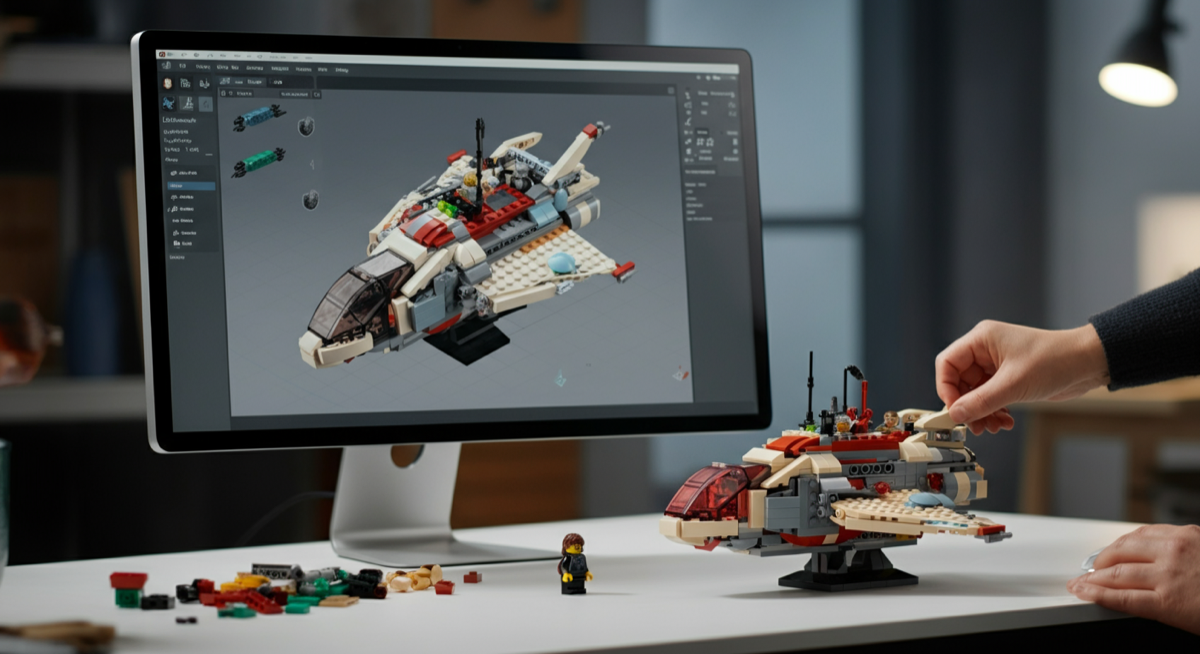
For every passionate LEGO builder who dreams of sharing their incredible "My Own Creations" (MOCs) with the world, creating clear, professional-grade instructions is a crucial next step. The best software for creating LEGO instructions includes **BrickLink Studio (Studio 2.0)** for its comprehensive features and strong community integration, **LEGO Digital Designer (LDD)** for its user-friendliness, and the **LDraw ecosystem (MLCad, LeoCAD)** for advanced customization and open-source flexibility. This guide from Brick by Brick will walk you through the essential tools, best practices, and expert tips to transform your brilliant builds into easy-to-follow assembly guides, empowering fellow brick enthusiasts to recreate your masterpieces.
The World of LEGO MOCs and Why Instructions Matter
There's an unparalleled joy in designing and constructing your very own LEGO creation. Whether it's a sprawling city layout, a detailed vehicle, a whimsical creature, or an intricate mosaic, these "My Own Creations" (MOCs) are the heart and soul of the LEGO fan community. But what happens after you've placed that final brick? The next step for many is to share their vision, and that's where high-quality instructions become indispensable.
Clear, step-by-step LEGO instructions aren't just for official sets; they are the bridge between your imagination and another builder's hands. They allow others to replicate your work, learn new techniques, and even be inspired to create their own unique designs. For instance, imagine the complexity of replicating a stunning build like the or a detailed structure such as the PRODUCT_LINK[Item Number: 4000046-1] without proper guidance. Without instructions, even simple builds can become frustrating puzzles. Good instructions foster community, facilitate learning, and can even open doors to selling your designs.
- Sharing Your Passion: Let others experience the joy of building your MOC.
- Learning & Teaching: Instructions break down complex techniques into manageable steps.
- Community Engagement: Connect with builders who appreciate and recreate your designs.
- Monetization Opportunities: Sell your instructions to a global audience.
Essential Software for LEGO Instruction Creation
To effectively translate your physical or digital MOC into a buildable sequence, you'll need specialized software. These tools provide digital brick palettes, virtual building environments, and automated instruction generation features. Here are the top contenders:
BrickLink Studio (Studio 2.0)
Overview: BrickLink Studio, often simply called Studio 2.0, is arguably the most popular and robust free software for designing LEGO models and creating instructions. Developed by BrickLink (which is now owned by The LEGO Group), Studio seamlessly integrates with the vast BrickLink marketplace, making it easy to manage parts lists and source bricks.
Key Features:
- Comprehensive Part Palette: Access to virtually every LEGO part ever made, including custom parts.
- Robust Building Tools: Intuitive drag-and-drop building, advanced collision detection, part snapping, and sub-model management.
- Integrated Instruction Maker: A powerful tool that automatically generates step-by-step instructions with part callouts, sub-models, and rotation guides. You have significant control over camera angles and step progression.
- Photo-Realistic Rendering: Built-in renderer powered by POV-Ray, allowing you to create stunning images of your MOCs.
- Connectivity with BrickLink: Easily create Wanted Lists for parts, check prices, and order directly from BrickLink stores.
- LDraw Compatibility: Built on the LDraw standard, ensuring broad compatibility with other tools and libraries.
Why it's Recommended: Studio 2.0 is the current industry standard for MOC designers. It's powerful, feature-rich, and constantly updated. The instruction maker is highly customizable, allowing for professional-looking guides. Its tight integration with BrickLink makes it a complete ecosystem for design, instruction creation, and part acquisition.
Who it's Perfect For: All MOC builders, from enthusiastic beginners to seasoned professionals. If you plan to share or sell your instructions, Studio 2.0 provides the best tools for a polished final product. It's a fantastic choice for replicating complex builds like the Lego Minifigure or even intricate mosaics such as the Lego Mosaic Dino.
LEGO Digital Designer (LDD)
Overview: LEGO Digital Designer (LDD) is the official, albeit no longer actively developed, digital building software from The LEGO Group. While it hasn't received updates since 2017, it remains a popular choice for many due to its simplicity and official branding.
Key Features:
- Intuitive Interface: Very user-friendly, making it easy for newcomers to get started with digital building.
- "Build Guide" Mode: Automatically generates instructions, though less customizable than Studio.
- Theme-Specific Palettes: Organizes bricks by LEGO themes, which can be helpful for finding specific parts.
- Brick Selection: A good selection of common bricks, though not as extensive or up-to-date as Studio.
Why it's Recommended: LDD is an excellent starting point for those new to digital LEGO building. Its simplicity reduces the learning curve, allowing builders to focus on design rather than complex software features. While its instruction generation is basic, it's sufficient for personal use or sharing with friends.
Who it's Perfect For: Beginners, younger builders, and those who prefer a straightforward, no-frills digital building experience. It's ideal for practicing with general building sets like Bonus Lego Basic Town before moving to more advanced software.
LDraw Ecosystem (MLCad, LeoCAD, LPub3D)
Overview: LDraw is an open-source CAD system for LEGO bricks. It's not a single program but a collection of tools and a vast, community-maintained part library. Programs like MLCad (a Windows-based editor) and LeoCAD (a cross-platform editor) are used to build models, and then LPub3D is often used to generate instructions.
Key Features:
- Open Source & Free: The entire ecosystem is free and driven by a passionate community.
- Massive Part Library: The LDraw Parts Library is incredibly comprehensive and continuously updated by volunteers.
- Ultimate Control: Offers granular control over every aspect of your model and instruction steps.
- Text-Based File Format: LDraw files are plain text, making them easy to manipulate and script.
- LPub3D for Instructions: A dedicated application for generating highly customizable instructions from LDraw models, including callouts, rotations, and sub-models.
Why it's Recommended: For those who desire the deepest level of control, the LDraw ecosystem offers unparalleled flexibility. While it has a steeper learning curve, the rewards are highly professional and customized instructions. Many advanced MOC designers still rely on LDraw tools for specific tasks not easily handled by other software.
Who it's Perfect For: Experienced digital builders, power users, and those who appreciate open-source solutions. It's perfect for creating highly detailed instructions for complex builds like the Lego Dragon or large-scale projects that require precise documentation.
Quick Software Comparison
| Software | Cost | Ease of Use | Key Features | Best For |
|---|---|---|---|---|
| BrickLink Studio 2.0 | Free | Medium | Robust building, advanced instruction maker, photo-realistic rendering, BrickLink integration. | All builders, professional instruction creation, part sourcing. |
| LEGO Digital Designer (LDD) | Free | High | Intuitive interface, basic instruction guide, official LEGO parts. | Beginners, quick designs, official LEGO feel. |
| LDraw Ecosystem | Free (Open Source) | Low (Steep learning curve) | Ultimate control, vast part library, highly customizable instructions via LPub3D. | Advanced users, open-source enthusiasts, maximum customization. |
Key Principles of Effective LEGO Instruction Design
No matter which software you choose, adhering to fundamental design principles will elevate your instructions from confusing to captivating. Think like a builder, not just a designer.
- Clarity and Simplicity: Break down each step into the smallest possible actions. Avoid adding too many bricks in one step. A good rule of thumb is 1-5 new bricks per step. For incredibly intricate builds like the Lego Mosaic Cat, each piece placement might warrant its own sub-step.
- Part Highlighting: Always highlight the new bricks being added in the current step. Software like Studio 2.0 does this automatically, often with a glow or color change, making it instantly clear what to pick up next.
- Optimal Camera Angles and Zoom: Each step should have a camera view that clearly shows where the new bricks attach and how they connect to the existing structure. Rotate the model as needed. Zoom in on complex connection points.
- Grouping and Sub-Models: For repetitive or complex assemblies (e.g., building multiple identical wheels or a detailed subsystem), create sub-models. Show the assembly of the sub-model once, then instruct the builder to make multiple copies and attach them. This is especially useful for larger sets such as the Giant Lego Topic Set.
- Color Contrast and Readability: Ensure your instruction background and text colors contrast well. Use clear, legible fonts. Avoid busy backgrounds that distract from the build steps.
- Step Numbering and Progression: Use clear, sequential numbering. Ensure a logical build flow that maintains structural integrity and avoids "floating" parts.
- Testing and Feedback: This is CRITICAL. Have someone else (preferably someone unfamiliar with your MOC) try to build it using only your instructions. Observe where they struggle, and use their feedback to refine and clarify steps.
Step-by-Step Process: From MOC to Instructions
Creating instructions is a process that requires patience and attention to detail. Here’s a typical workflow:
-
Build Your MOC (Physically or Digitally):
Start by bringing your creation to life. Whether you're building physically with your brick collection or digitally in your chosen software, this is where the magic begins. For physical builds, consider using a diverse collection like the Giant Lego Dacta Basic Set to spark creativity. If building physically, document your process with photos or notes, paying close attention to the order of assembly.
-
Deconstruct and Document (if Physical):
If your MOC is a physical build, you'll need to carefully disassemble it, ideally in reverse order of how it was built. As you deconstruct, take notes or photos of each major sub-assembly and connection point. This step is crucial for accurately recreating the build digitally.
-
Digitalize or Refine (if Digital):
If you started with a physical MOC, now is the time to recreate it digitally using Studio 2.0, LDD, or LDraw. If you built it digitally from the start, this is where you'll refine your model, ensuring all parts are correctly placed and stable. Double-check your part count against your physical model if applicable.
-
Generate Instructions within Software:
Utilize your software's instruction generator. In Studio 2.0, this is the "Instruction Maker" mode. You'll go through your model step-by-step, defining what bricks are added, setting camera angles, adding rotation guides, and creating sub-models. This is where you apply all the best practices discussed earlier.
-
Review and Test:
This cannot be stressed enough. Once you have a draft of your instructions, put them to the test. Have someone else build your MOC using *only* your instructions. They shouldn't have seen your original model. Pay attention to any confusion, hesitations, or mistakes they make. Their feedback is invaluable for refining your instructions. Even seemingly straightforward builds like LEGO Chess can reveal ambiguities in instructions.
-
Export and Share:
Once your instructions are polished, export them. Most software allows you to export to PDF, which is the most common format for sharing and selling. You can also export high-resolution images for individual steps or promotional material. Consider platforms like Rebrickable, BrickLink MOC Shop, or your own website for sharing your hard work. Sharing a unique design like Lego Mosaic Johnny Thunder or an architectural model like LEGO Campus through clear instructions is incredibly rewarding.
What to Consider When Choosing Instruction Creation Software
Selecting the right software for your LEGO instruction journey depends on several factors. Thinking through these points will help you make an informed decision:
- Your Skill Level: Are you a beginner just starting with digital building, or an experienced CAD user looking for advanced features? LDD is great for beginners, while Studio 2.0 offers a good balance, and the LDraw ecosystem caters to advanced users.
- Budget: All the primary software options mentioned (Studio 2.0, LDD, LDraw) are free. However, some advanced rendering plugins or premium part libraries might incur costs if you venture beyond the core tools.
- Desired Features: Do you need photo-realistic rendering, comprehensive part lists, or highly customizable instruction layouts? Studio 2.0 excels here. If basic step-by-step guides are enough, LDD might suffice.
- Community Support: The LEGO building community is vast and supportive. BrickLink Studio benefits from the massive BrickLink community, while LDraw has a dedicated open-source following. Active communities mean more tutorials, troubleshooting help, and shared knowledge.
- Operating System: Most software is Windows-compatible. Studio 2.0 and LeoCAD are cross-platform (Windows, macOS), while MLCad is Windows-only. Ensure your chosen software runs on your computer.
- Future Goals: Do you plan to sell your instructions, or just share them with friends? Professional presentation is key for selling, making Studio 2.0 a stronger choice for monetization goals. Even for exclusive sets like LEGO Factories National Animals or The LEGO Story, well-crafted instructions enhance their appeal.
Conclusion
Creating professional-grade LEGO instructions for your MOCs is a rewarding endeavor that extends the life and reach of your creative passion. By leveraging powerful tools like **BrickLink Studio 2.0**, understanding the principles of clear design, and diligently testing your guides, you can empower countless fellow builders to construct your amazing creations. Whether you're sharing a simple build or an intricate masterpiece, the journey from MOC to clear instructions is a testament to the enduring joy of LEGO building. So, choose your software, embrace best practices, and start sharing your brick-built dreams with the world!
Master LEGO instruction creation! Discover the best software like BrickLink Studio & LDD, learn essential design practices, and get step-by-step tips to share your MOCs.
LEGO instructions, LEGO MOCs, BrickLink Studio, LDD, LDraw, LEGO building software, custom LEGO instructions, how to make LEGO instructions, LEGO design software, MOC instructions
Unlock the secrets to creating professional LEGO instructions for your "My Own Creations." This guide covers the top software, best design practices, and expert tips to help you share your LEGO MOCs with the world.
Q: What is a LEGO MOC?
A: A LEGO MOC stands for "My Own Creation." It refers to any LEGO model that has been designed and built by a fan, rather than following official LEGO instructions for a specific set. MOCs can range from small, simple builds to massive, complex displays.
Q: Is there free software for creating LEGO instructions?
A: Yes, absolutely! The most popular and highly recommended free software options are BrickLink Studio (Studio 2.0) and LEGO Digital Designer (LDD). The LDraw ecosystem, which includes tools like MLCad, LeoCAD, and LPub3D, is also entirely free and open-source.
Q: How do I share my LEGO instructions?
A: You can share your LEGO instructions in several ways. The most common is to export them as a PDF document from your chosen software. Popular platforms for sharing MOCs and instructions include Rebrickable, the BrickLink MOC Shop, Flickr, and dedicated MOC websites or personal blogs. You can also directly share PDF files with friends or through online communities.
Q: What's the best way to get feedback on my instructions?
A: The best way to get feedback is through "blind testing." Ask someone who has never seen your MOC to try building it using only your instructions. Observe where they struggle, ask them to note down any confusing steps, or highlight unclear images. This unfiltered feedback is invaluable for identifying areas that need improvement and ensuring maximum clarity.
Q: Can I sell instructions for my LEGO MOCs?
A: Yes, many LEGO MOC designers successfully sell their instructions online. Platforms like the BrickLink MOC Shop, Rebrickable, and even personal e-commerce sites are popular venues. When selling, ensure your instructions are of high quality, include a complete parts list (Bill of Materials), and ideally showcase appealing renders of your finished model.
Q: What's the difference between LDD and BrickLink Studio?
A: While both are free digital LEGO building tools, BrickLink Studio (Studio 2.0) is actively developed, offers a more extensive parts library, superior rendering capabilities, and a more advanced, customizable instruction maker. LDD, while very user-friendly, is no longer updated, has a more basic instruction generator, and a less comprehensive part selection. Studio 2.0 is generally considered the more powerful and feature-rich option for serious MOC designers.
Q: How important are good visuals in LEGO instructions?
A: Good visuals are paramount! Clear, well-composed images for each step are more important than descriptive text. Builders rely on visual cues to understand part placement, orientation, and connection points. Ensure optimal camera angles, proper highlighting of new parts, and appropriate zoom levels to avoid confusion.
Brick by Brick Editorial Team
LEGO collecting, building techniques, and set reviews
A team of passionate LEGO enthusiasts dedicated to helping collectors and builders find the best sets.
View all articles by Brick →Use Our Tools to Go Further
Get more insights about the sets mentioned in this article with our free LEGO tools